Site scaffold register
One QR code on the wall, and everyone on site can read the live scaffold register.
On large industrial sites, different areas are often run by different people, and one area doesn't know what scaffolding is standing in the next. The traditional answer is a manual scaffold register pinned up at the workshop or site office, so managers and safety personnel can see the whole site at once.
The problem with a manual register is that it's out of date the moment it's printed, and someone has to keep it current by hand.
Scafflinq now handles this natively.
Site Scaffold Register

Introducing the Site Scaffold Register: a printable QR code for each project that opens the live register for that site.
From Projects & Scaffolds in the web portal, hover over any project, click the ⋯ menu on the far right, and select Download Site Scaffold Register. You'll get a PDF designed to be printed and posted wherever people need answers: the workshop, the site office, the lunch room.
Here's the important part:
- Anyone with a smartphone can scan the QR code — no app to download, no account, no login
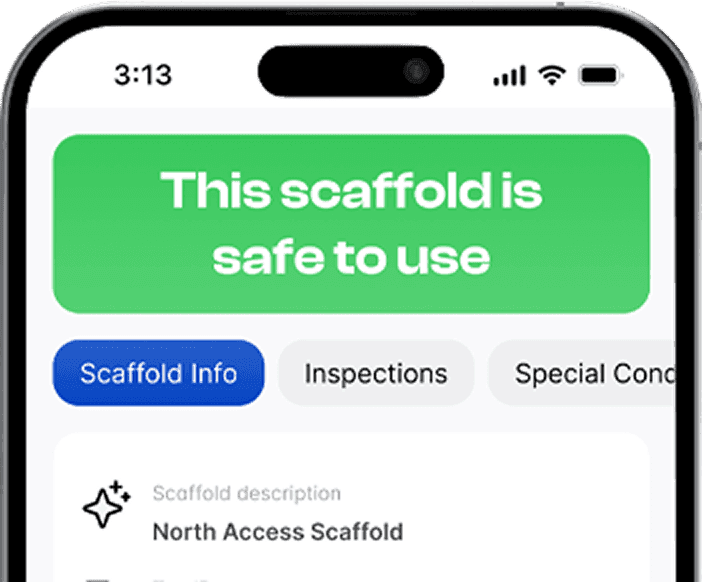
- Scanning opens the live register for that project: every scaffold on site, its safety status, last and next inspection dates, handover certificates, and more
- The register is live, straight from Scafflinq — if a scaffold fails inspection at 9am, the page behind the QR code already shows it
- The printed page never goes out of date, because it doesn't hold the data — it points to it
Print it once. It stays current for the life of the project.
How it fits with the Scaffold Register
The Scaffold Register is the consolidated view of every scaffold in your account — built for Admins and Managers, audits and reporting. The Site Scaffold Register is its companion on the ground: one project, one site, readable by anyone standing in front of it.
Why we've built this
✅ Gives everyone on site a single, trusted answer to "what's standing and is it safe?"
✅ Works for people who will never install the app — other contractors, visitors, plant operators
✅ Replaces the manually maintained register on the workshop wall
✅ Nothing to enable and nothing to configure
The Site Scaffold Register is available now for every project. Open Projects & Scaffolds, hover over a project, click ⋯, and select Download Site Scaffold Register.
Because the register on the wall should be as current as the site it describes.

Put Scafflinq to work on site
Start free with 5 digital scafftags, or book a demo to see the full platform.