For builders
& site teams
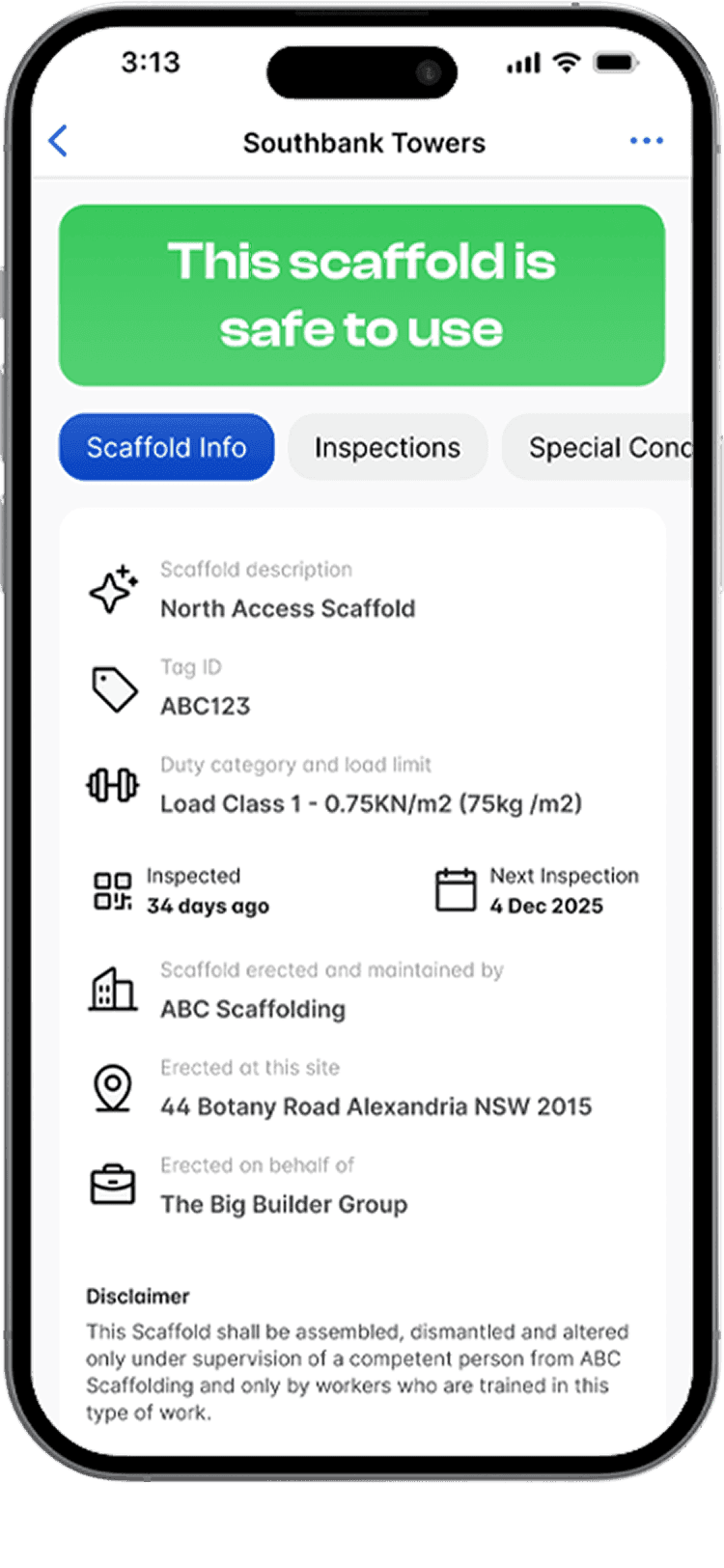
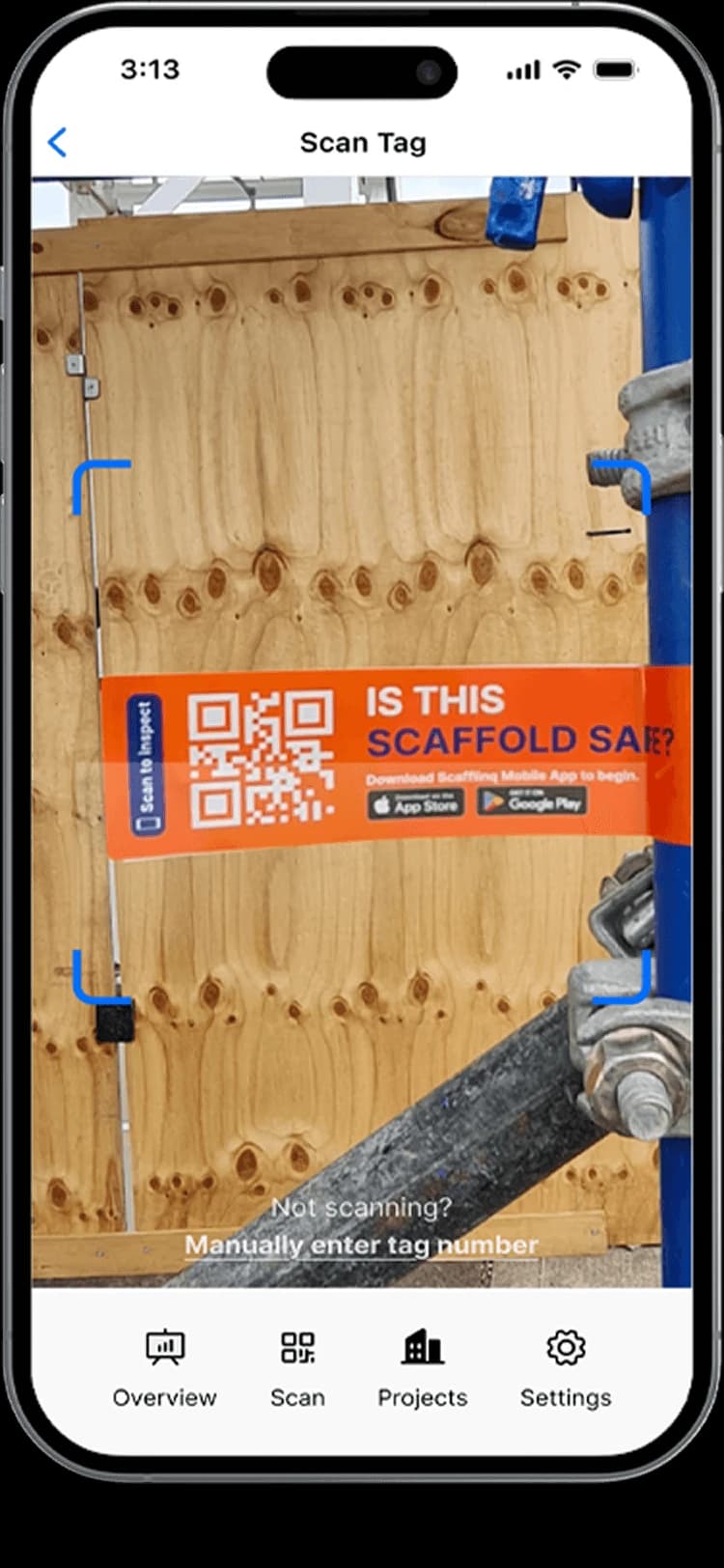
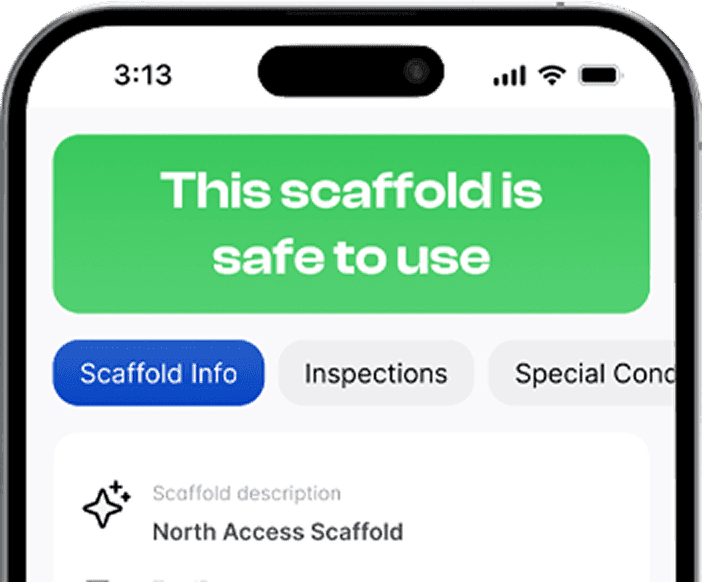
Scafflinq puts a QR tag on every scaffold. Anyone on site scans it to confirm it’s safe to use and see its inspection history.
Features
What your site team gets
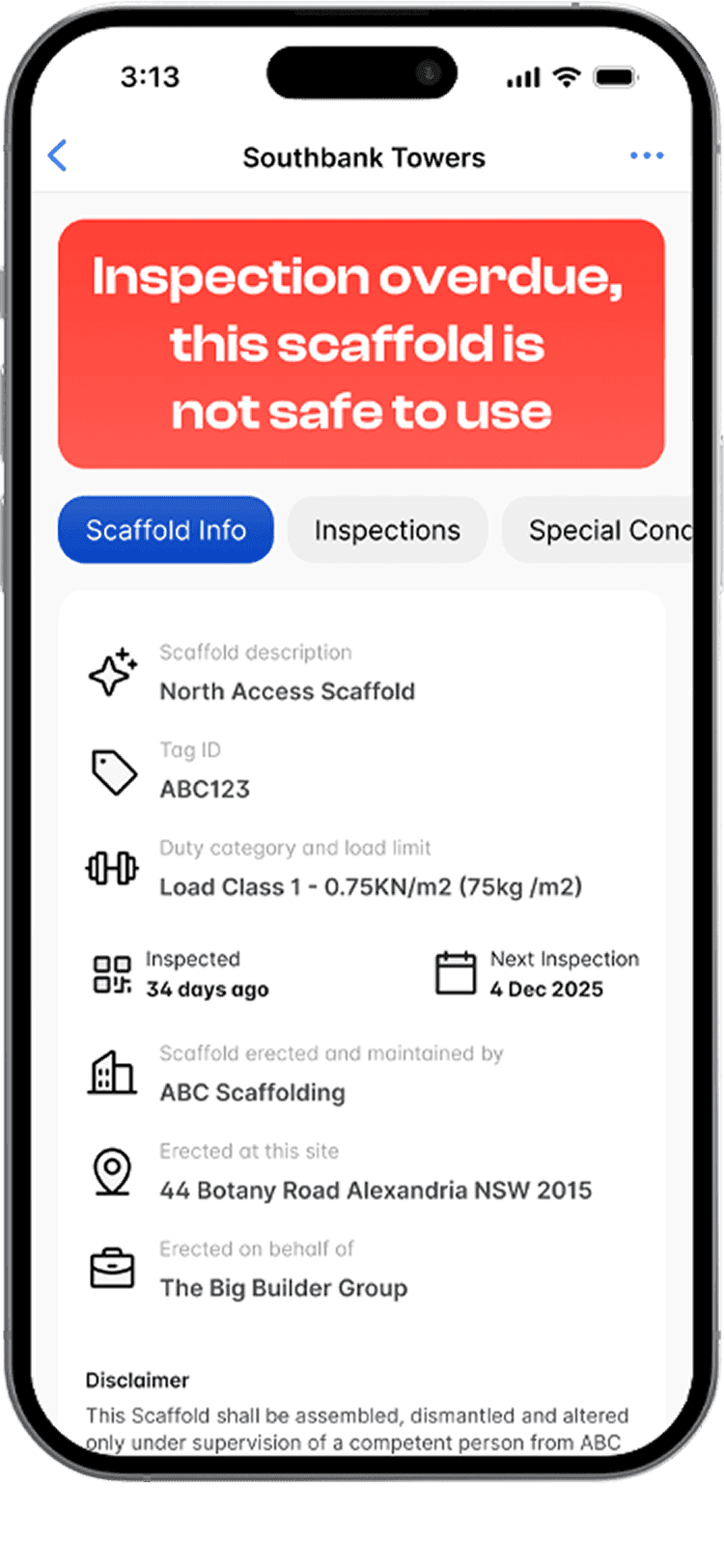
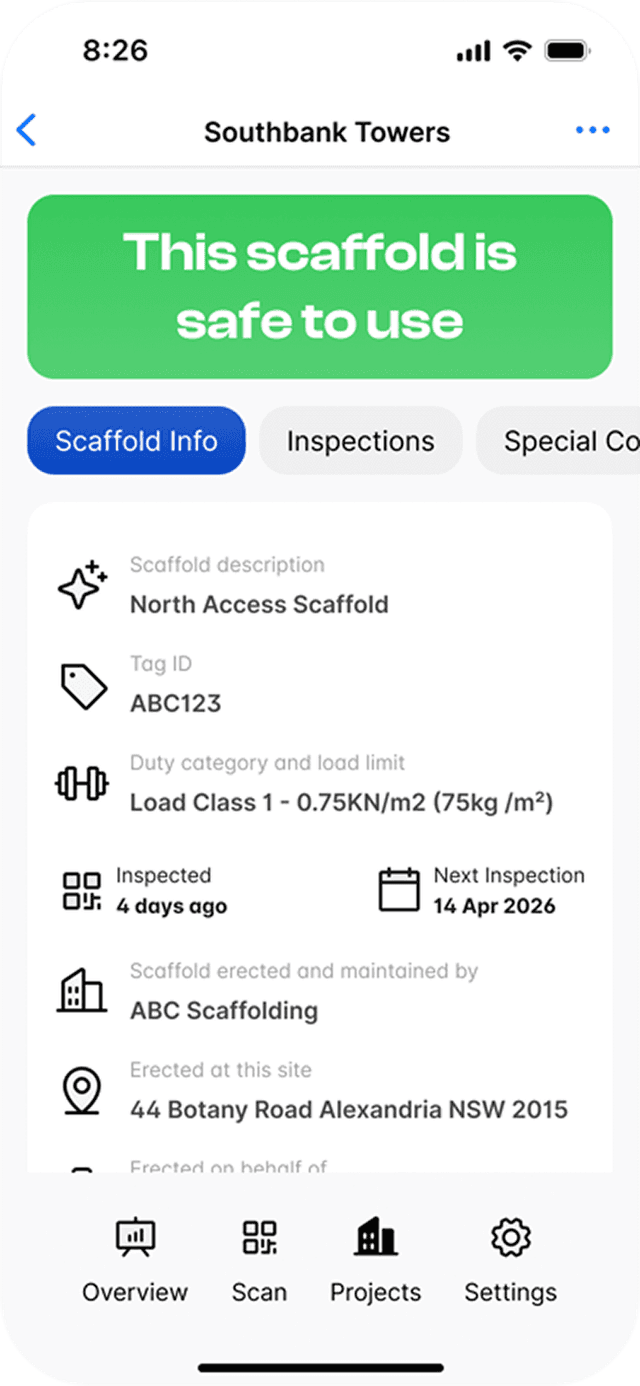
- Instant statusSee if a scaffold is safe to use at a glance.
- Clear red statusNot safe to use, with the reason: a failed or an overdue inspection.
- Full historyView inspection and safety history anytime.
…and more features
- Signed Day DocketsApprove variation work on site and get the signed PDF by email.
- Standardised checksInspections follow the contractor’s approved checklist (customisable).
- No app neededAnyone can scan to view scaffold status and last inspection details.
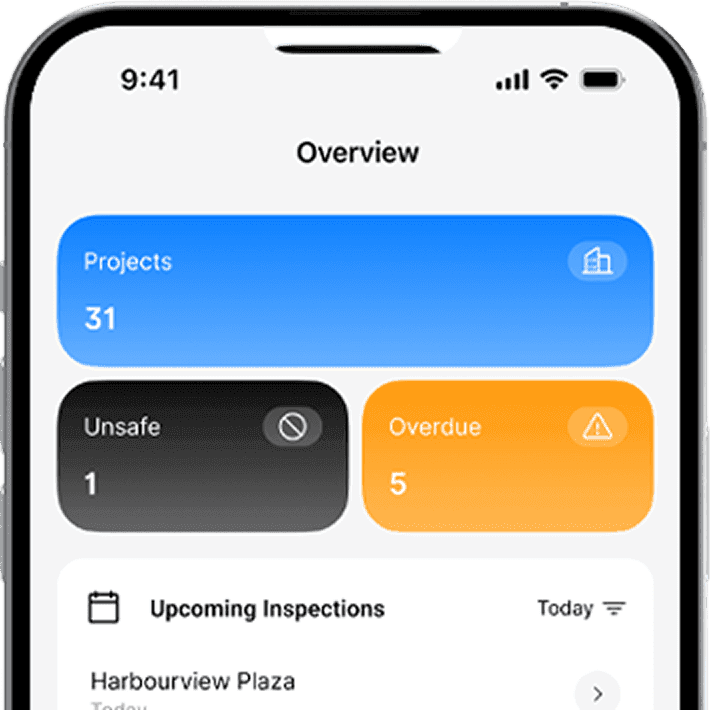
- Live dashboardsVisibility across sites, teams, and branches.
- Audit recordsCloud-backed and encrypted audit trail.
- Photo evidencePhotos stay linked to the scaffold record.
- Handover CertificatesDigital handovers and certificates (shareable).
- Active-tag billingContractors only pay while scaffolds are erected.
- Public statusAnyone can scan to view scaffold status and last inspection details.
- Signed hop-up & tie movesAccept hop-up and tie moves on site, with the handover checks recorded.
- Multi-site readyUnlimited users, projects and scaffolds on every plan.
Features
Better scaffold visibility for
builders and site teams

Faster site flow
Avoid stoppages
Check a scaffold’s status from the tag before work starts.
Scan to view safe/unsafe status and last inspection.
Reduce back-and-forth calls and site downtime.

Clear responsibility
Track changes
Every update is time-stamped and traceable to the right scaffold and user.
See inspection history and sign-offs per scaffold.
Photos and notes stay with the inspection that recorded them.

Audit-ready proof
Stay compliant
Inspection history and evidence are ready whenever you need them.
Photos and notes stay linked to the scaffold record.
Share handover records without spreadsheets.
Industry perspective
When I audit scaffold management on site, the problem is rarely the scaffold. It’s the paper trail. Handover certificates, 30-day inspections, alteration records and engineering are held by different parties, and often can’t be produced when they’re asked for. Scafflinq puts that evidence in one place, accessible on site and in the cloud. For principal contractors, it’s the difference between assuming a scaffold is compliant and being able to prove it.

Tarek Farhat
WHS & ISO Consultant, iHSEQ

How it works
How it works
Require Scafflinq
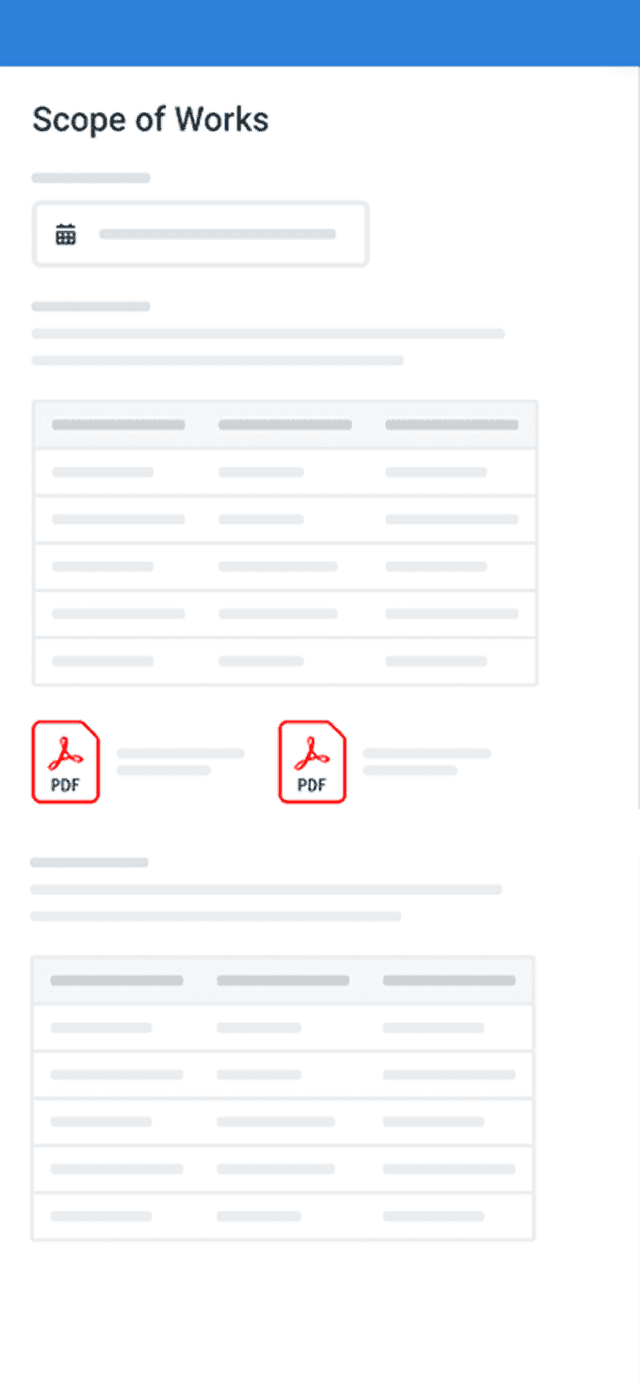
Add Scafflinq to your Scope of Works so your scaffold contractor tags and inspects digitally.
Tag scaffolds
Your scaffold contractor attaches a Scafflinq tag to each scaffold.
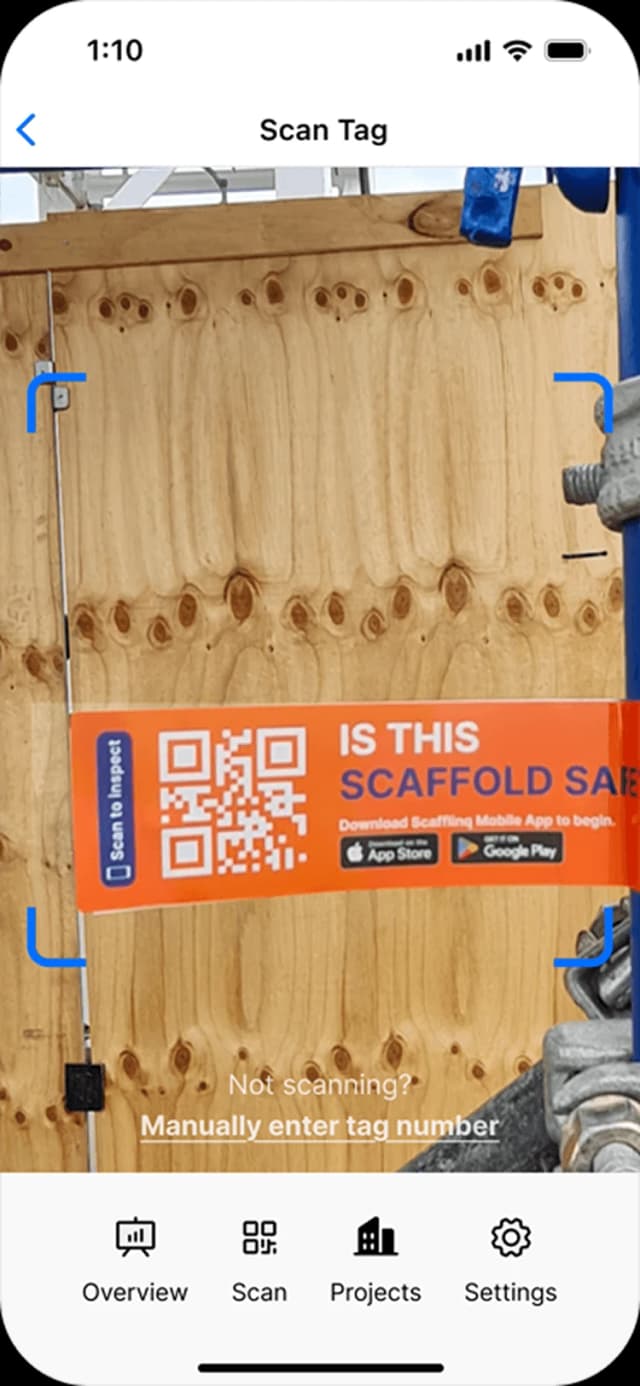
Scan, inspect, sync
Scan on site, complete the checklist, add photos and sign off. The dashboard updates when the inspection is submitted.
Add Scafflinq to your Scope of Works
Copy a short clause that asks for digital scaffold tags and inspection records on your sites, and an email to send your scaffold contractor.
Testimonials
What teams say
about Scafflinq
Vicky Amato
Australian Scaffold
Scafflinq has made our inspection and compliance processes faster, clearer, and far more efficient. It’s been a great tool for improving visibility across our projects and ensuring everything stays up to date.
Daniel Lake
Elevate Access Solutions
Scafflinq has been a game changer for our Inspections and Handovers, all our scaffolds on one platform makes it very easy to manage. Our customers love it, it makes our operation a lot more efficient.
Andres Van der Welt
Rohrig Constructions
Thanks to Scafflinq, we never have to worry about losing inspection records again. It’s always there, ready for us to access.
Shane Youssef
FC Building
Scafflinq has revolutionized the way we track scaffold inspections. It’s simple, easy to use, and gives us complete peace of mind.
Kate Paterson
Melbourne Scaffold Solutions
This innovation allows us to efficiently hand over scaffolds and keep meticulous track of inspections.
Isi Talanoa
Proview Scaffolding
Scafflinq has made scaffold handovers more efficient and helps us keep accurate, up-to-date records of every inspection.
Al Ibrahim
Buildum Construction
Scafflinq is a must-have for any builder serious about safety. It’s easy to use and gives us complete visibility into our scaffolding structures.
Mohamed Trad
Phoenix Developments
Scafflinq has made our scaffolding site safer than ever. It’s a reliable solution that we can trust.
Roi Cifti
Richard Crookes
With Scafflinq, I can access scaffold inspection history from anywhere, anytime. It’s a game-changer for our business.
Kurt Vengers
Dartanyon Developments
Scafflinq has saved us countless hours of paperwork and admin. We can now focus on our core business knowing that our scaffolding is always safe and compliant.


Vicky Amato
Australian Scaffold
Scafflinq has made our inspection and compliance processes faster, clearer, and far more efficient. It’s been a great tool for improving visibility across our projects and ensuring everything stays up to date.
Daniel Lake
Elevate Access Solutions
Scafflinq has been a game changer for our Inspections and Handovers, all our scaffolds on one platform makes it very easy to manage. Our customers love it, it makes our operation a lot more efficient.
Andres Van der Welt
Rohrig Constructions
Thanks to Scafflinq, we never have to worry about losing inspection records again. It’s always there, ready for us to access.
Shane Youssef
FC Building
Scafflinq has revolutionized the way we track scaffold inspections. It’s simple, easy to use, and gives us complete peace of mind.
Kate Paterson
Melbourne Scaffold Solutions
This innovation allows us to efficiently hand over scaffolds and keep meticulous track of inspections.
Vicky Amato
Australian Scaffold
Scafflinq has made our inspection and compliance processes faster, clearer, and far more efficient. It’s been a great tool for improving visibility across our projects and ensuring everything stays up to date.
Daniel Lake
Elevate Access Solutions
Scafflinq has been a game changer for our Inspections and Handovers, all our scaffolds on one platform makes it very easy to manage. Our customers love it, it makes our operation a lot more efficient.
Andres Van der Welt
Rohrig Constructions
Thanks to Scafflinq, we never have to worry about losing inspection records again. It’s always there, ready for us to access.
Shane Youssef
FC Building
Scafflinq has revolutionized the way we track scaffold inspections. It’s simple, easy to use, and gives us complete peace of mind.
Kate Paterson
Melbourne Scaffold Solutions
This innovation allows us to efficiently hand over scaffolds and keep meticulous track of inspections.
Isi Talanoa
Proview Scaffolding
Scafflinq has made scaffold handovers more efficient and helps us keep accurate, up-to-date records of every inspection.
Al Ibrahim
Buildum Construction
Scafflinq is a must-have for any builder serious about safety. It’s easy to use and gives us complete visibility into our scaffolding structures.
Mohamed Trad
Phoenix Developments
Scafflinq has made our scaffolding site safer than ever. It’s a reliable solution that we can trust.
Roi Cifti
Richard Crookes
With Scafflinq, I can access scaffold inspection history from anywhere, anytime. It’s a game-changer for our business.
Kurt Vengers
Dartanyon Developments
Scafflinq has saved us countless hours of paperwork and admin. We can now focus on our core business knowing that our scaffolding is always safe and compliant.
Isi Talanoa
Proview Scaffolding
Scafflinq has made scaffold handovers more efficient and helps us keep accurate, up-to-date records of every inspection.
Al Ibrahim
Buildum Construction
Scafflinq is a must-have for any builder serious about safety. It’s easy to use and gives us complete visibility into our scaffolding structures.
Mohamed Trad
Phoenix Developments
Scafflinq has made our scaffolding site safer than ever. It’s a reliable solution that we can trust.
Roi Cifti
Richard Crookes
With Scafflinq, I can access scaffold inspection history from anywhere, anytime. It’s a game-changer for our business.
Kurt Vengers
Dartanyon Developments
Scafflinq has saved us countless hours of paperwork and admin. We can now focus on our core business knowing that our scaffolding is always safe and compliant.
FAQs
Frequently asked questions
Quick answers about Scafflinq tags, inspections, billing, and getting started with Scafflinq.
No. Scan the tag with your phone camera to see the scaffold’s status and inspection history.

Want Scafflinq on your sites?
Book a quick demo or start free. We’ll help you roll it into your Scope of Works and onboard your scaffold contractor.