Meet Maya,
your AI inspection assistant
Inspect the way you always have, or speak your notes and let Maya turn them into checklist suggestions ready for review. Less tapping, and the inspector still reviews every answer and signs off.

Key capabilities
Less tapping.
Human sign-off stays in control.
- Speak your notesDescribe what you’ve checked in plain language while you’re on site.
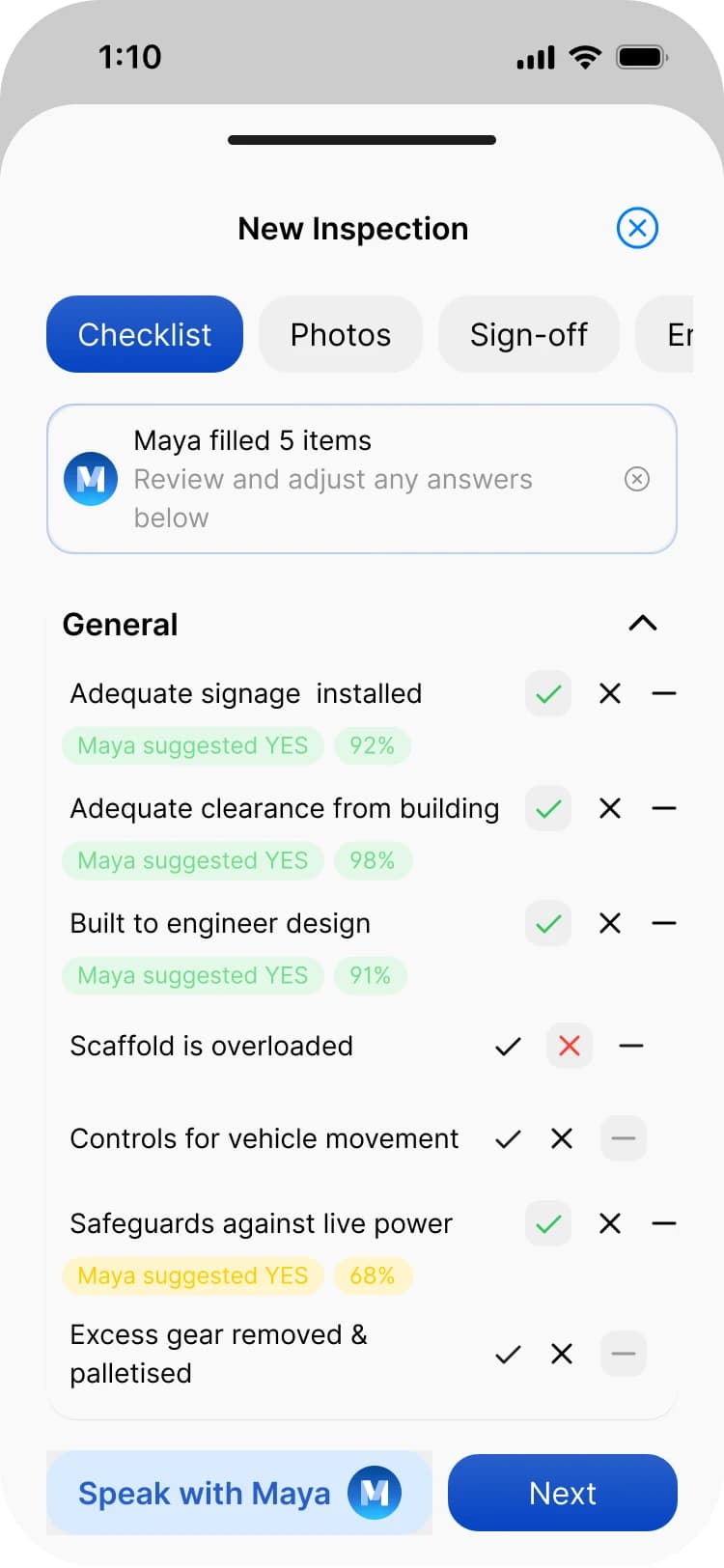
- Checklist suggestionsMaya suggests YES, NO or N/A answers against your active checklist.
- You review and applyAccept, edit or reject each suggestion before it goes on the inspection.
…and more additional features
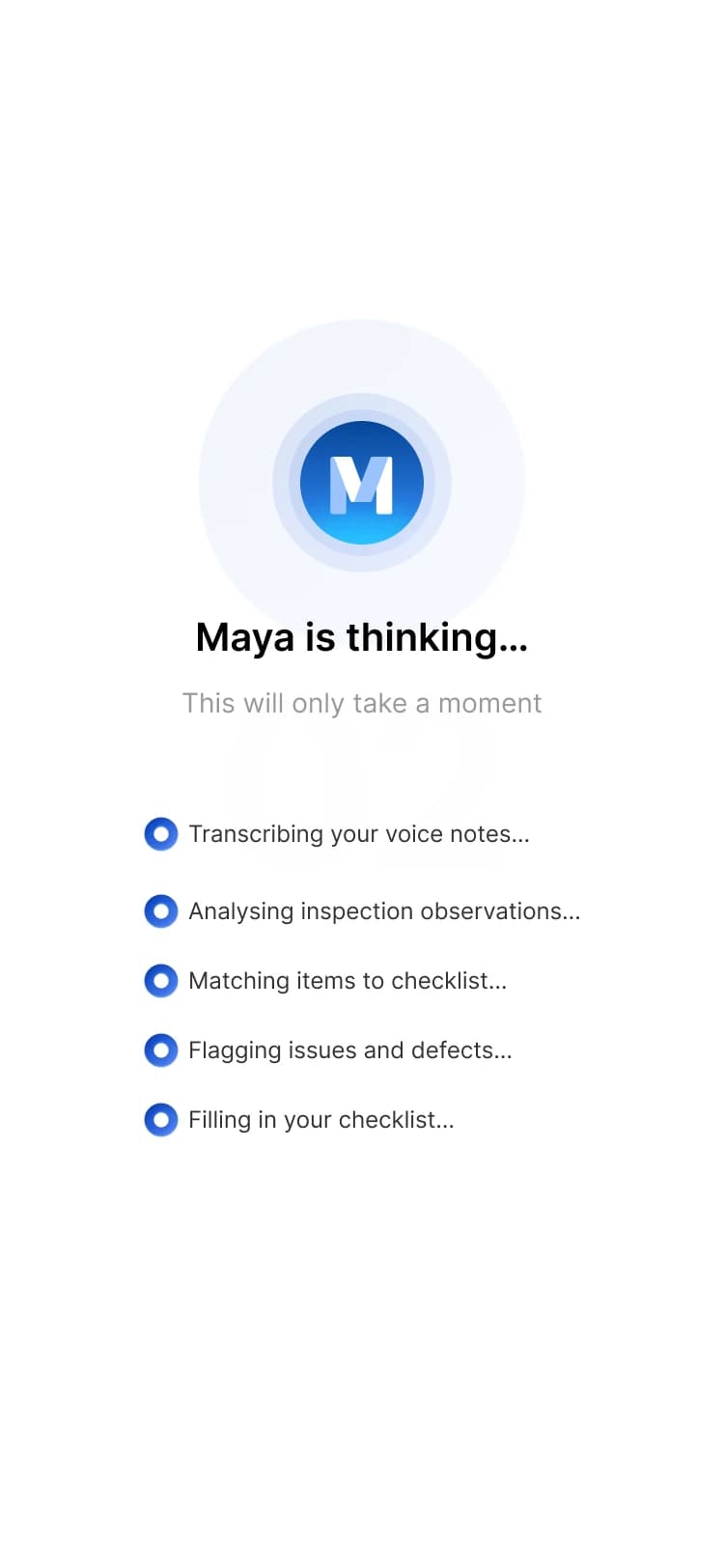
- Transcribed for youMaya transcribes the recording before mapping it to the checklist.
- Issues flaggedDefects, hazards and concerns you mention are flagged for review.
- Not applicableMention sections that don’t apply and Maya suggests N/A.
- Your own checklistWorks with your custom groups and questions, as they are today.
- No invented questionsSuggestions only ever map to questions already on your checklist.
- Inspector confirmsThe record shows Maya assisted and the inspector confirmed the answers.
Features
Speak your notes.Review the suggestions.Sign it off.
Speak your notes
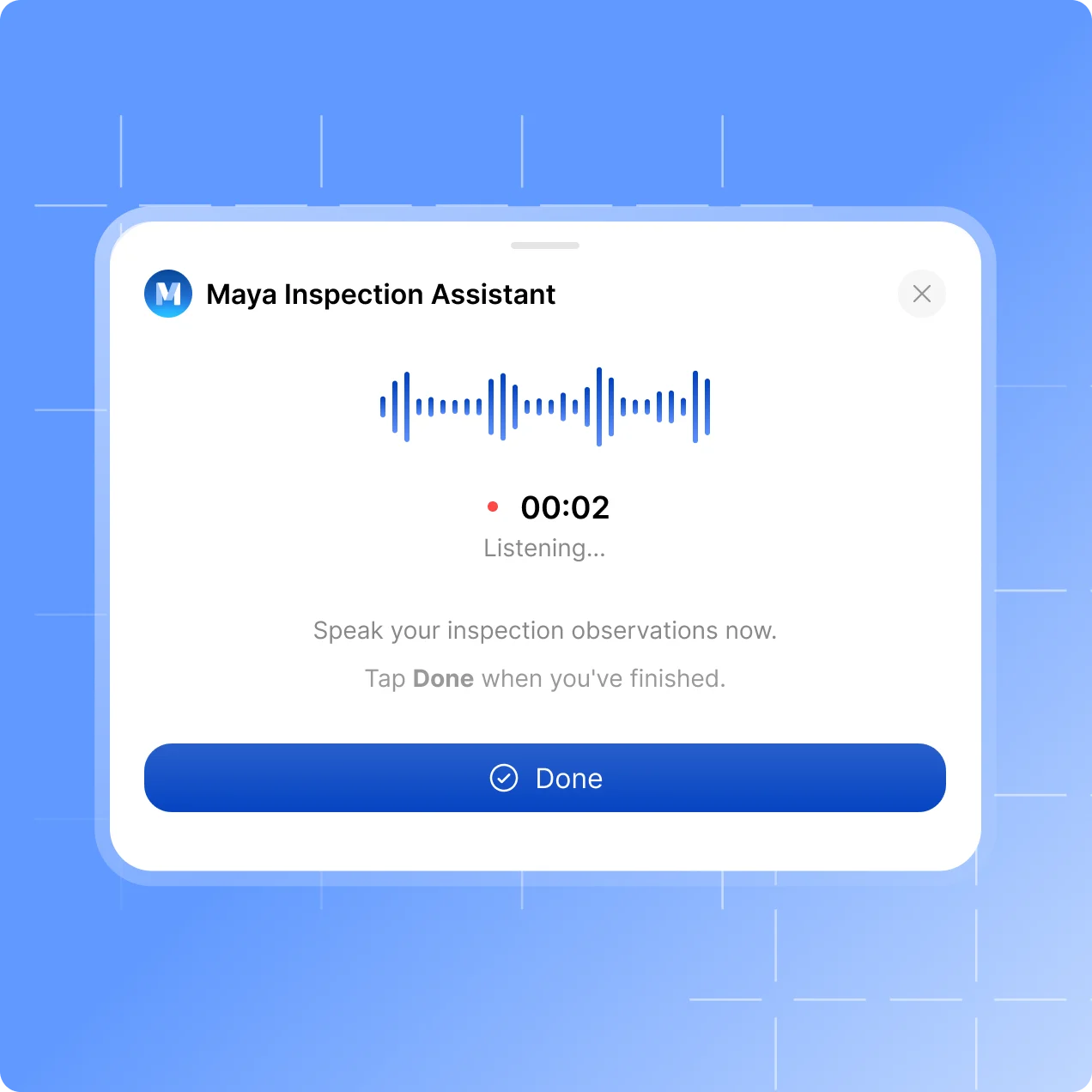
Talk through the scaffold, don’t tap through it
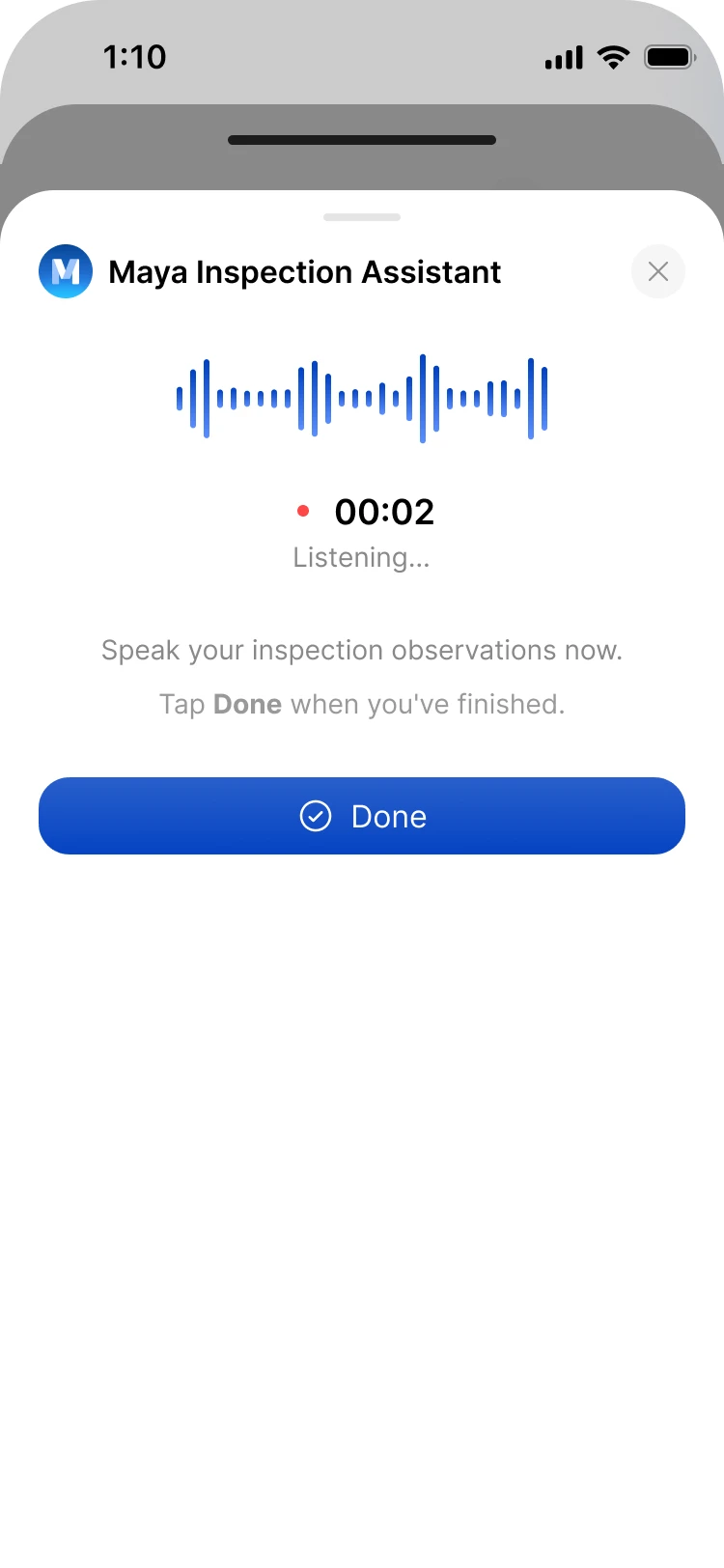
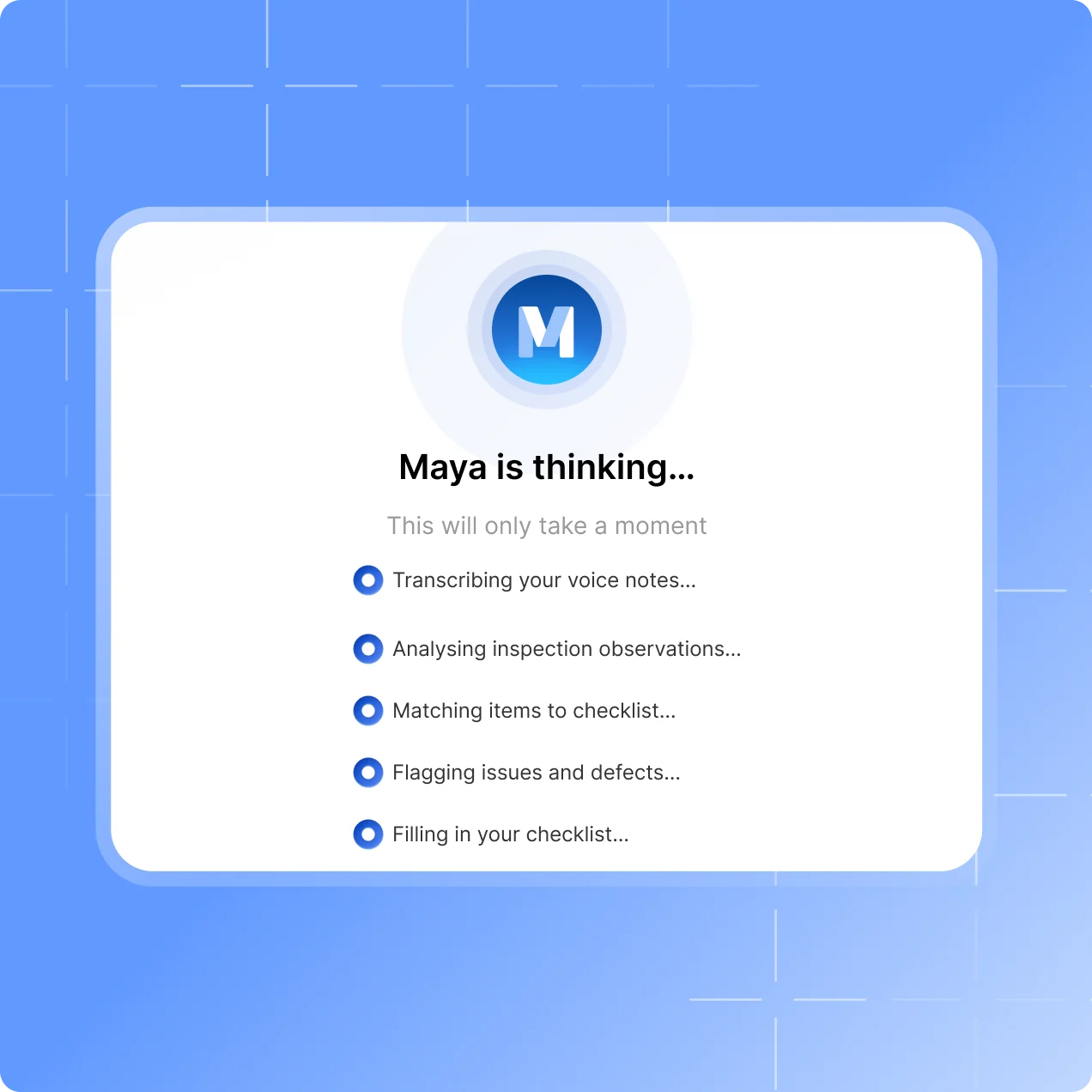
Inspections work as they always have. When you want to go faster, tap the Maya icon on the checklist and describe what you’ve checked, the way you would to a colleague.
Describe what you’ve checked using plain language.
Call out issues, defects or concerns clearly.
Mention any sections that are not applicable.
Checklist suggestions
Mapped to the checklist you already use
“Access paths are clear, but there’s a minor trip hazard near the east bay. Loading platform and mobile tower sections are not applicable.”
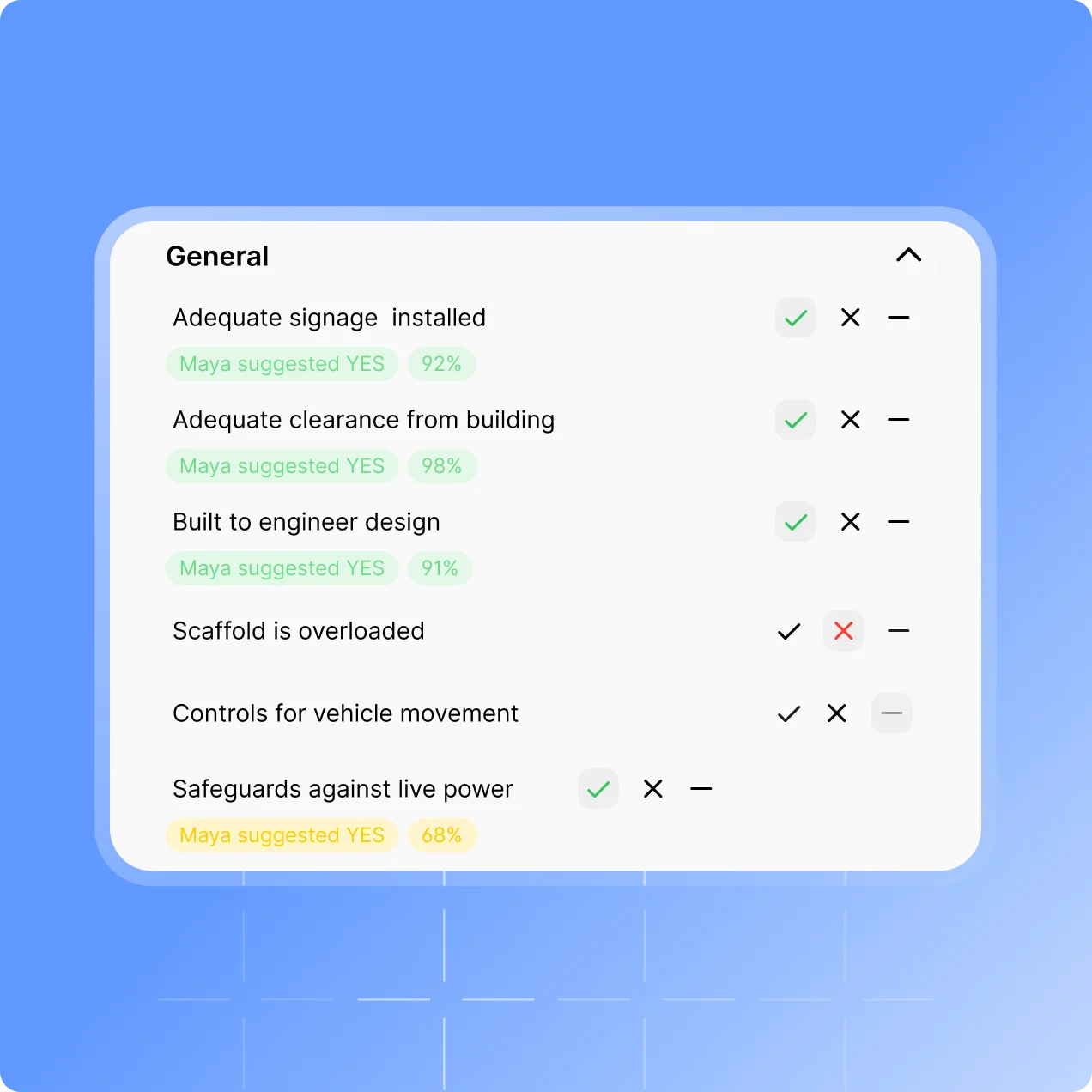
Maya suggests NO for access paths, and flags the trip hazard as an issue.
Loading platforms and mobile towers are suggested as N/A.
Suggestions are only ever YES, NO or N/A, against questions on your checklist.
Inspector-controlled
Nothing is applied until you say so
Maya assists with the paperwork. She doesn’t inspect the scaffold, decide whether it’s safe, or sign anything off.
Review, edit, accept or reject every suggestion.
Add your photos and sign-off, then submit as you do today.
The record shows Maya assisted and the inspector confirmed the final answers.
Testimonials
What teams say
About Scafflinq
Vicky Amato
Australian Scaffold
Scafflinq has made our inspection and compliance processes faster, clearer, and far more efficient. It’s been a great tool for improving visibility across our projects and ensuring everything stays up to date.
Daniel Lake
Elevate Access Solutions
Scafflinq has been a game changer for our Inspections and Handovers, all our scaffolds on one platform makes it very easy to manage. Our customers love it, it makes our operation a lot more efficient.
Andres Van der Welt
Rohrig Constructions
Thanks to Scafflinq, we never have to worry about losing inspection records again. It’s always there, ready for us to access.
Shane Youssef
FC Building
Scafflinq has revolutionized the way we track scaffold inspections. It’s simple, easy to use, and gives us complete peace of mind.
Kate Paterson
Melbourne Scaffold Solutions
This innovation allows us to efficiently hand over scaffolds and keep meticulous track of inspections.
Isi Talanoa
Proview Scaffolding
Scafflinq has made scaffold handovers more efficient and helps us keep accurate, up-to-date records of every inspection.
Al Ibrahim
Buildum Construction
Scafflinq is a must-have for any builder serious about safety. It’s easy to use and gives us complete visibility into our scaffolding structures.
Mohamed Trad
Phoenix Developments
Scafflinq has made our scaffolding site safer than ever. It’s a reliable solution that we can trust.
Roi Cifti
Richard Crookes
With Scafflinq, I can access scaffold inspection history from anywhere, anytime. It’s a game-changer for our business.
Kurt Vengers
Dartanyon Developments
Scafflinq has saved us countless hours of paperwork and admin. We can now focus on our core business knowing that our scaffolding is always safe and compliant.


Vicky Amato
Australian Scaffold
Scafflinq has made our inspection and compliance processes faster, clearer, and far more efficient. It’s been a great tool for improving visibility across our projects and ensuring everything stays up to date.
Daniel Lake
Elevate Access Solutions
Scafflinq has been a game changer for our Inspections and Handovers, all our scaffolds on one platform makes it very easy to manage. Our customers love it, it makes our operation a lot more efficient.
Andres Van der Welt
Rohrig Constructions
Thanks to Scafflinq, we never have to worry about losing inspection records again. It’s always there, ready for us to access.
Shane Youssef
FC Building
Scafflinq has revolutionized the way we track scaffold inspections. It’s simple, easy to use, and gives us complete peace of mind.
Kate Paterson
Melbourne Scaffold Solutions
This innovation allows us to efficiently hand over scaffolds and keep meticulous track of inspections.
Vicky Amato
Australian Scaffold
Scafflinq has made our inspection and compliance processes faster, clearer, and far more efficient. It’s been a great tool for improving visibility across our projects and ensuring everything stays up to date.
Daniel Lake
Elevate Access Solutions
Scafflinq has been a game changer for our Inspections and Handovers, all our scaffolds on one platform makes it very easy to manage. Our customers love it, it makes our operation a lot more efficient.
Andres Van der Welt
Rohrig Constructions
Thanks to Scafflinq, we never have to worry about losing inspection records again. It’s always there, ready for us to access.
Shane Youssef
FC Building
Scafflinq has revolutionized the way we track scaffold inspections. It’s simple, easy to use, and gives us complete peace of mind.
Kate Paterson
Melbourne Scaffold Solutions
This innovation allows us to efficiently hand over scaffolds and keep meticulous track of inspections.
Isi Talanoa
Proview Scaffolding
Scafflinq has made scaffold handovers more efficient and helps us keep accurate, up-to-date records of every inspection.
Al Ibrahim
Buildum Construction
Scafflinq is a must-have for any builder serious about safety. It’s easy to use and gives us complete visibility into our scaffolding structures.
Mohamed Trad
Phoenix Developments
Scafflinq has made our scaffolding site safer than ever. It’s a reliable solution that we can trust.
Roi Cifti
Richard Crookes
With Scafflinq, I can access scaffold inspection history from anywhere, anytime. It’s a game-changer for our business.
Kurt Vengers
Dartanyon Developments
Scafflinq has saved us countless hours of paperwork and admin. We can now focus on our core business knowing that our scaffolding is always safe and compliant.
Isi Talanoa
Proview Scaffolding
Scafflinq has made scaffold handovers more efficient and helps us keep accurate, up-to-date records of every inspection.
Al Ibrahim
Buildum Construction
Scafflinq is a must-have for any builder serious about safety. It’s easy to use and gives us complete visibility into our scaffolding structures.
Mohamed Trad
Phoenix Developments
Scafflinq has made our scaffolding site safer than ever. It’s a reliable solution that we can trust.
Roi Cifti
Richard Crookes
With Scafflinq, I can access scaffold inspection history from anywhere, anytime. It’s a game-changer for our business.
Kurt Vengers
Dartanyon Developments
Scafflinq has saved us countless hours of paperwork and admin. We can now focus on our core business knowing that our scaffolding is always safe and compliant.
FAQs
Frequently asked questions
Quick answers about Maya, Scafflinq’s AI inspection assistant.
Maya is Scafflinq’s AI inspection assistant. She sits inside the inspection checklist in the Scafflinq mobile app. You speak your inspection notes, and Maya turns them into checklist suggestions ready for you to review.

Inspect faster with Maya
Start free with 5 tags. Speak your notes, review Maya’s suggestions, and sign off as you do today.