Dashboards and alerts,
before it’s overdue
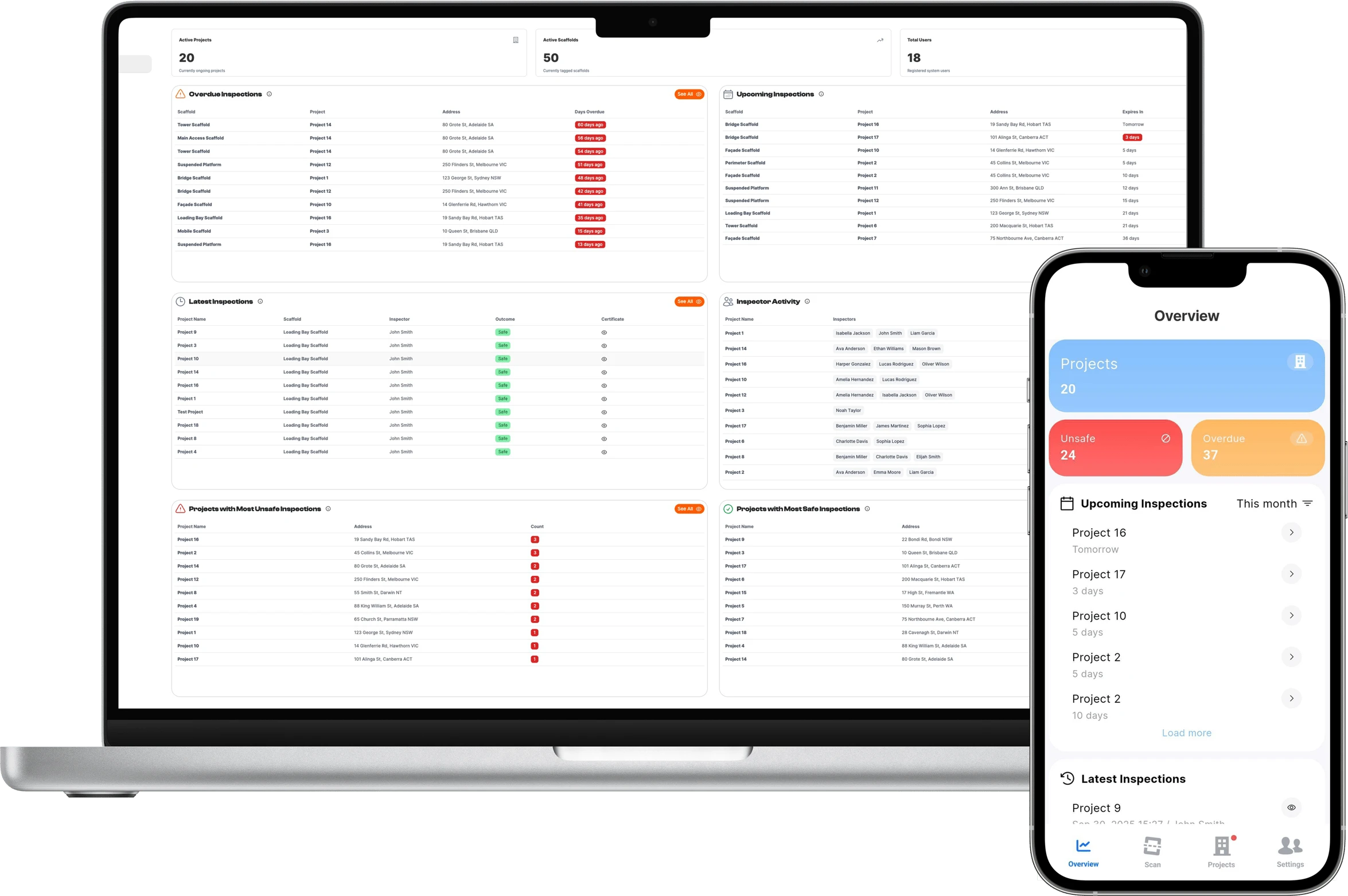
See what’s overdue, what’s coming up and which projects need attention, on the web and on your phone. Reminders reach your team before inspections fall due.
Key capabilities
Know where to look
before you start looking
- Live dashboardsOverdue, upcoming and latest inspections across every project.
- Project mapEvery project on a map, colour-coded by safety status.
- Inspection remindersApp and email reminders for upcoming and overdue inspections.
…and more additional features
- Amber warning periodChoose how many days’ notice before an inspection is due.
- Clear red reasonsFailed inspection and overdue inspection shown separately.
- Inspector activitySee who has been inspecting, and where.
- Export to ExcelSearch, filter and export any dashboard list.
- Global searchProjects, scaffolds, inspections and users, from any page in the portal.
- Weekly summaryA weekly email summary of your jobs and upcoming inspections.
- Mobile overviewUnsafe, overdue and upcoming counts the moment you log in.
- Safe vs unsafeProjects with the most safe and unsafe inspections.
- Site contact, one clickEach map pin shows the site contact, ready to call.
Features
Fewer misses.Faster answers.Every site in view.
Web dashboard
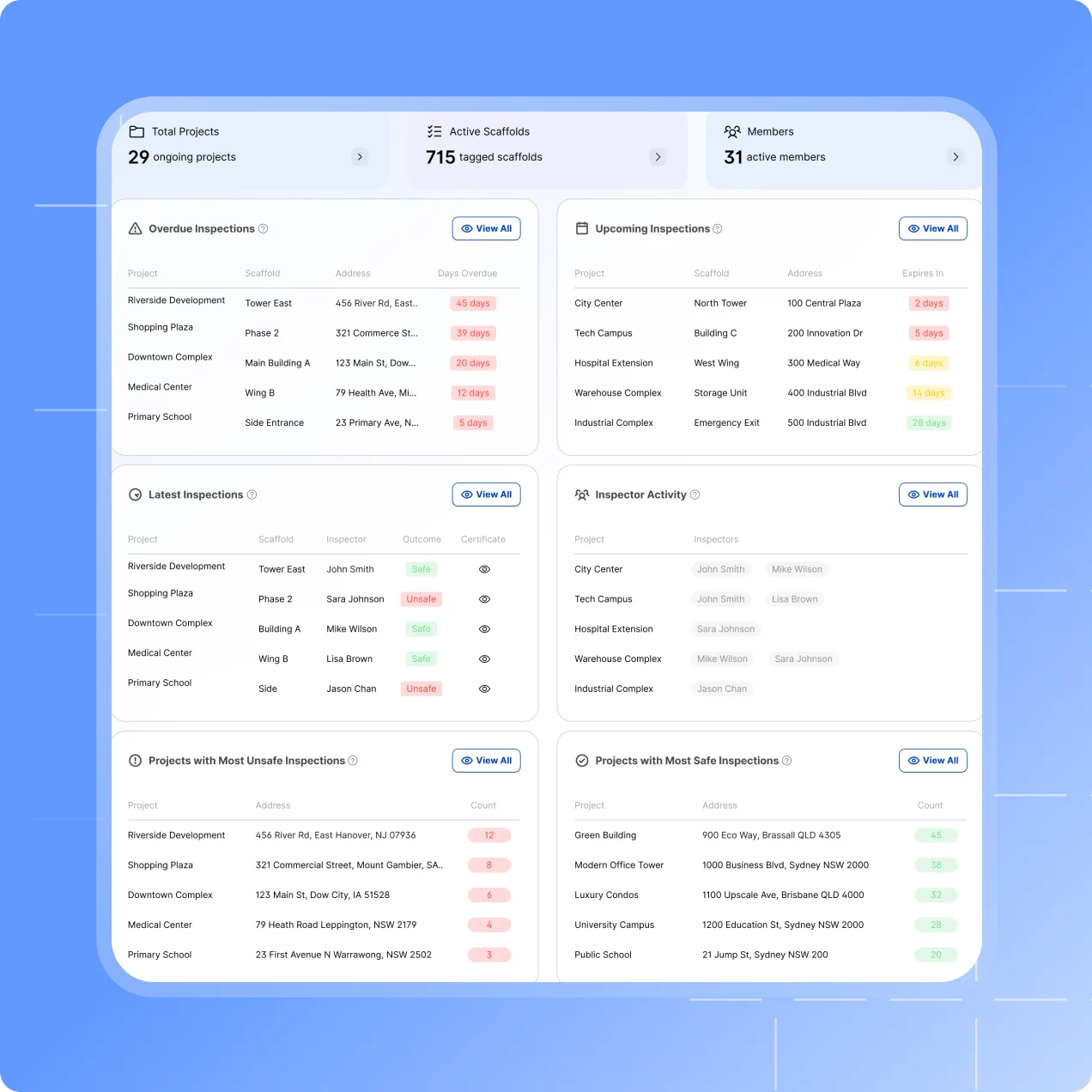
Every project’s inspections on one screen
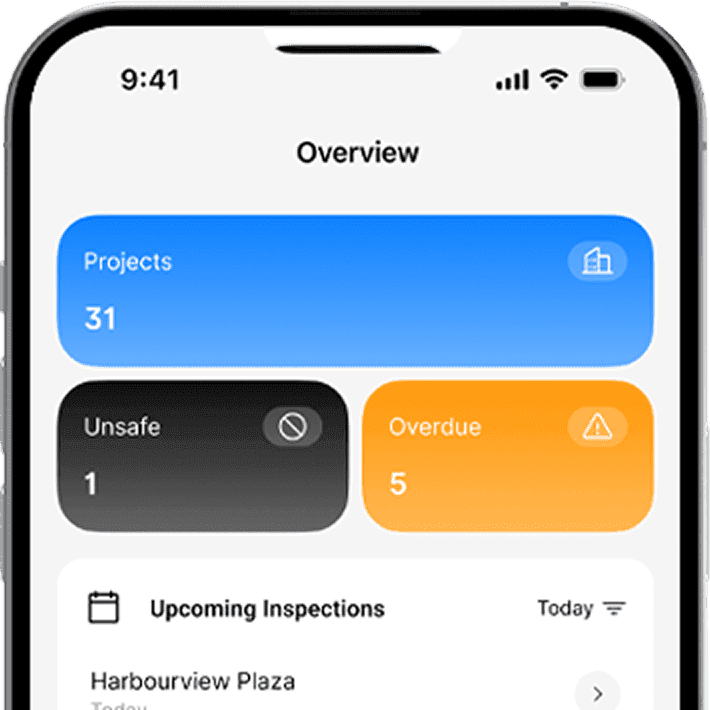
Active projects, active tags, users, and the inspections that need attention, in one place.
Overdue inspections, and upcoming ones with the days remaining.
The latest results, inspector activity, and projects with the most unsafe or safe inspections.
Open any list to search, filter or export it to Excel.
Status alerts
A heads-up before it turns red
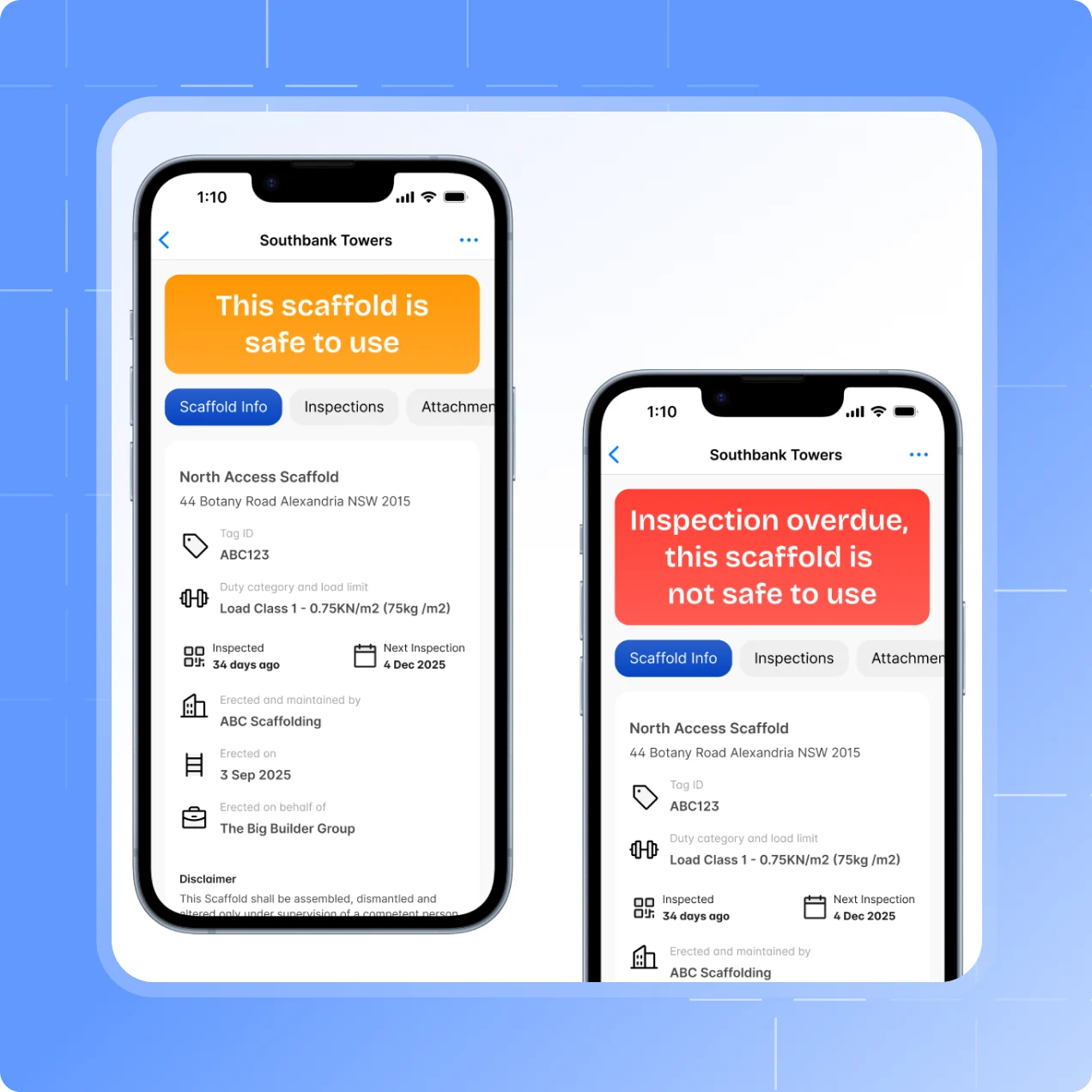
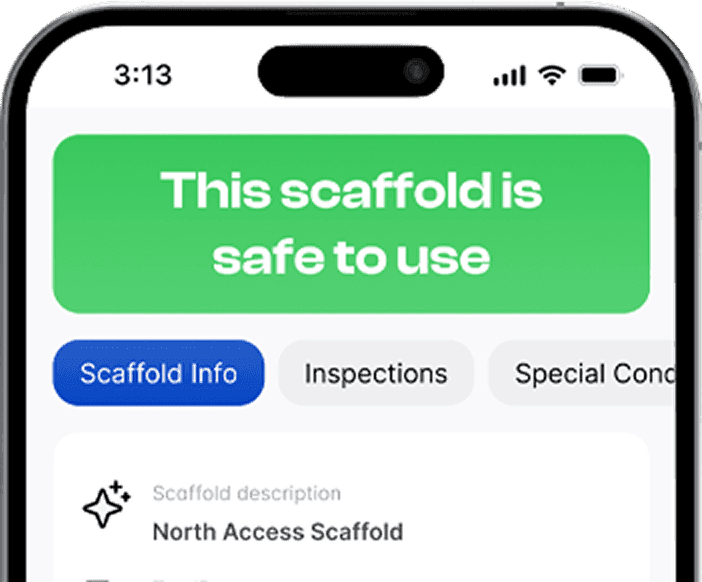
Set an amber warning period, and every scaffold’s tag turns amber that many days before its inspection is due.
On a 30-day cycle with a 4-day warning: green to day 26, amber to day 30, red after.
Red says why: a failed inspection, or an overdue one.
App and email reminders for upcoming and overdue inspections, with the notice you choose.
Map view
Every project on a map
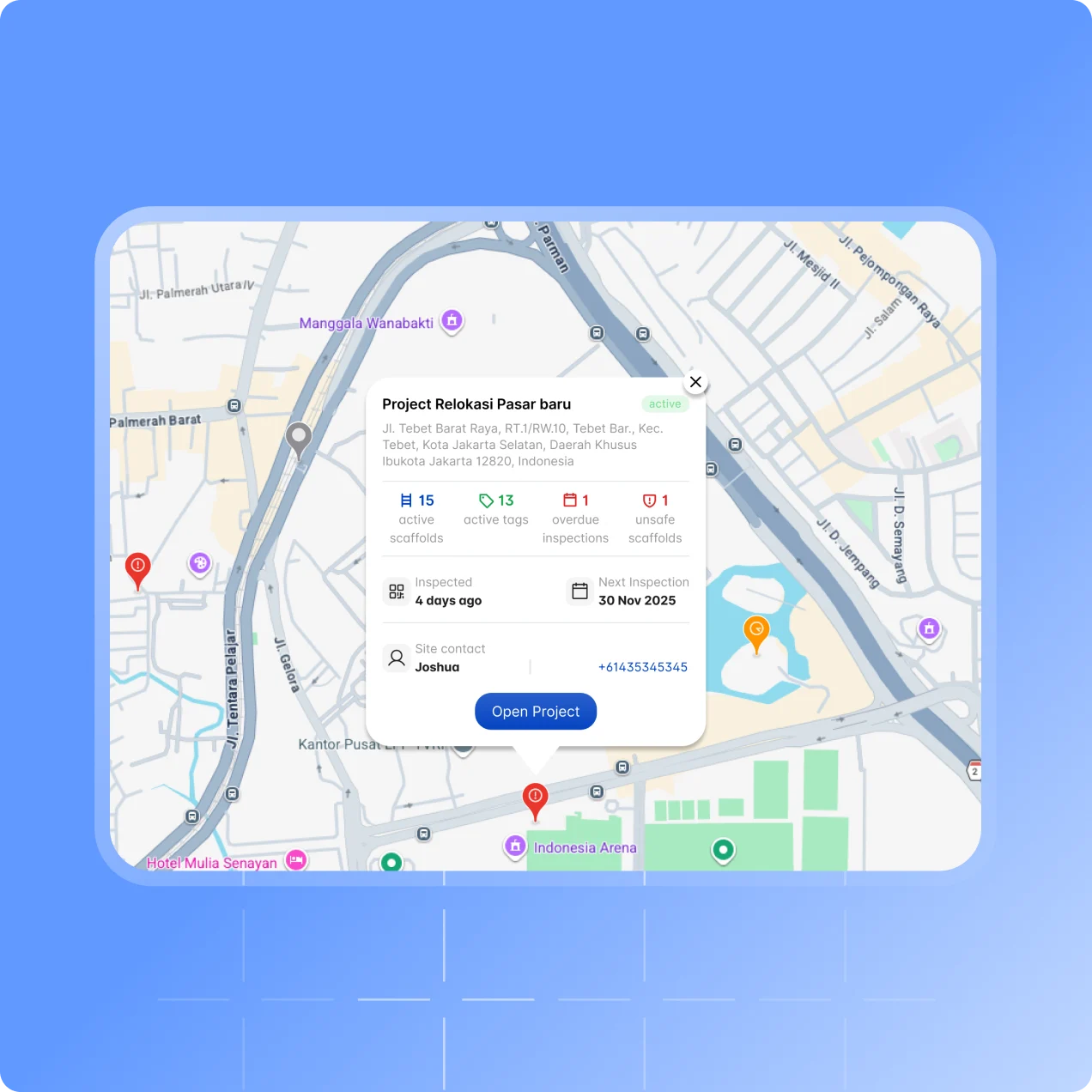
Switch Projects & Scaffolds to Map and each project drops onto an interactive map, colour-coded by its worst scaffold.
Red for unsafe or overdue, amber for upcoming, green for safe.
Click a pin for active scaffolds, overdue and unsafe counts, and inspection dates.
The site contact’s name and phone number, ready to call.
On your phone
The overview in your pocket
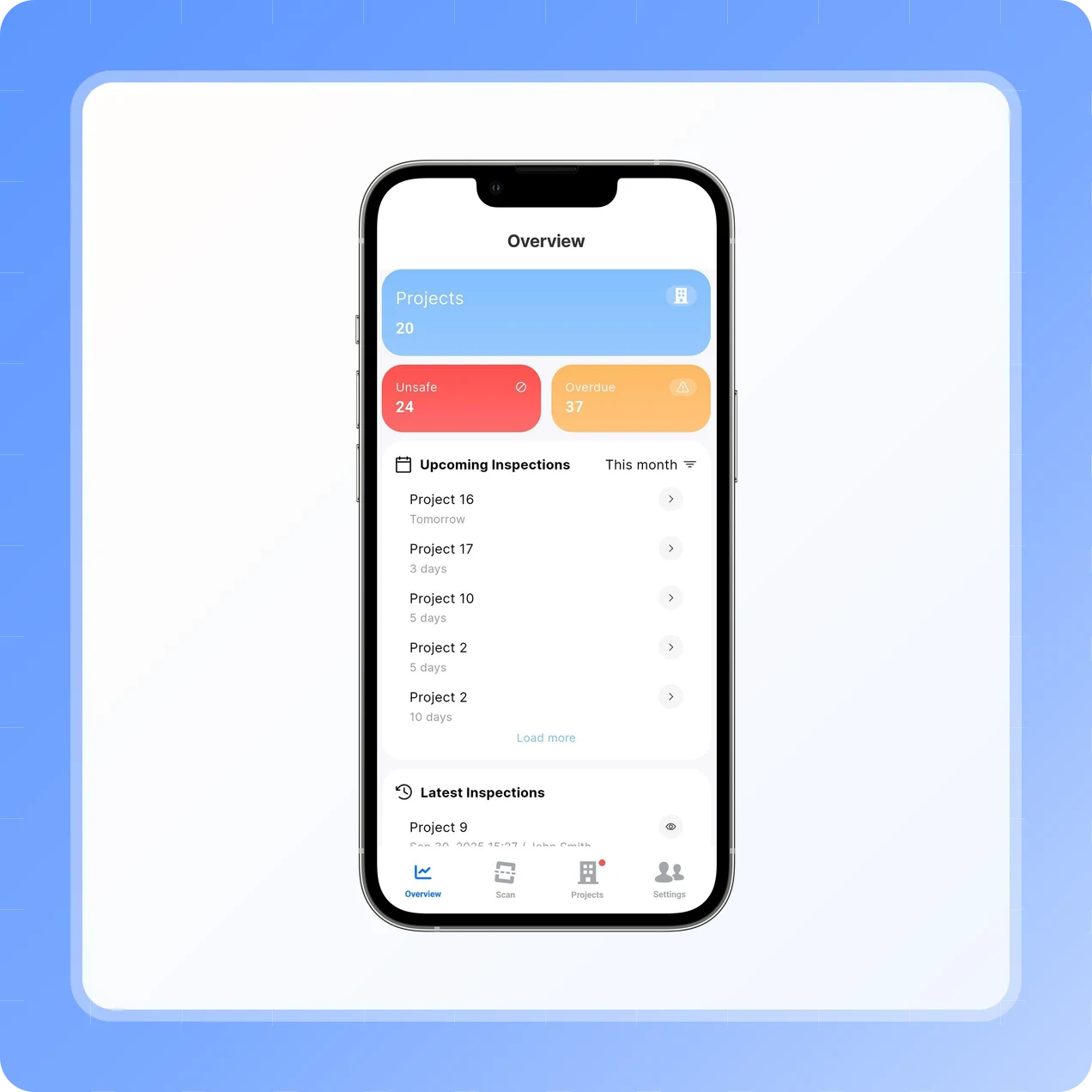
The mobile Overview screen is the first thing you see when you log in.
Counts of unsafe and overdue inspections.
Upcoming inspections by day or week.
The latest handover certificates, one tap away.
Testimonials
What teams say
About Scafflinq
Vicky Amato
Australian Scaffold
Scafflinq has made our inspection and compliance processes faster, clearer, and far more efficient. It’s been a great tool for improving visibility across our projects and ensuring everything stays up to date.
Daniel Lake
Elevate Access Solutions
Scafflinq has been a game changer for our Inspections and Handovers, all our scaffolds on one platform makes it very easy to manage. Our customers love it, it makes our operation a lot more efficient.
Andres Van der Welt
Rohrig Constructions
Thanks to Scafflinq, we never have to worry about losing inspection records again. It’s always there, ready for us to access.
Shane Youssef
FC Building
Scafflinq has revolutionized the way we track scaffold inspections. It’s simple, easy to use, and gives us complete peace of mind.
Kate Paterson
Melbourne Scaffold Solutions
This innovation allows us to efficiently hand over scaffolds and keep meticulous track of inspections.
Isi Talanoa
Proview Scaffolding
Scafflinq has made scaffold handovers more efficient and helps us keep accurate, up-to-date records of every inspection.
Al Ibrahim
Buildum Construction
Scafflinq is a must-have for any builder serious about safety. It’s easy to use and gives us complete visibility into our scaffolding structures.
Mohamed Trad
Phoenix Developments
Scafflinq has made our scaffolding site safer than ever. It’s a reliable solution that we can trust.
Roi Cifti
Richard Crookes
With Scafflinq, I can access scaffold inspection history from anywhere, anytime. It’s a game-changer for our business.
Kurt Vengers
Dartanyon Developments
Scafflinq has saved us countless hours of paperwork and admin. We can now focus on our core business knowing that our scaffolding is always safe and compliant.


Vicky Amato
Australian Scaffold
Scafflinq has made our inspection and compliance processes faster, clearer, and far more efficient. It’s been a great tool for improving visibility across our projects and ensuring everything stays up to date.
Daniel Lake
Elevate Access Solutions
Scafflinq has been a game changer for our Inspections and Handovers, all our scaffolds on one platform makes it very easy to manage. Our customers love it, it makes our operation a lot more efficient.
Andres Van der Welt
Rohrig Constructions
Thanks to Scafflinq, we never have to worry about losing inspection records again. It’s always there, ready for us to access.
Shane Youssef
FC Building
Scafflinq has revolutionized the way we track scaffold inspections. It’s simple, easy to use, and gives us complete peace of mind.
Kate Paterson
Melbourne Scaffold Solutions
This innovation allows us to efficiently hand over scaffolds and keep meticulous track of inspections.
Vicky Amato
Australian Scaffold
Scafflinq has made our inspection and compliance processes faster, clearer, and far more efficient. It’s been a great tool for improving visibility across our projects and ensuring everything stays up to date.
Daniel Lake
Elevate Access Solutions
Scafflinq has been a game changer for our Inspections and Handovers, all our scaffolds on one platform makes it very easy to manage. Our customers love it, it makes our operation a lot more efficient.
Andres Van der Welt
Rohrig Constructions
Thanks to Scafflinq, we never have to worry about losing inspection records again. It’s always there, ready for us to access.
Shane Youssef
FC Building
Scafflinq has revolutionized the way we track scaffold inspections. It’s simple, easy to use, and gives us complete peace of mind.
Kate Paterson
Melbourne Scaffold Solutions
This innovation allows us to efficiently hand over scaffolds and keep meticulous track of inspections.
Isi Talanoa
Proview Scaffolding
Scafflinq has made scaffold handovers more efficient and helps us keep accurate, up-to-date records of every inspection.
Al Ibrahim
Buildum Construction
Scafflinq is a must-have for any builder serious about safety. It’s easy to use and gives us complete visibility into our scaffolding structures.
Mohamed Trad
Phoenix Developments
Scafflinq has made our scaffolding site safer than ever. It’s a reliable solution that we can trust.
Roi Cifti
Richard Crookes
With Scafflinq, I can access scaffold inspection history from anywhere, anytime. It’s a game-changer for our business.
Kurt Vengers
Dartanyon Developments
Scafflinq has saved us countless hours of paperwork and admin. We can now focus on our core business knowing that our scaffolding is always safe and compliant.
Isi Talanoa
Proview Scaffolding
Scafflinq has made scaffold handovers more efficient and helps us keep accurate, up-to-date records of every inspection.
Al Ibrahim
Buildum Construction
Scafflinq is a must-have for any builder serious about safety. It’s easy to use and gives us complete visibility into our scaffolding structures.
Mohamed Trad
Phoenix Developments
Scafflinq has made our scaffolding site safer than ever. It’s a reliable solution that we can trust.
Roi Cifti
Richard Crookes
With Scafflinq, I can access scaffold inspection history from anywhere, anytime. It’s a game-changer for our business.
Kurt Vengers
Dartanyon Developments
Scafflinq has saved us countless hours of paperwork and admin. We can now focus on our core business knowing that our scaffolding is always safe and compliant.
FAQs
Frequently asked questions
Quick answers about dashboards, reminders and alerts in Scafflinq.
Active projects, active tags and users, overdue inspections, upcoming inspections with the days remaining, the latest results, inspector activity, and the projects with the most safe and unsafe inspections. Open any list to search, filter or export it to Excel.
Also worth a look

Catch it before it’s overdue
Start free with 5 tags. Live dashboards, a project map and reminders for every inspection.