Hop-up & Tie
Movements
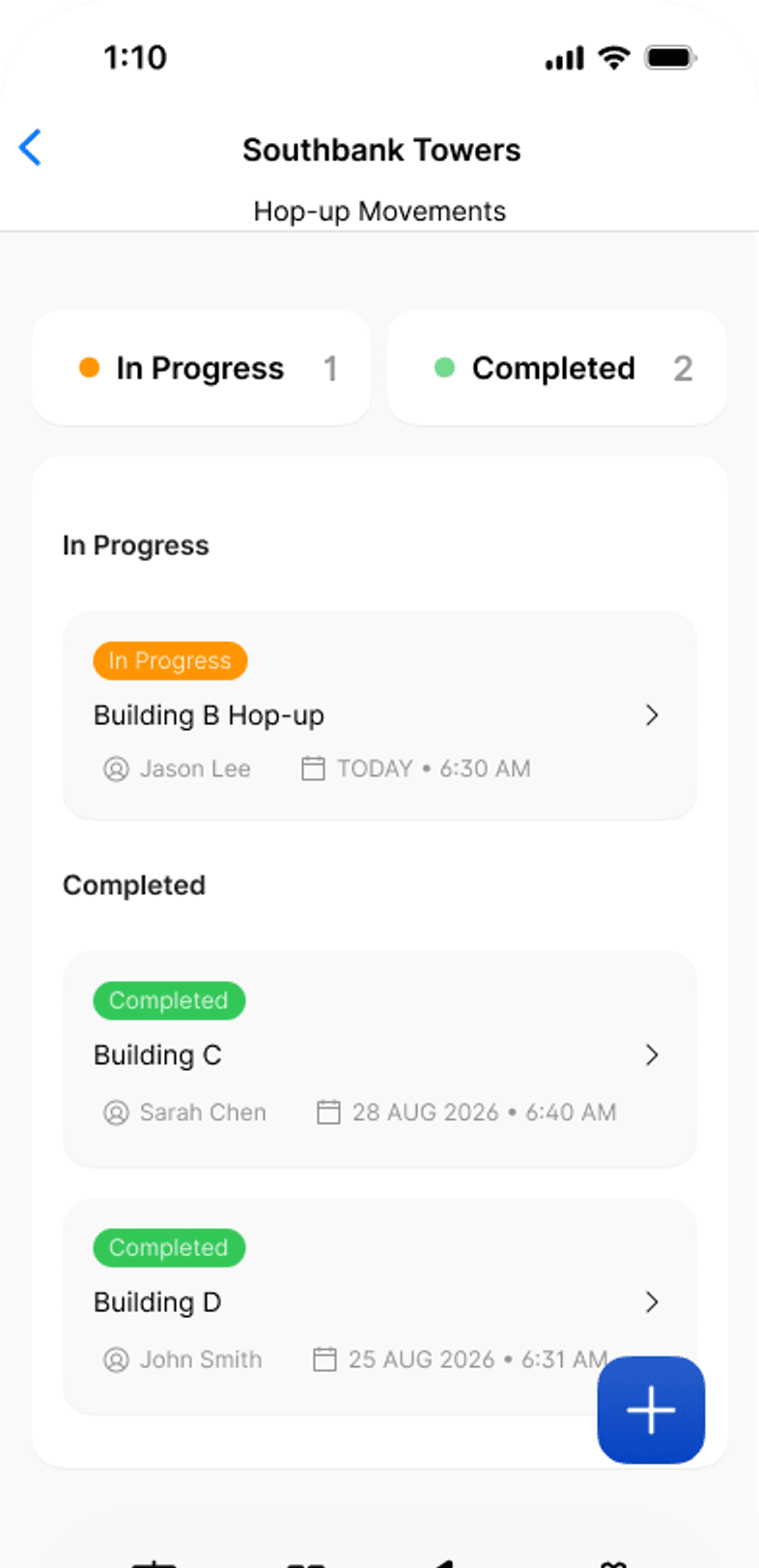
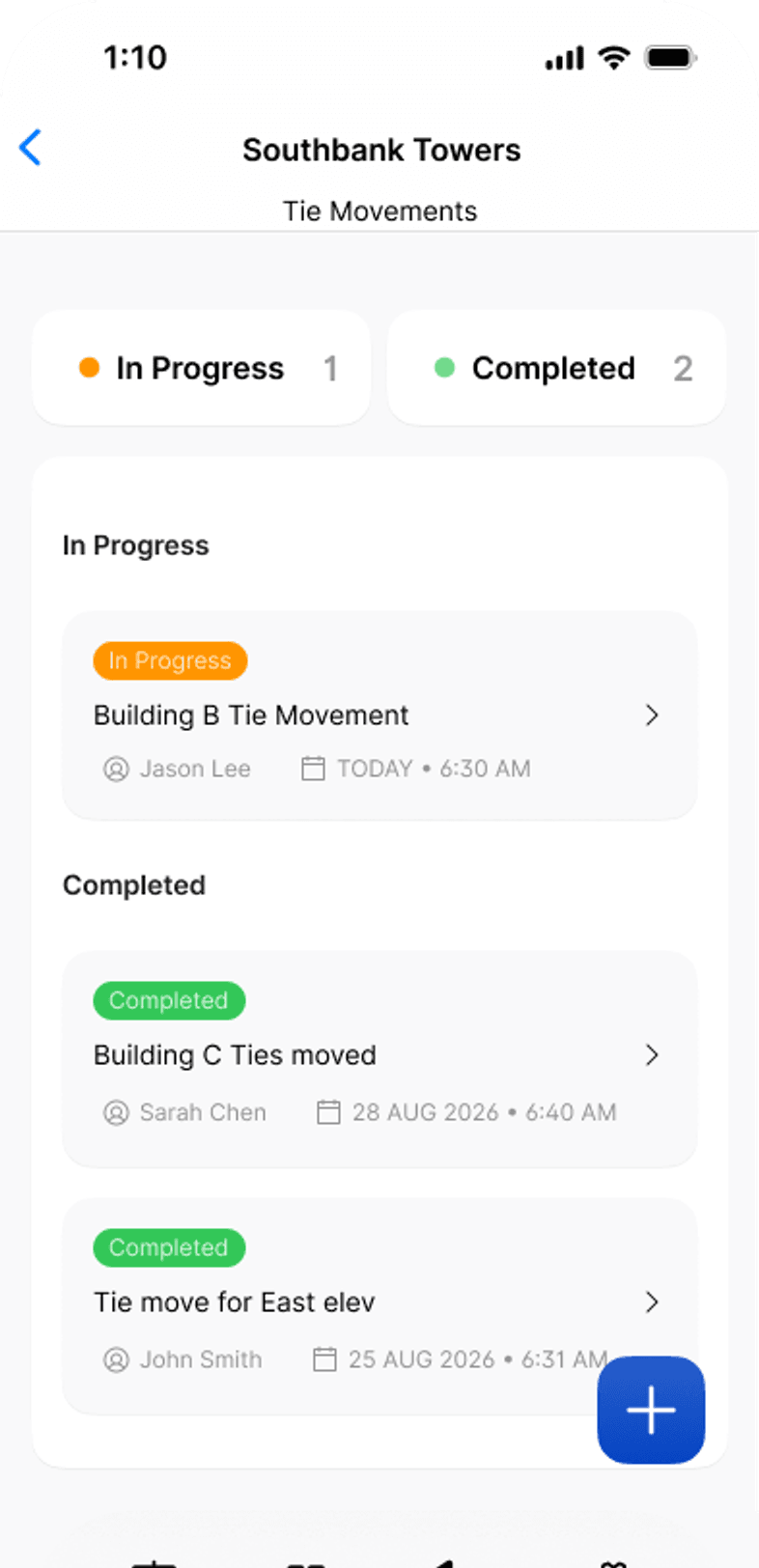
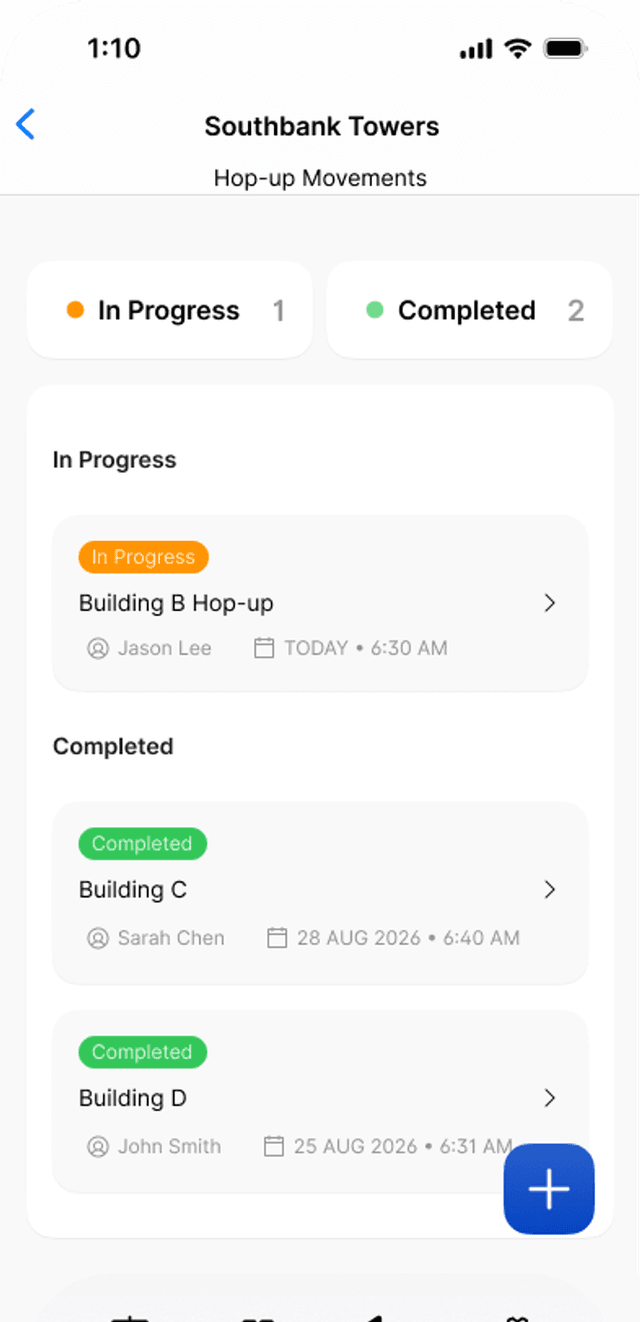
Record hop-up moves in lineal metres and tie moves tie by tie. Sign the handover on site, have the client accept it on the same phone, and Scafflinq emails the signed PDF.

Key capabilities
Measured by what
was moved
- Lineal metres, calculatedFrom the bays moved at each length and the number of lifts.
- Handover on siteYour team signs the handover checks, the client signs to accept.
- Emailed as a PDFTo the project’s client email and your default recipients.
…and more additional features
- Scaffold systemsKwikstage, AT-PAC Ringlock, Layher Allround, Cuplock, tube and fitting.
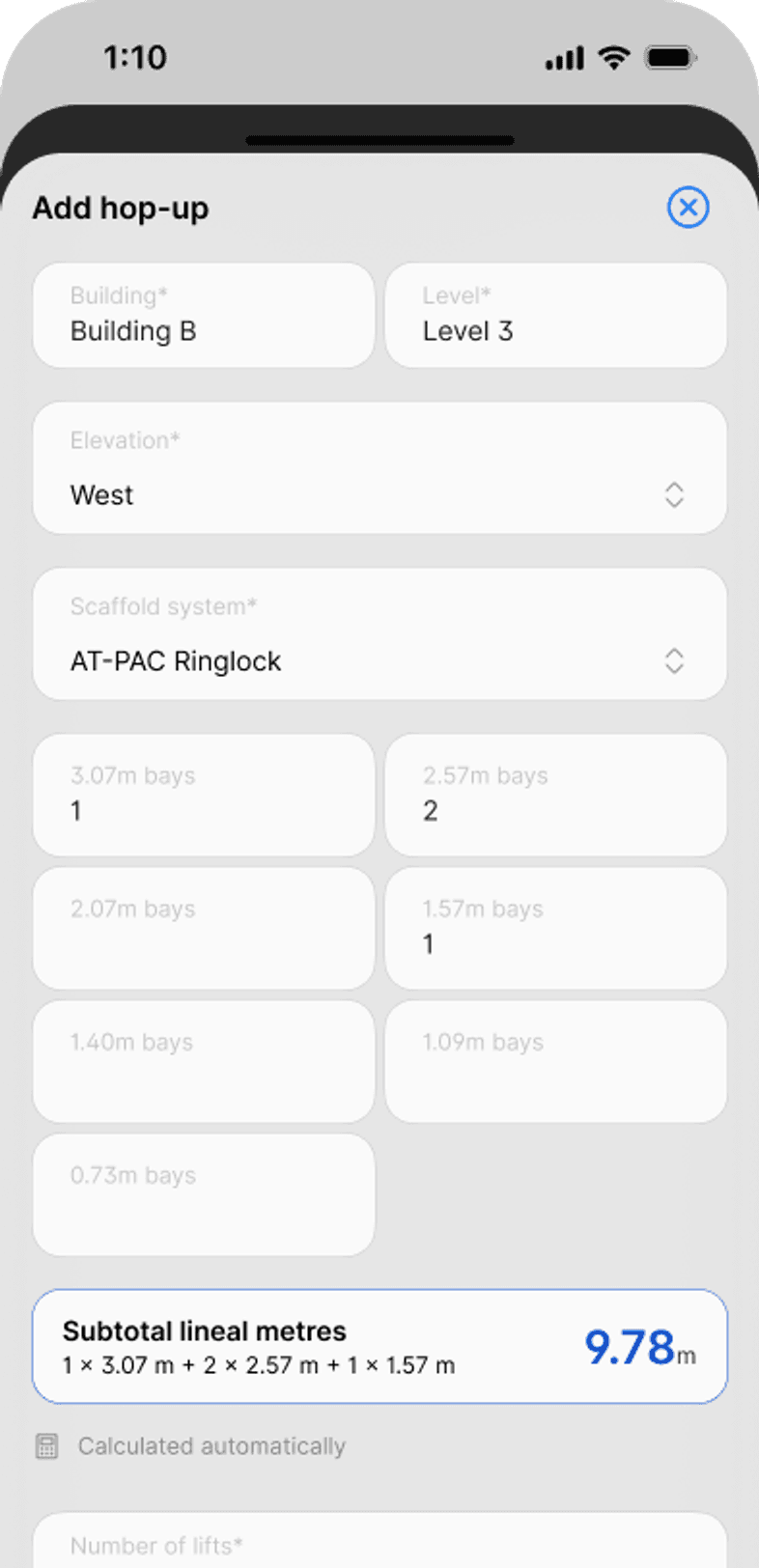
- Hop-up movesBuilding, level, elevation, bays and lifts for each hop-up.
- Tie movesTie type and the number of ties moved, entry by entry.
- Who did the workRelated trade, who instructed it, and the workers’ names.
- Handover checksTie bars, lap planks, corners, tube ends and wall brackets.
- Comment and photoAdded to every hop-up and tie move.
- Second client contactAdd another representative if someone else needs a copy.
- Totals on the summaryTotal lineal metres or total ties across every entry.
- Kept in the portalListed with your other site records, to open or resend.
Features
Every move measured.Every handover signed.Every PDF filed.
Hop-up movements
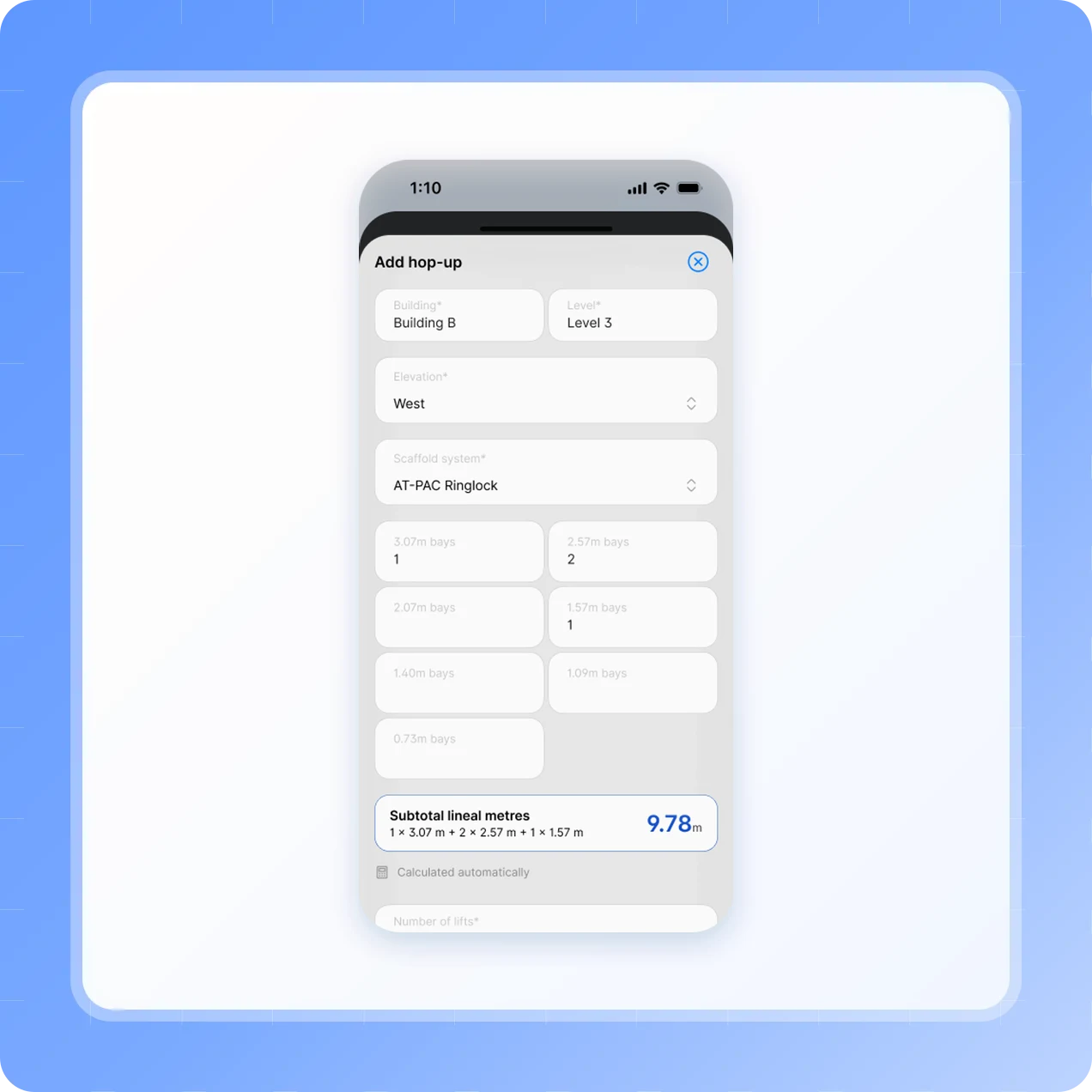
Lineal metres, worked out for you
Pick the scaffold system and enter the bays moved at each length. The bay lengths match the system you picked.
Four 2.4 m bays, two 1.8 m bays and one 1.2 m bay give a subtotal of 14.4 m.
Across three lifts, that’s a total of 43.2 m.
For tube and fitting or other systems, enter the run length moved instead.

Handover and acceptance
Handed over before you leave
The person handing over confirms they’ve inspected the hop-ups that were adjusted, switches on four checks and signs.
Tie bars installed, or boards secured or lashed down where they aren’t possible.
Corners lashed with lap planks, and corners at different levels finished with rails.
The client’s representative signs on the same phone, with a second contact if needed.
Tie movements
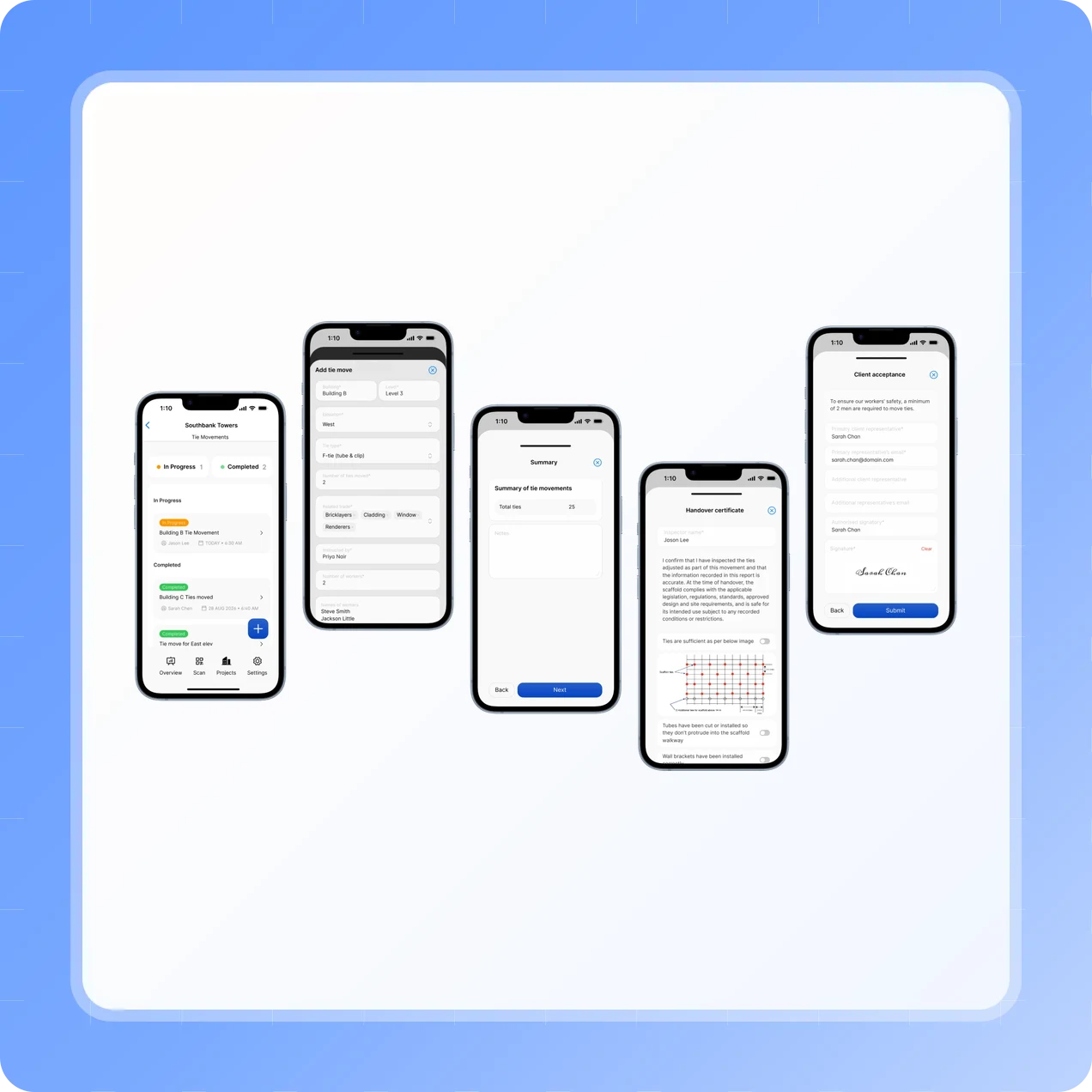
Tie moves, tie by tie
Add each tie move with its location, tie type and the number of ties moved. The summary totals them.
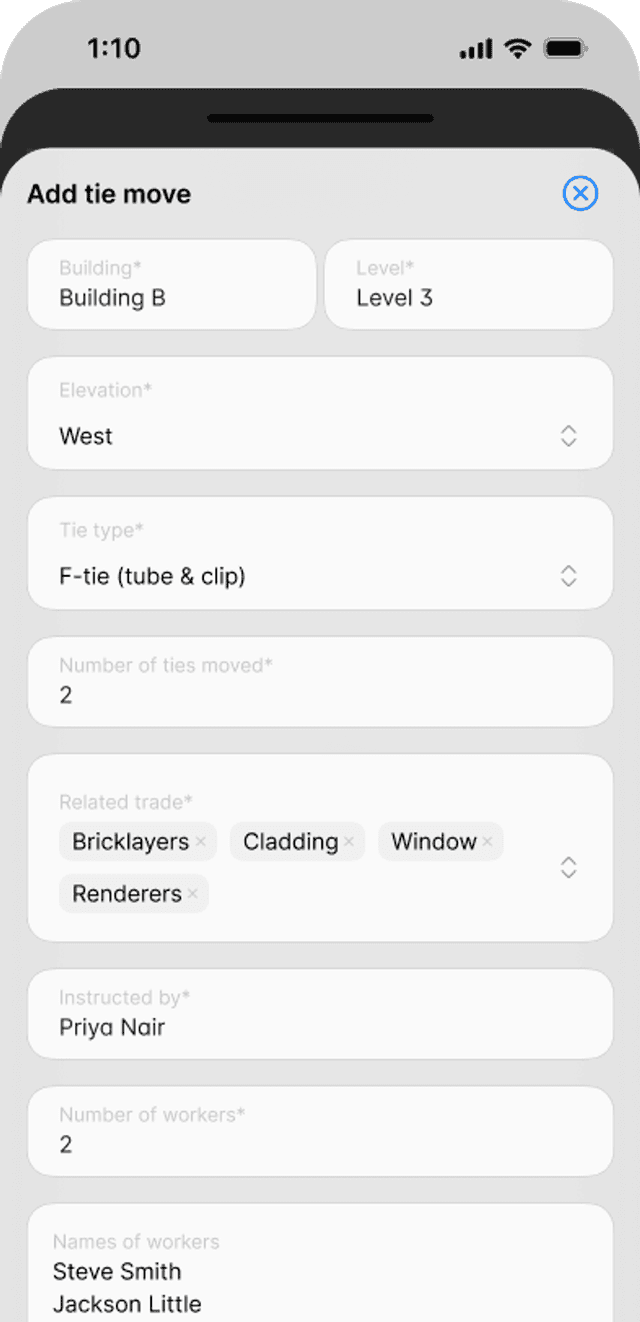
Raker, face, soffit, F-tie (tube and clip) or other.
Handover checks against the tie layout diagram, tube ends and wall brackets.
Accepted by the client’s representative on site, the same way as a hop-up move.
Emailed and filed
Filed with the project
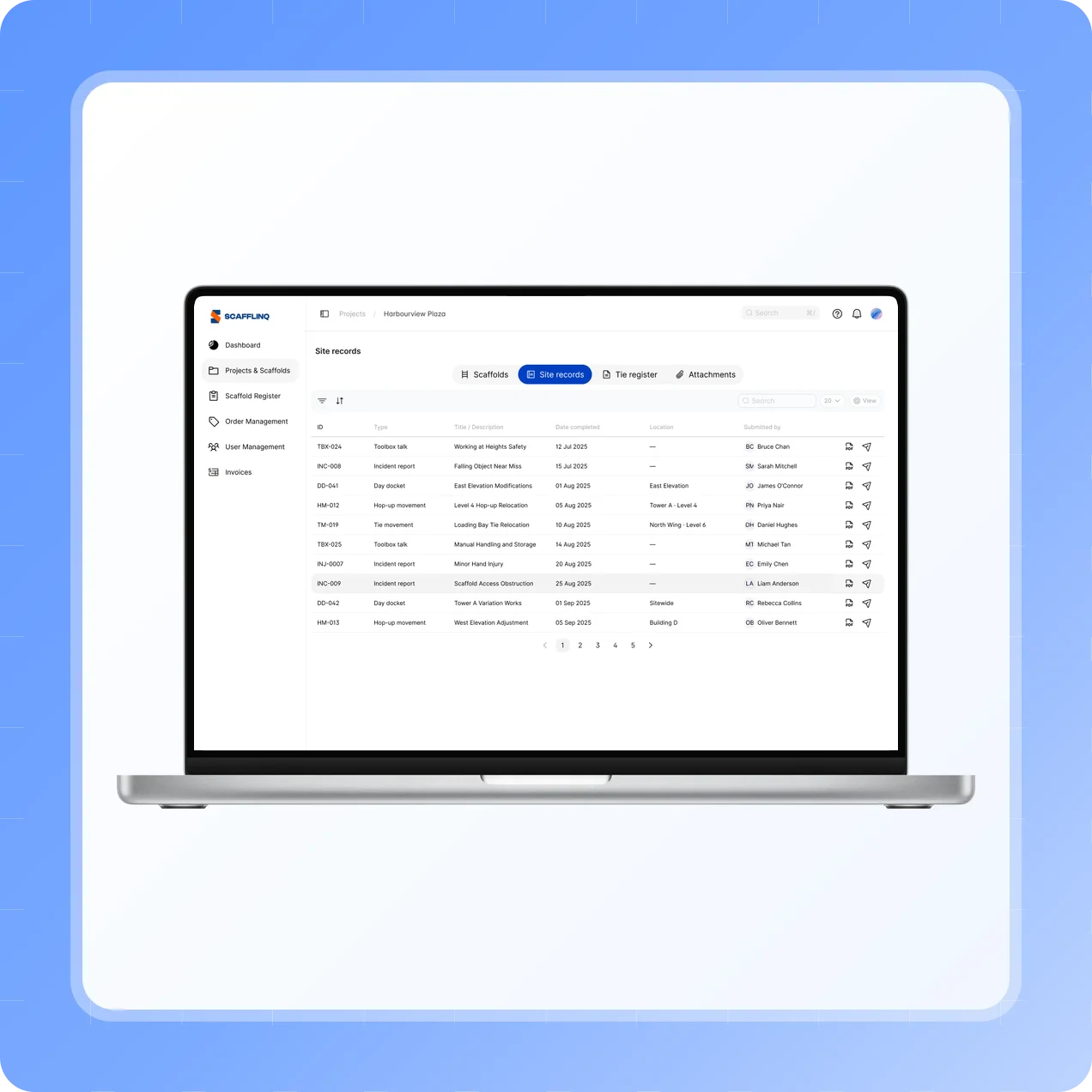
Submit either record, and Scafflinq generates the PDF and emails it straight away.
Sent to the project’s client email and your default recipients.
Listed in the project’s Site records tab next to your day dockets.
Open or resend the PDF from the web portal.
How it works
From the move to
signed handover
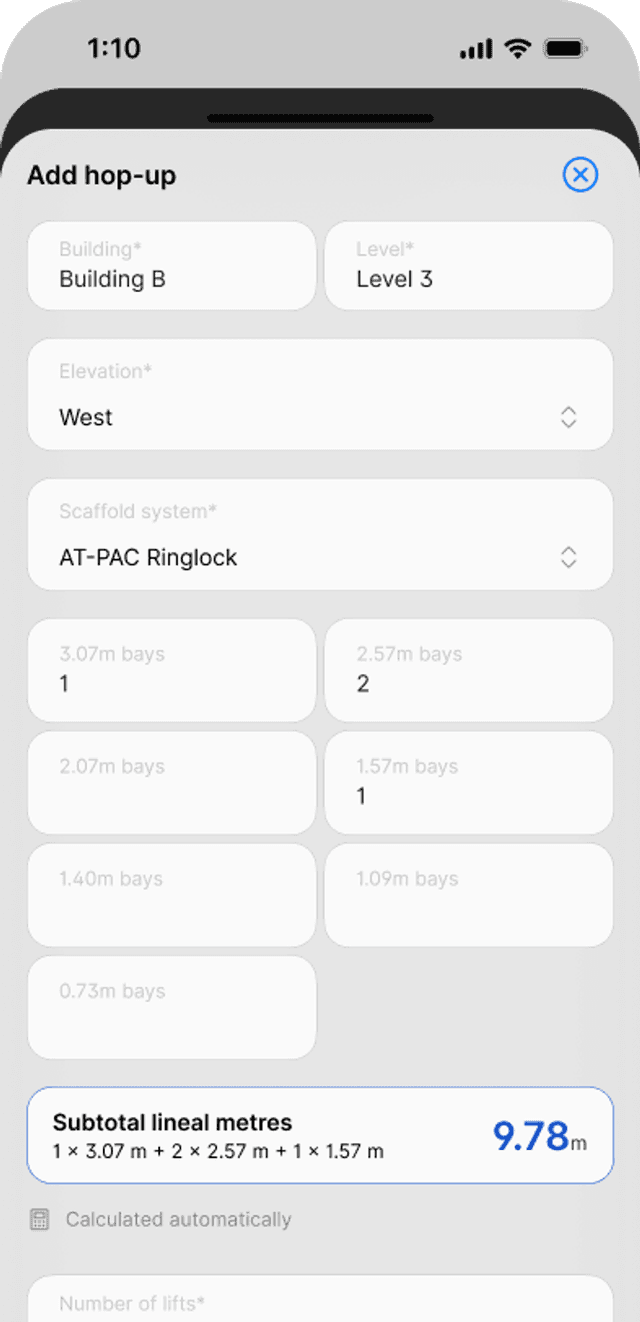
Record hop-up moves
Enter the bays and lifts for each hop-up, and Scafflinq works out the lineal metres.

Or record tie moves
Add each tie move with its tie type and the number of ties moved.
Sign, accept, file
Your team signs the handover, the client accepts on site, and the PDF is emailed and filed.
Testimonials
What teams say
About Scafflinq
Vicky Amato
Australian Scaffold
Scafflinq has made our inspection and compliance processes faster, clearer, and far more efficient. It’s been a great tool for improving visibility across our projects and ensuring everything stays up to date.
Daniel Lake
Elevate Access Solutions
Scafflinq has been a game changer for our Inspections and Handovers, all our scaffolds on one platform makes it very easy to manage. Our customers love it, it makes our operation a lot more efficient.
Andres Van der Welt
Rohrig Constructions
Thanks to Scafflinq, we never have to worry about losing inspection records again. It’s always there, ready for us to access.
Shane Youssef
FC Building
Scafflinq has revolutionized the way we track scaffold inspections. It’s simple, easy to use, and gives us complete peace of mind.
Kate Paterson
Melbourne Scaffold Solutions
This innovation allows us to efficiently hand over scaffolds and keep meticulous track of inspections.
Isi Talanoa
Proview Scaffolding
Scafflinq has made scaffold handovers more efficient and helps us keep accurate, up-to-date records of every inspection.
Al Ibrahim
Buildum Construction
Scafflinq is a must-have for any builder serious about safety. It’s easy to use and gives us complete visibility into our scaffolding structures.
Mohamed Trad
Phoenix Developments
Scafflinq has made our scaffolding site safer than ever. It’s a reliable solution that we can trust.
Roi Cifti
Richard Crookes
With Scafflinq, I can access scaffold inspection history from anywhere, anytime. It’s a game-changer for our business.
Kurt Vengers
Dartanyon Developments
Scafflinq has saved us countless hours of paperwork and admin. We can now focus on our core business knowing that our scaffolding is always safe and compliant.


Vicky Amato
Australian Scaffold
Scafflinq has made our inspection and compliance processes faster, clearer, and far more efficient. It’s been a great tool for improving visibility across our projects and ensuring everything stays up to date.
Daniel Lake
Elevate Access Solutions
Scafflinq has been a game changer for our Inspections and Handovers, all our scaffolds on one platform makes it very easy to manage. Our customers love it, it makes our operation a lot more efficient.
Andres Van der Welt
Rohrig Constructions
Thanks to Scafflinq, we never have to worry about losing inspection records again. It’s always there, ready for us to access.
Shane Youssef
FC Building
Scafflinq has revolutionized the way we track scaffold inspections. It’s simple, easy to use, and gives us complete peace of mind.
Kate Paterson
Melbourne Scaffold Solutions
This innovation allows us to efficiently hand over scaffolds and keep meticulous track of inspections.
Vicky Amato
Australian Scaffold
Scafflinq has made our inspection and compliance processes faster, clearer, and far more efficient. It’s been a great tool for improving visibility across our projects and ensuring everything stays up to date.
Daniel Lake
Elevate Access Solutions
Scafflinq has been a game changer for our Inspections and Handovers, all our scaffolds on one platform makes it very easy to manage. Our customers love it, it makes our operation a lot more efficient.
Andres Van der Welt
Rohrig Constructions
Thanks to Scafflinq, we never have to worry about losing inspection records again. It’s always there, ready for us to access.
Shane Youssef
FC Building
Scafflinq has revolutionized the way we track scaffold inspections. It’s simple, easy to use, and gives us complete peace of mind.
Kate Paterson
Melbourne Scaffold Solutions
This innovation allows us to efficiently hand over scaffolds and keep meticulous track of inspections.
Isi Talanoa
Proview Scaffolding
Scafflinq has made scaffold handovers more efficient and helps us keep accurate, up-to-date records of every inspection.
Al Ibrahim
Buildum Construction
Scafflinq is a must-have for any builder serious about safety. It’s easy to use and gives us complete visibility into our scaffolding structures.
Mohamed Trad
Phoenix Developments
Scafflinq has made our scaffolding site safer than ever. It’s a reliable solution that we can trust.
Roi Cifti
Richard Crookes
With Scafflinq, I can access scaffold inspection history from anywhere, anytime. It’s a game-changer for our business.
Kurt Vengers
Dartanyon Developments
Scafflinq has saved us countless hours of paperwork and admin. We can now focus on our core business knowing that our scaffolding is always safe and compliant.
Isi Talanoa
Proview Scaffolding
Scafflinq has made scaffold handovers more efficient and helps us keep accurate, up-to-date records of every inspection.
Al Ibrahim
Buildum Construction
Scafflinq is a must-have for any builder serious about safety. It’s easy to use and gives us complete visibility into our scaffolding structures.
Mohamed Trad
Phoenix Developments
Scafflinq has made our scaffolding site safer than ever. It’s a reliable solution that we can trust.
Roi Cifti
Richard Crookes
With Scafflinq, I can access scaffold inspection history from anywhere, anytime. It’s a game-changer for our business.
Kurt Vengers
Dartanyon Developments
Scafflinq has saved us countless hours of paperwork and admin. We can now focus on our core business knowing that our scaffolding is always safe and compliant.
FAQs
Frequently asked questions
Quick answers about recording hop-up and tie movements in Scafflinq.
Day dockets record variation work by the hour: the crew, the hours and the materials. Hop-up Movements and Tie Movements record it by what was moved: lineal metres of hop-up, and the number of ties. Each has its own handover checks and client acceptance.

Get every move signed off
Start free with 5 tags. Hop-up and tie movements, measured on site and handed over in the same record.