Hop-up and tie movements
Hop-up and tie moves, measured on site and handed over in the same record.
Hop-ups and ties rarely stay where they were first installed. The builder asks for a hop-up to come up a lift, or the cladding crew needs ties relocated, and the scaffolder does the work as a variation. Each move changes the scaffold, so it needs to be recorded, handed over and accepted by the client.
Day Dockets, released earlier this month, record that kind of work by the hour. Hop-up Movements and Tie Movements record it by what was moved: lineal metres of hop-up, and the number of ties.
Hop-up Movements
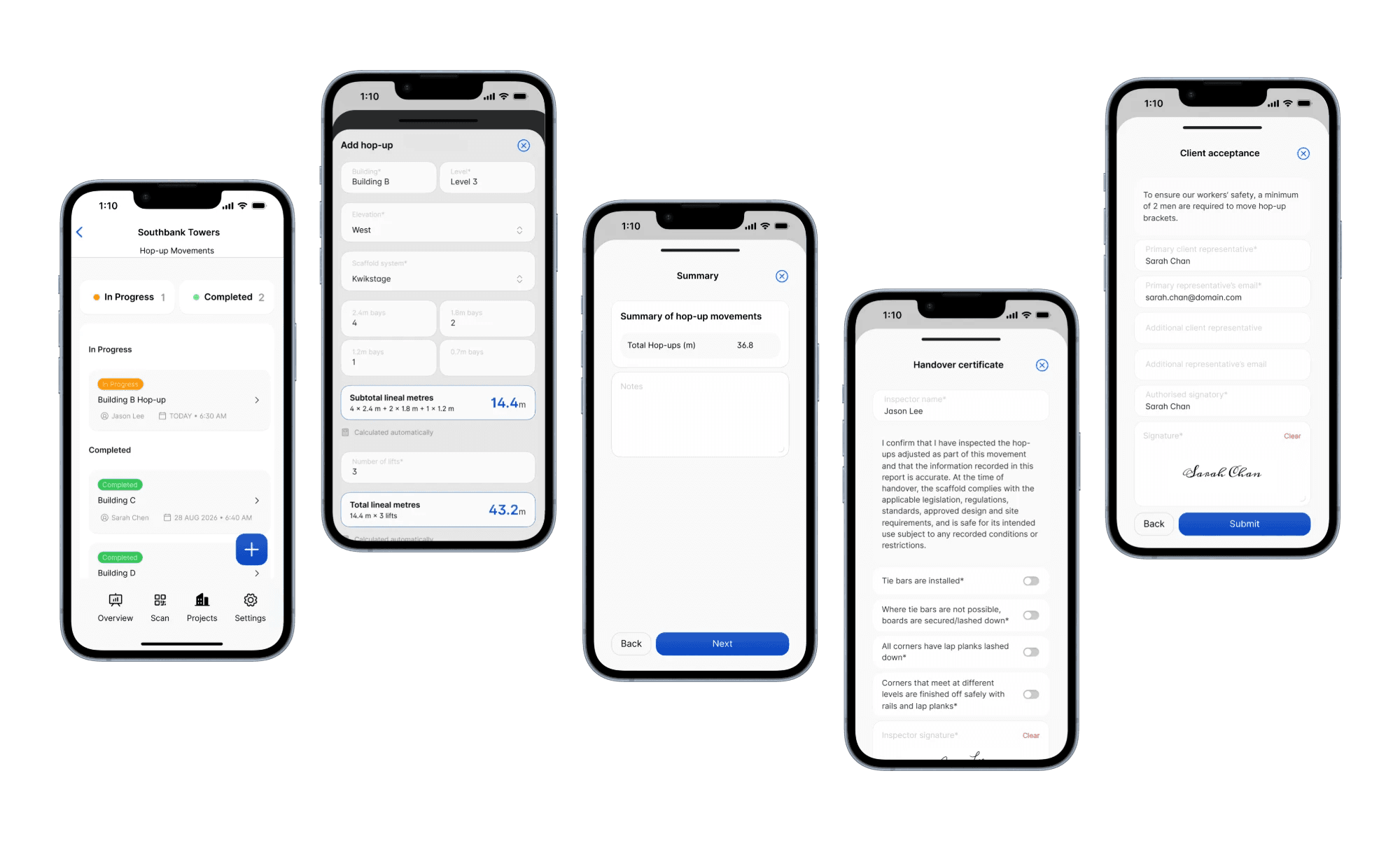
What goes on a hop-up movement
Open a project in the mobile app, tap Site Records, and choose Hop-up Movements. Each record starts with a title, the date and time, and whether your company was also doing contract work on site that day. Then you add each hop-up that was moved:
- Building, level and elevation
- Scaffold system: Kwikstage, AT-PAC Ringlock, Layher Allround, Cuplock, Tube & fitting or Other
- Bay quantities: the number of bays moved at each bay length. The lengths match the system you picked, such as 2.4 m, 1.8 m, 1.2 m and 0.7 m for Kwikstage. For Tube & fitting and Other, you enter the run length moved in metres instead.
- Number of lifts
- Related trade, instructed by, the number of workers and their names
- A comment and a photo
Scafflinq calculates the lineal metres for you. Four 2.4 m bays, two 1.8 m bays and one 1.2 m bay give a subtotal of 14.4 m, and across three lifts that's a total of 43.2 m. The summary screen adds up the total across every hop-up on the record.
Handover and client acceptance
Before the record is submitted, the person handing over confirms they've inspected the hop-ups that were adjusted and that the information recorded is accurate. Their name is filled in from whoever is logged in. They switch on four checks and sign:
- Tie bars are installed
- Where tie bars aren't possible, boards are secured or lashed down
- All corners have lap planks lashed down
- Corners that meet at different levels are finished off with rails and lap planks
The client's representative then signs on the same phone. Their name and email are filled in from the project, and you can add a second representative if someone else needs a copy. The acceptance screen also notes that at least two workers are required to move hop-up brackets.
Tie Movements
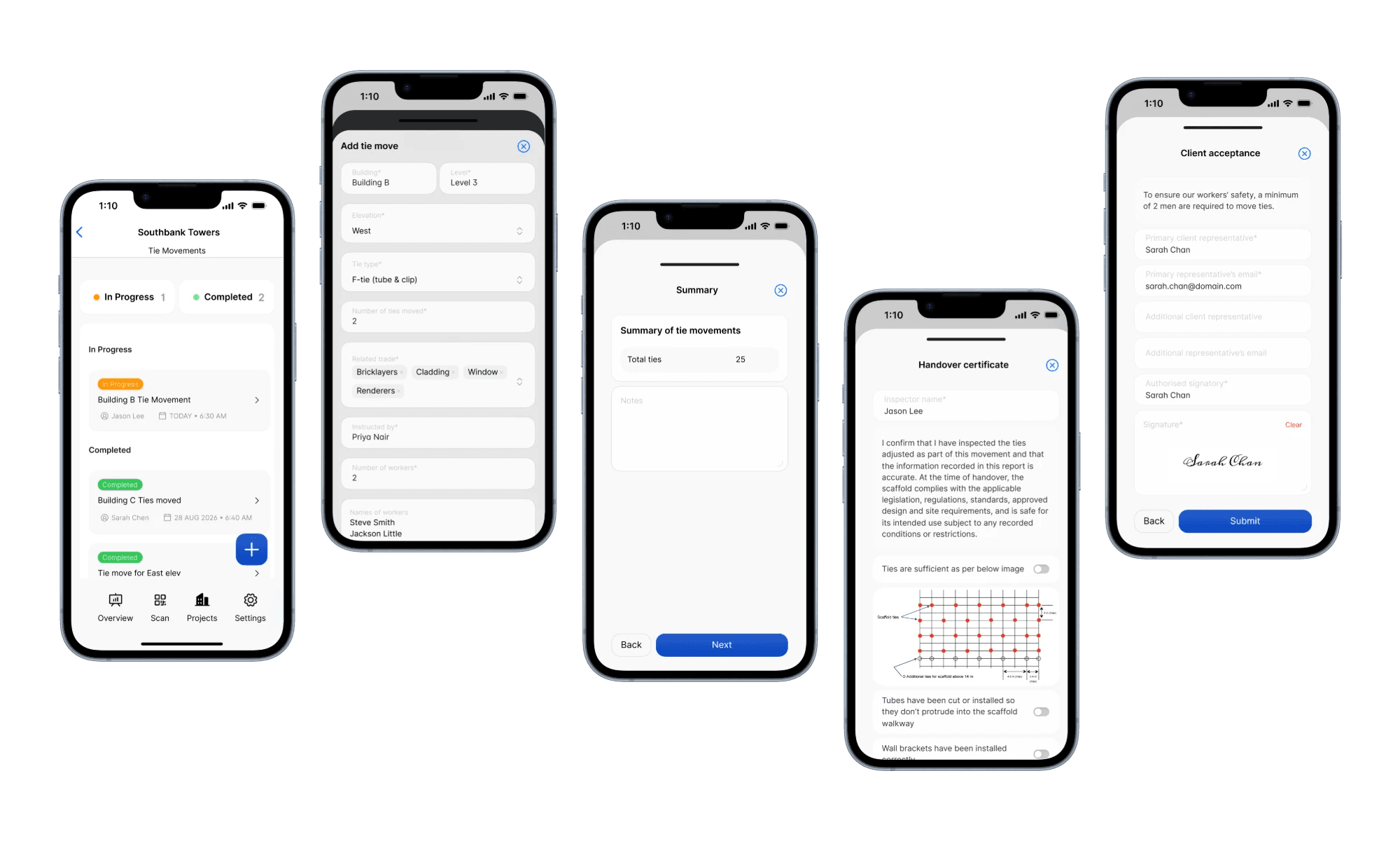
What goes on a tie movement
Tie Movements follows the same steps. From Site Records, start a tie movement, then add each tie move:
- Building, level and elevation
- Tie type: raker tie, face tie, soffit tie, F-tie (tube & clip) or other
- Number of ties moved
- Related trade, instructed by, the number of workers and their names
- A comment and a photo
The summary screen totals the ties moved across every entry on the record.
Handover and client acceptance
The handover for a tie movement has its own checks. The person handing over confirms they've inspected the ties that were adjusted, then checks:
- Ties are sufficient, against the tie layout diagram shown on screen
- Tubes have been cut or installed so they don't protrude into the scaffold walkway
- Wall brackets have been installed correctly
They sign, and the client's representative signs to accept, the same way as a hop-up movement. The acceptance screen notes that at least two workers are required to move ties.
Emailed and filed automatically
Submit either record, and Scafflinq generates the PDF and emails it to the project's client email and to your default recipients under Settings → Site Records.
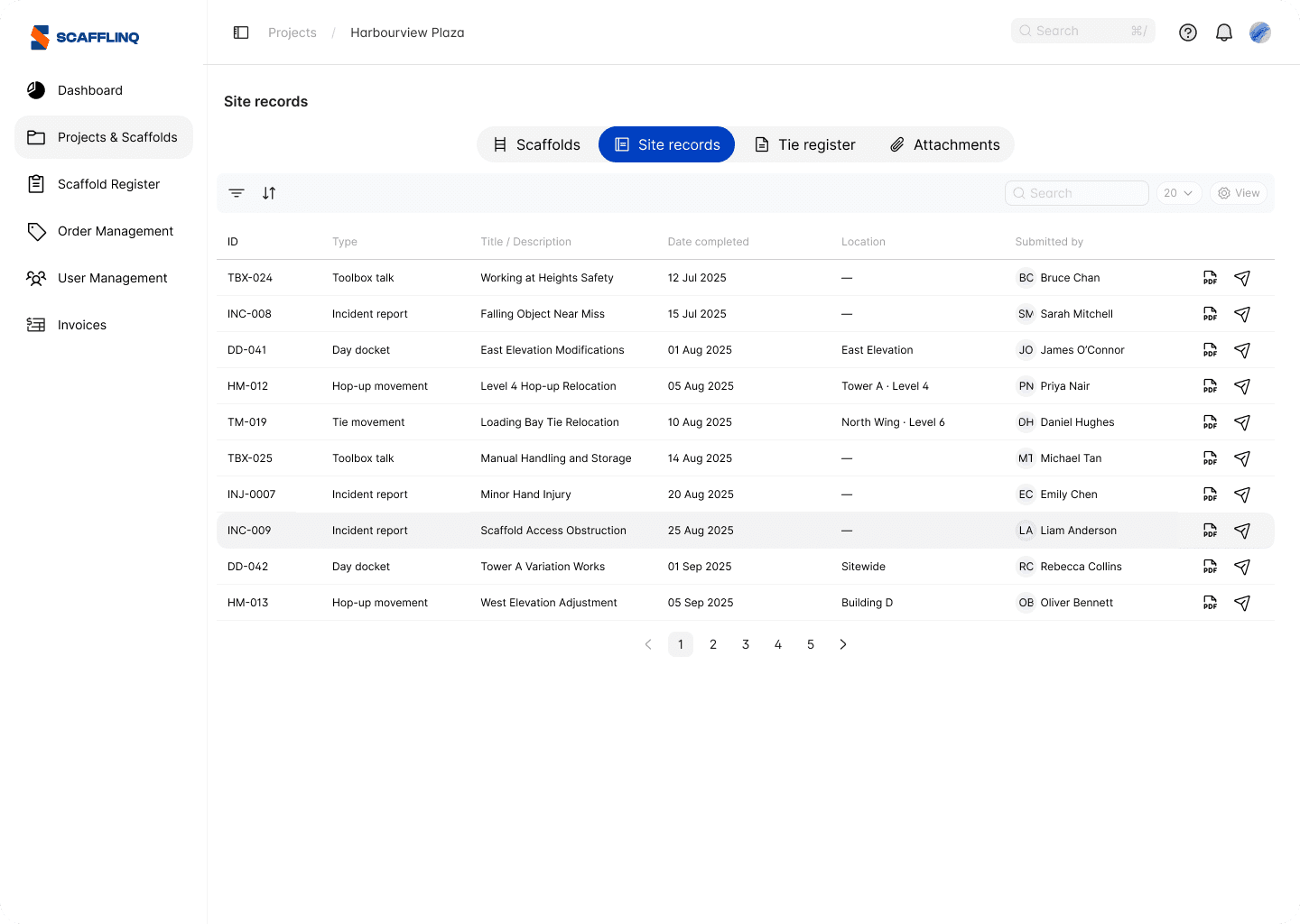
Every record is also listed in the project's Site records tab in the web portal, next to your day dockets, toolbox talks and incident reports. Open the PDF or resend it from there.
Getting started
Hop-up Movements and Tie Movements are available now for every role. If your projects already have a client email and you've set your default recipients, there's nothing else to set up.
Open the app, open the project, tap Site Records, and start a hop-up or tie movement.

Put Scafflinq to work on site
Start free with 5 digital scafftags, or book a demo to see the full platform.