Incident Reports,
while it’s fresh
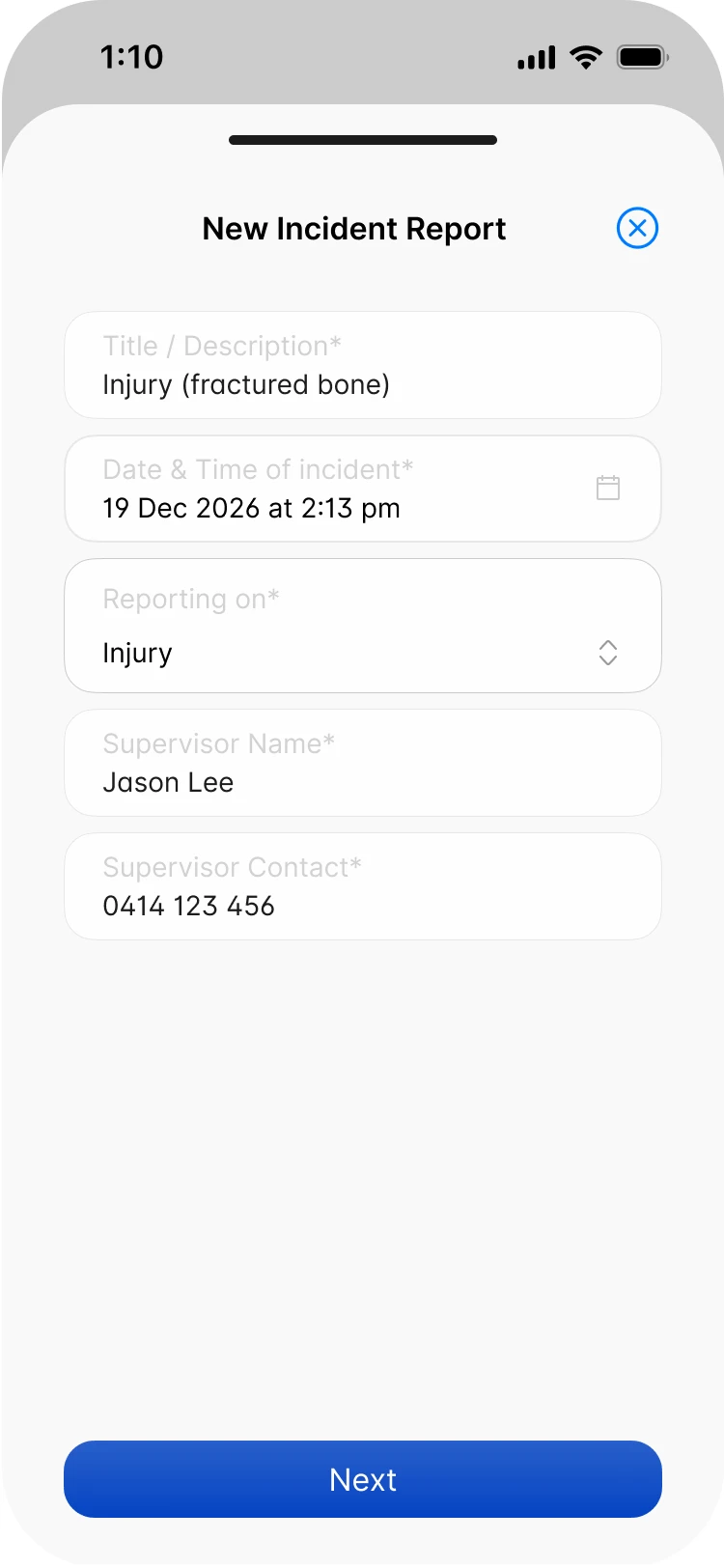
Report an incident or an injury from site, with the right questions for each. Scafflinq emails the signed PDF to your client, your supervisor and your recipients the moment it’s finished.

Key capabilities
What happened,
recorded on site
- Incident or injuryChoose the type, and Scafflinq asks the right questions for it.
- Signed and certifiedThe submitter signs and certifies the report is correct.
- Emailed automaticallyTo the client, the supervisor and your recipients, the moment it’s done.
…and more additional features
- Safety suggestionHow to eliminate the hazard or control the risk.
- Worker detailsEmployee or subcontractor, role, contact and start time.
- WitnessesAt least one witness on every injury report.
- Up to 10 photosPhotos of the injury and the scene, attached to the report.
- Treatment givenFirst aid, who gave it, and whether work stopped.
- Kept in the portalView, download or resend every report from the web portal.
Features
Every incident reported.Every detail captured.Every report filed.
Incident or injury
The right questions, nothing more
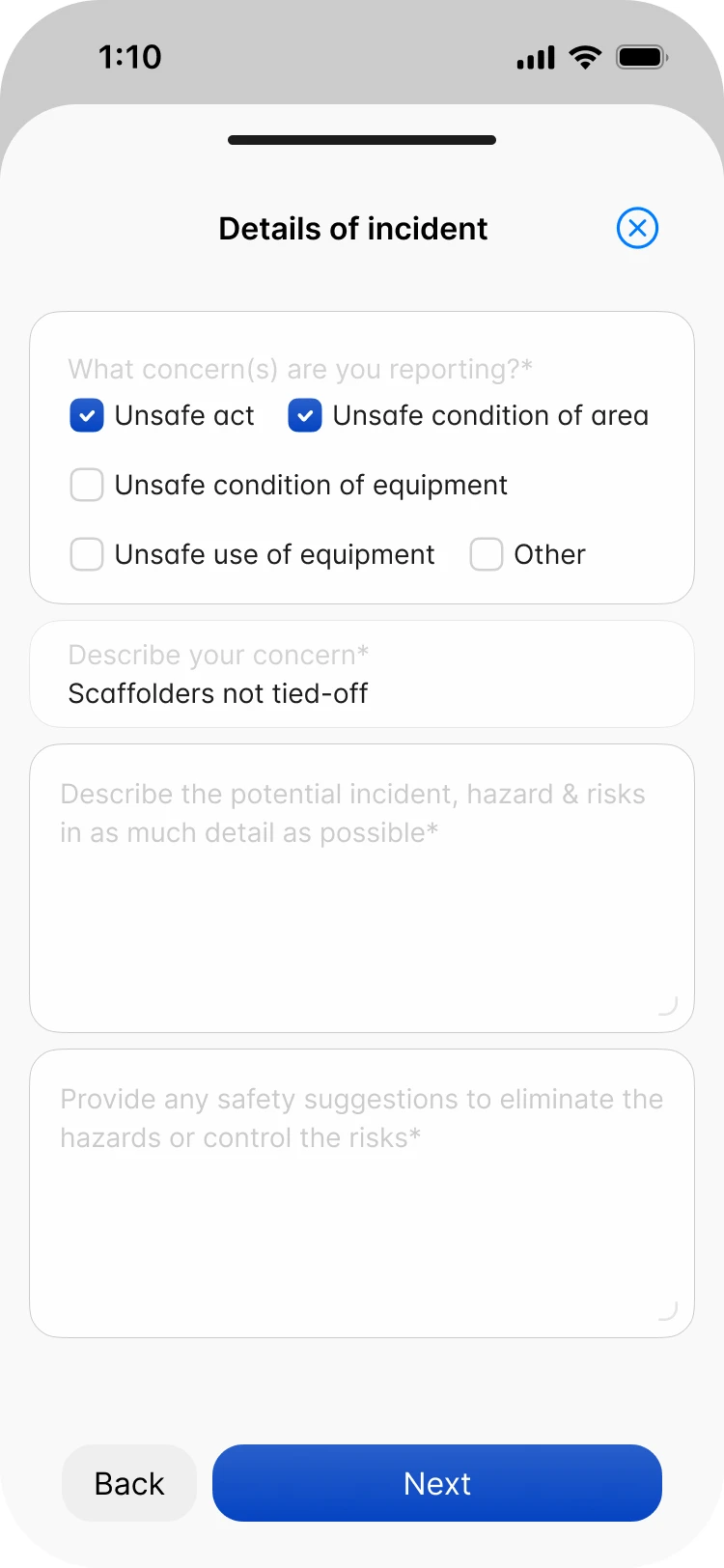
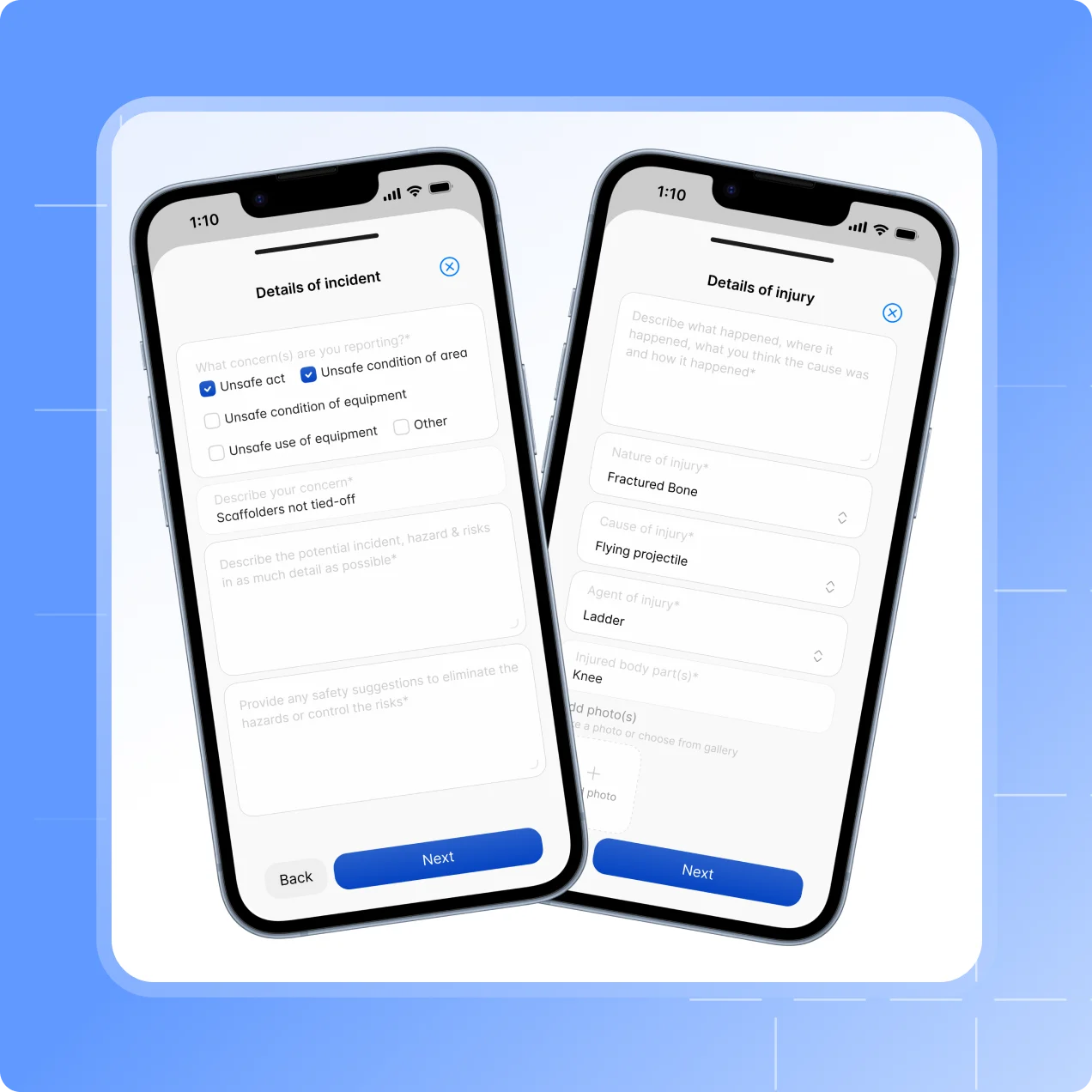
Choose whether you’re reporting an incident or an injury, and Scafflinq asks the questions for that type.
An incident records the concern type, what happened, the potential hazard and a safety suggestion.
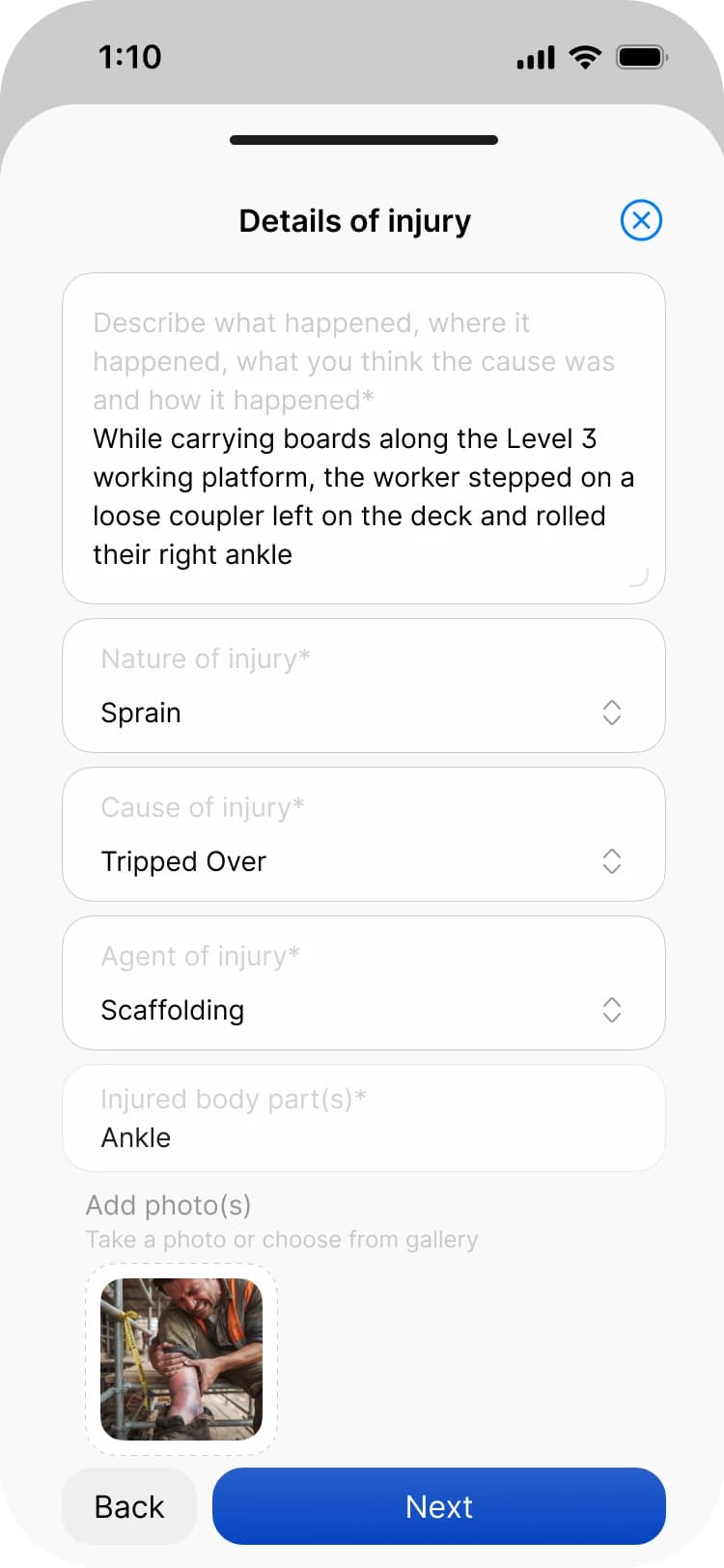
An injury records the worker’s details, witnesses, the injury and the treatment given.
Both end with the submitter’s signature, certifying the report is correct.
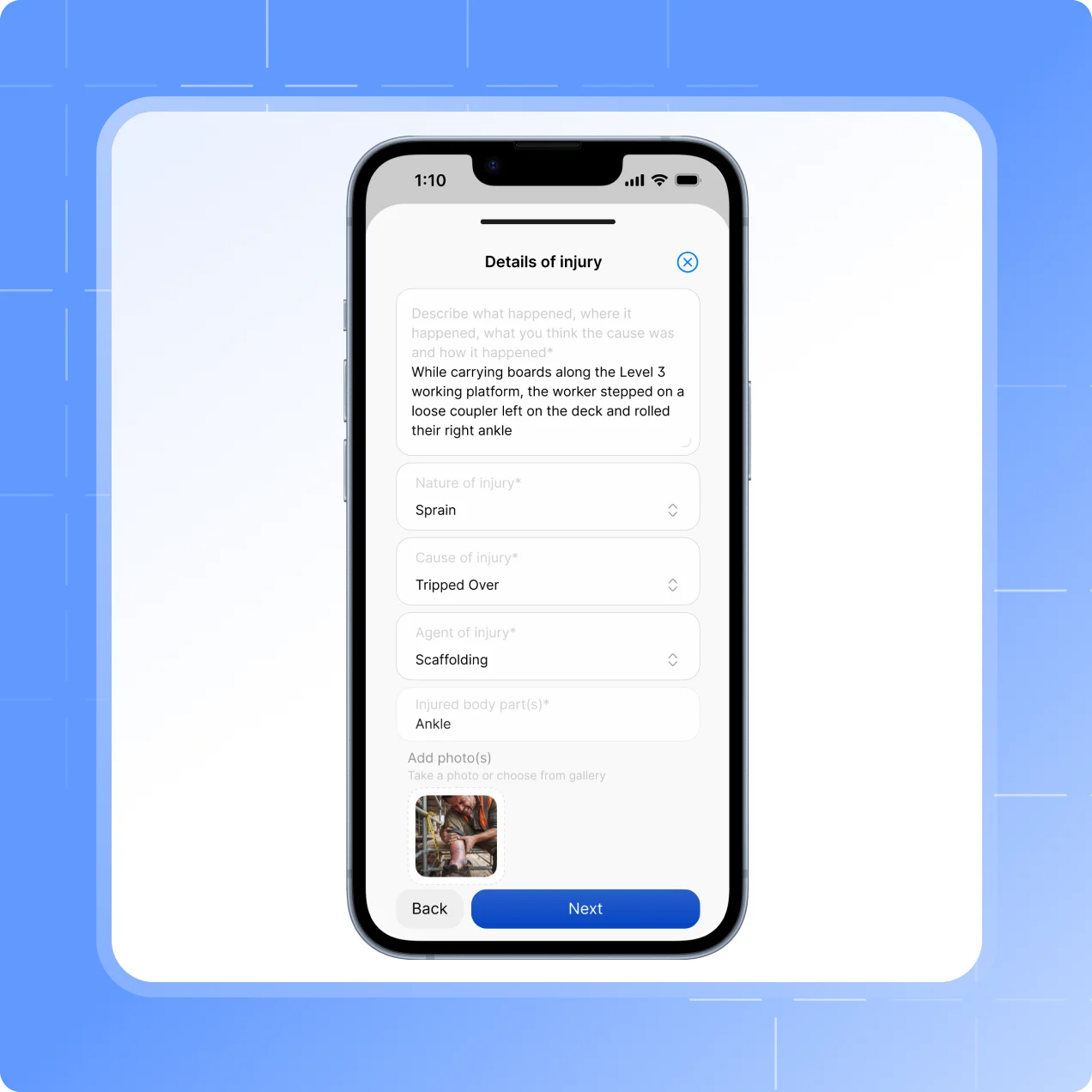
Injury details
The details people forget first
Captured on site, before they’re smoothed over or forgotten.
The nature, cause and agent of the injury, and the body parts affected.
Up to 10 photos, and at least one witness with their contact details.
Whether first aid was given and by whom, whether work stopped, and whether they went to hospital.
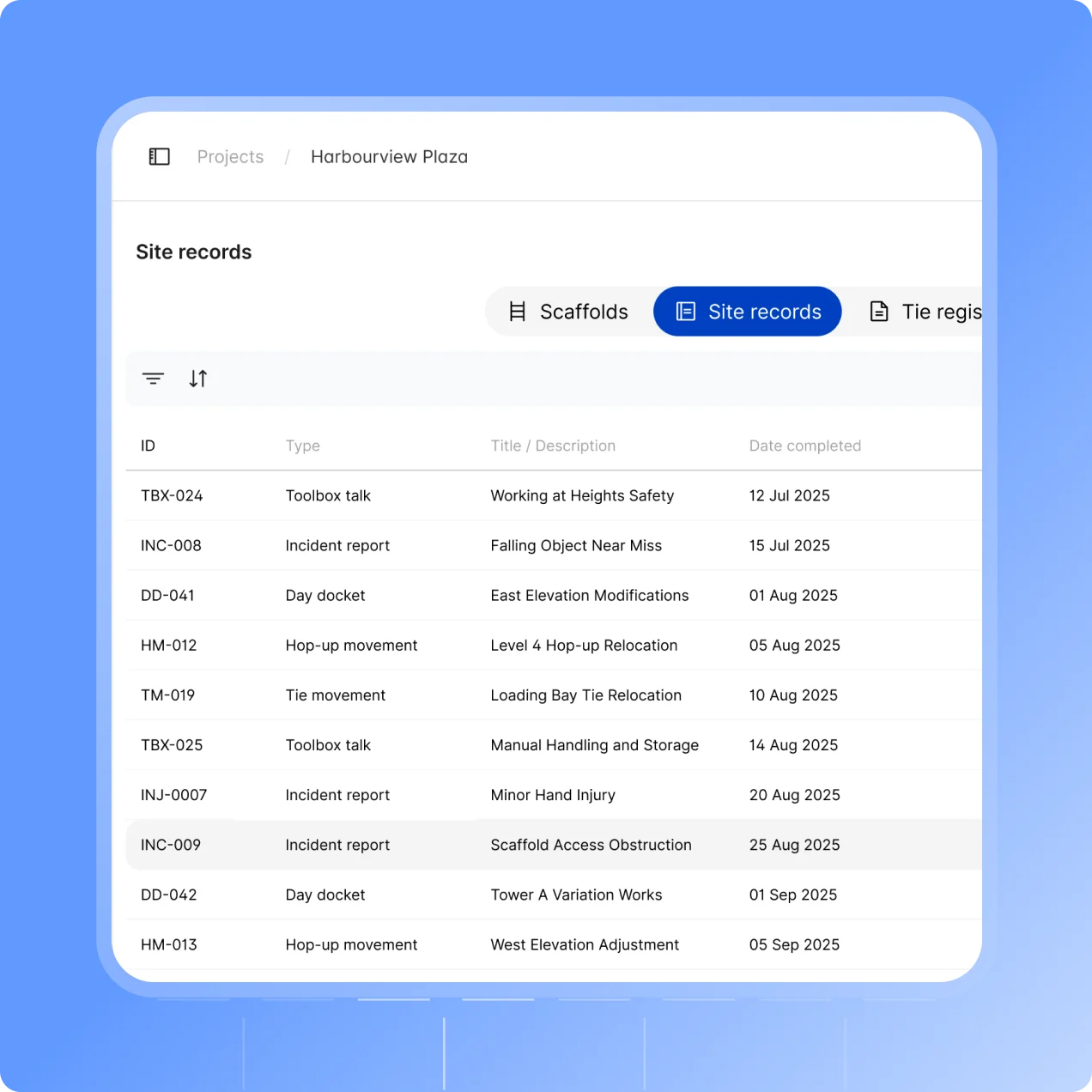
Emailed and filed
In the right inboxes, straight away
Finish the report and Scafflinq generates the PDF and sends it out. No one has to remember to forward it.
Emailed to the project’s client email and the project supervisor.
Also sent to your Incident Report recipients under Settings → Site Records.
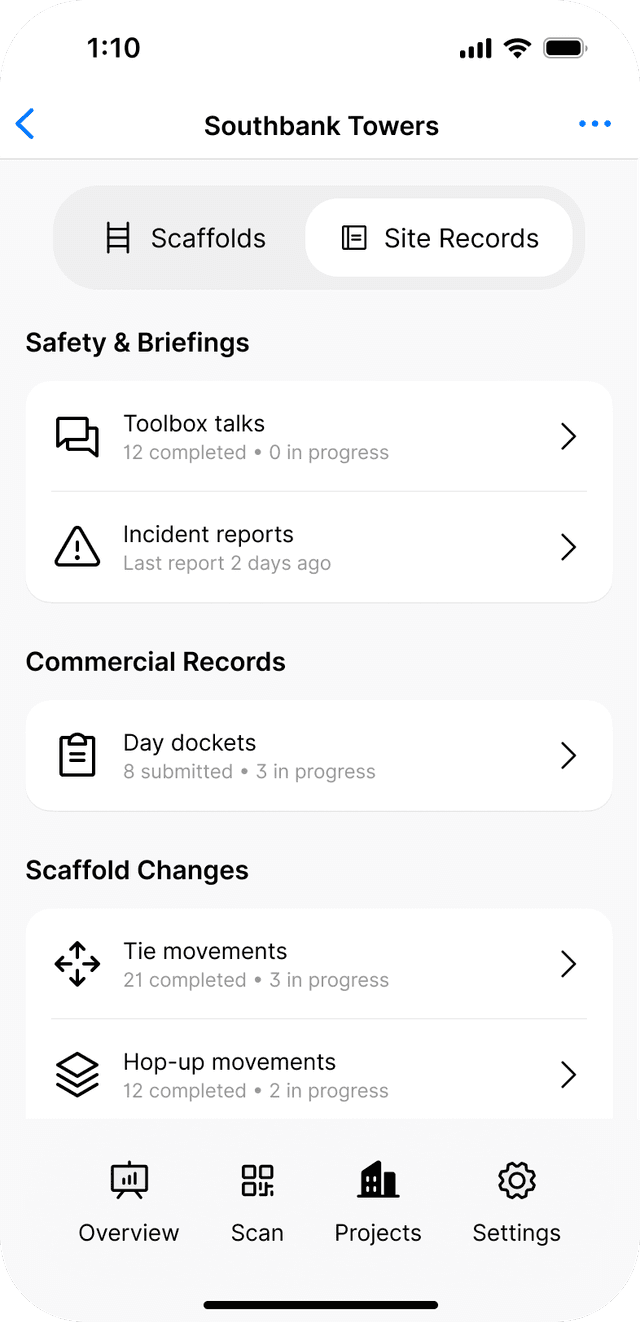
Listed in the project’s Site records tab, to view, download or resend.
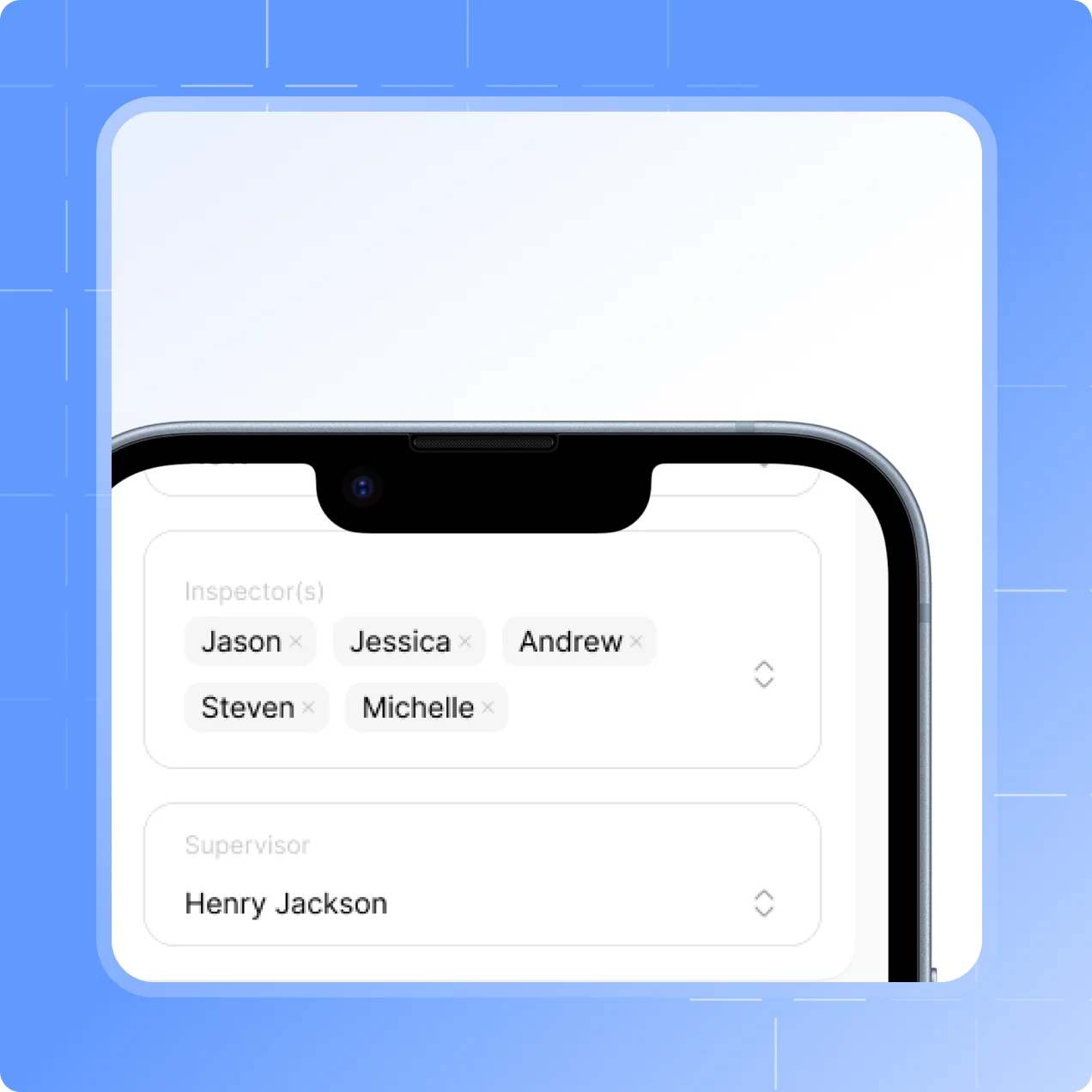
Nothing to set up
Ready on every project
The client email and supervisor are already set per project, so there’s nothing extra before your first report.
The supervisor’s name and contact are filled in and locked on every report.
Add more people under Settings → Site Records if you want them in the loop.
How it works
From site to
signed report
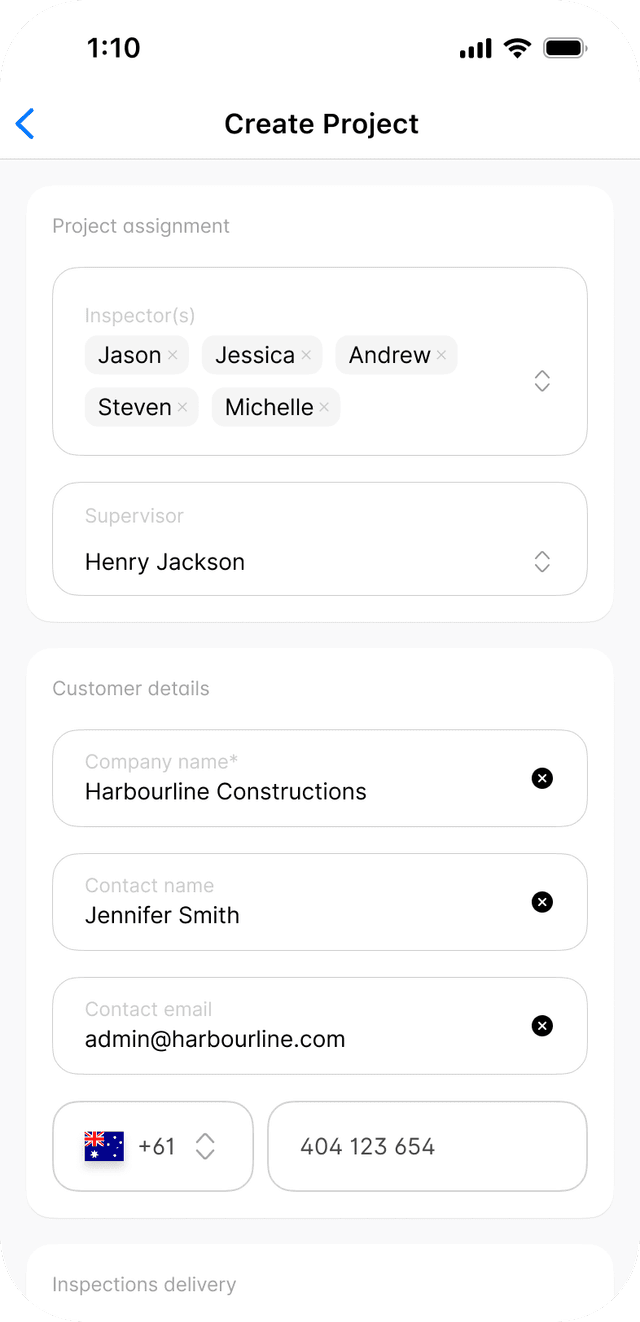
Set who gets it
Each project already has a client email and supervisor. Add more recipients if you need them.

Report on site
Choose incident or injury, answer the questions, add photos and sign.
Emailed and filed
The PDF is emailed straight away and kept in the project’s Site records.
Testimonials
What teams say
About Scafflinq
Vicky Amato
Australian Scaffold
Scafflinq has made our inspection and compliance processes faster, clearer, and far more efficient. It’s been a great tool for improving visibility across our projects and ensuring everything stays up to date.
Daniel Lake
Elevate Access Solutions
Scafflinq has been a game changer for our Inspections and Handovers, all our scaffolds on one platform makes it very easy to manage. Our customers love it, it makes our operation a lot more efficient.
Andres Van der Welt
Rohrig Constructions
Thanks to Scafflinq, we never have to worry about losing inspection records again. It’s always there, ready for us to access.
Shane Youssef
FC Building
Scafflinq has revolutionized the way we track scaffold inspections. It’s simple, easy to use, and gives us complete peace of mind.
Kate Paterson
Melbourne Scaffold Solutions
This innovation allows us to efficiently hand over scaffolds and keep meticulous track of inspections.
Isi Talanoa
Proview Scaffolding
Scafflinq has made scaffold handovers more efficient and helps us keep accurate, up-to-date records of every inspection.
Al Ibrahim
Buildum Construction
Scafflinq is a must-have for any builder serious about safety. It’s easy to use and gives us complete visibility into our scaffolding structures.
Mohamed Trad
Phoenix Developments
Scafflinq has made our scaffolding site safer than ever. It’s a reliable solution that we can trust.
Roi Cifti
Richard Crookes
With Scafflinq, I can access scaffold inspection history from anywhere, anytime. It’s a game-changer for our business.
Kurt Vengers
Dartanyon Developments
Scafflinq has saved us countless hours of paperwork and admin. We can now focus on our core business knowing that our scaffolding is always safe and compliant.


Vicky Amato
Australian Scaffold
Scafflinq has made our inspection and compliance processes faster, clearer, and far more efficient. It’s been a great tool for improving visibility across our projects and ensuring everything stays up to date.
Daniel Lake
Elevate Access Solutions
Scafflinq has been a game changer for our Inspections and Handovers, all our scaffolds on one platform makes it very easy to manage. Our customers love it, it makes our operation a lot more efficient.
Andres Van der Welt
Rohrig Constructions
Thanks to Scafflinq, we never have to worry about losing inspection records again. It’s always there, ready for us to access.
Shane Youssef
FC Building
Scafflinq has revolutionized the way we track scaffold inspections. It’s simple, easy to use, and gives us complete peace of mind.
Kate Paterson
Melbourne Scaffold Solutions
This innovation allows us to efficiently hand over scaffolds and keep meticulous track of inspections.
Vicky Amato
Australian Scaffold
Scafflinq has made our inspection and compliance processes faster, clearer, and far more efficient. It’s been a great tool for improving visibility across our projects and ensuring everything stays up to date.
Daniel Lake
Elevate Access Solutions
Scafflinq has been a game changer for our Inspections and Handovers, all our scaffolds on one platform makes it very easy to manage. Our customers love it, it makes our operation a lot more efficient.
Andres Van der Welt
Rohrig Constructions
Thanks to Scafflinq, we never have to worry about losing inspection records again. It’s always there, ready for us to access.
Shane Youssef
FC Building
Scafflinq has revolutionized the way we track scaffold inspections. It’s simple, easy to use, and gives us complete peace of mind.
Kate Paterson
Melbourne Scaffold Solutions
This innovation allows us to efficiently hand over scaffolds and keep meticulous track of inspections.
Isi Talanoa
Proview Scaffolding
Scafflinq has made scaffold handovers more efficient and helps us keep accurate, up-to-date records of every inspection.
Al Ibrahim
Buildum Construction
Scafflinq is a must-have for any builder serious about safety. It’s easy to use and gives us complete visibility into our scaffolding structures.
Mohamed Trad
Phoenix Developments
Scafflinq has made our scaffolding site safer than ever. It’s a reliable solution that we can trust.
Roi Cifti
Richard Crookes
With Scafflinq, I can access scaffold inspection history from anywhere, anytime. It’s a game-changer for our business.
Kurt Vengers
Dartanyon Developments
Scafflinq has saved us countless hours of paperwork and admin. We can now focus on our core business knowing that our scaffolding is always safe and compliant.
Isi Talanoa
Proview Scaffolding
Scafflinq has made scaffold handovers more efficient and helps us keep accurate, up-to-date records of every inspection.
Al Ibrahim
Buildum Construction
Scafflinq is a must-have for any builder serious about safety. It’s easy to use and gives us complete visibility into our scaffolding structures.
Mohamed Trad
Phoenix Developments
Scafflinq has made our scaffolding site safer than ever. It’s a reliable solution that we can trust.
Roi Cifti
Richard Crookes
With Scafflinq, I can access scaffold inspection history from anywhere, anytime. It’s a game-changer for our business.
Kurt Vengers
Dartanyon Developments
Scafflinq has saved us countless hours of paperwork and admin. We can now focus on our core business knowing that our scaffolding is always safe and compliant.
FAQs
Frequently asked questions
Quick answers about reporting incidents and injuries in Scafflinq.
An incident is anything that didn’t result in an injury, such as a near miss or an unsafe act or condition. It records the concern type, a description, what happened including the potential hazard or risk, and a safety suggestion. An injury report records the injured worker’s details, at least one witness, the nature, cause and agent of the injury, the body parts affected, up to 10 photos, and the treatment given.
Also worth a look

Report it while it’s fresh
Start free with 5 tags. Incident and injury reports, signed on site and filed automatically.