Scaffold inspection software
for UK sites
7-day inspections, a live scaffold register, handover certificates, daywork sheets, toolbox talks and incident reports in one app, with BS EN 12811-1 load classes preloaded.
The rules in the UK
What the Work at Height
Regulations ask
The law requires inspection and a written report. Handover certificates and tags are good practice rather than statute.
Inspect every 7 days
A working platform with a fall of 2 metres or more must not be used unless it has been inspected in that position within the previous 7 days, and after any exceptional circumstances liable to jeopardise its safety, such as high winds.
Work at Height Regulations 2005, regulation 12A Schedule 7 report within 24 hours
The inspector prepares a report with the eight Schedule 7 particulars before the end of the working period and provides it within 24 hours. It is kept on site until the work is done, then at an office for 3 months.
Work at Height Regulations 2005, Schedule 7Handover certificates are good practice
NASC states there is no statutory requirement to issue a handover certificate, though clients commonly require one. SG35:21 says a certificate carrying the Schedule 7 particulars can count as the first use inspection.
NASC SG35:21: Handover of Scaffold StructuresThe register is mandatory, tags are optional
SG35:21 says inspections and recording in the scaffold register are mandatory, but tags are not. NASC does recommend electronic scaffold inspection devices as a category. It doesn’t endorse any product, including ours.
NASC SG35:21: Handover of Scaffold Structures
After handover, SG35:21 makes the client responsible for the 7-day inspections, and recommends agreeing in writing at tender stage who will carry them out. Ireland uses form GA3 under its own Code of Practice. This page is general information, not legal advice.
All in one app
Inspections, registers and
site paperwork in one app
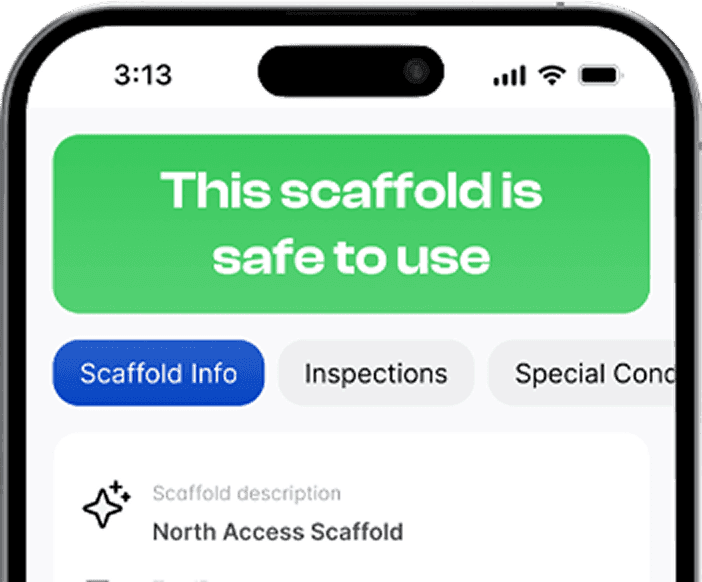
- 7-day inspectionsSet a 7-day schedule and get app and email reminders before each inspection falls due. Your own checklist, photos and sign-off.
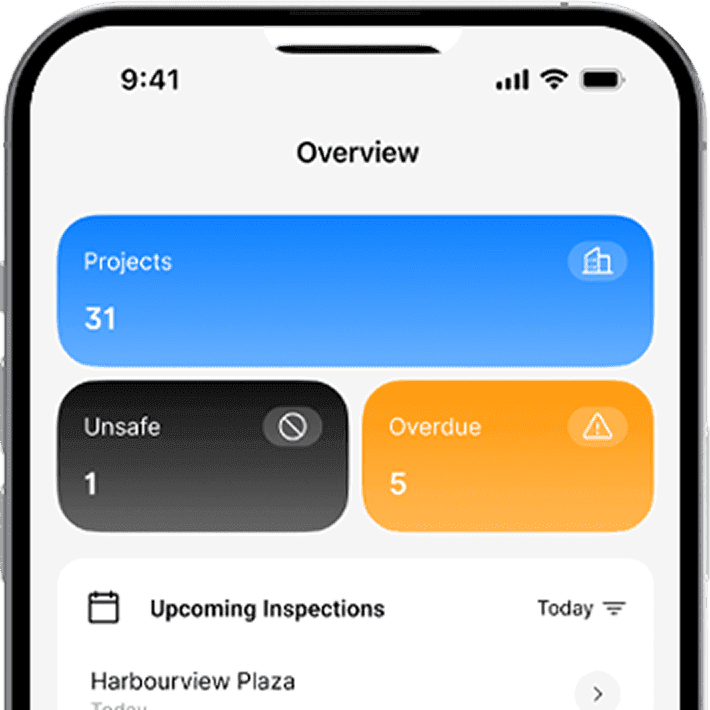
- Scaffold registerEvery scaffold in one live register: tag ID, location, erected and dismantled dates, inspections and status. Export to Excel.
- Handover certificatesGenerated from the inspection with your logo and wording, and emailed from site, with optional client sign-off.
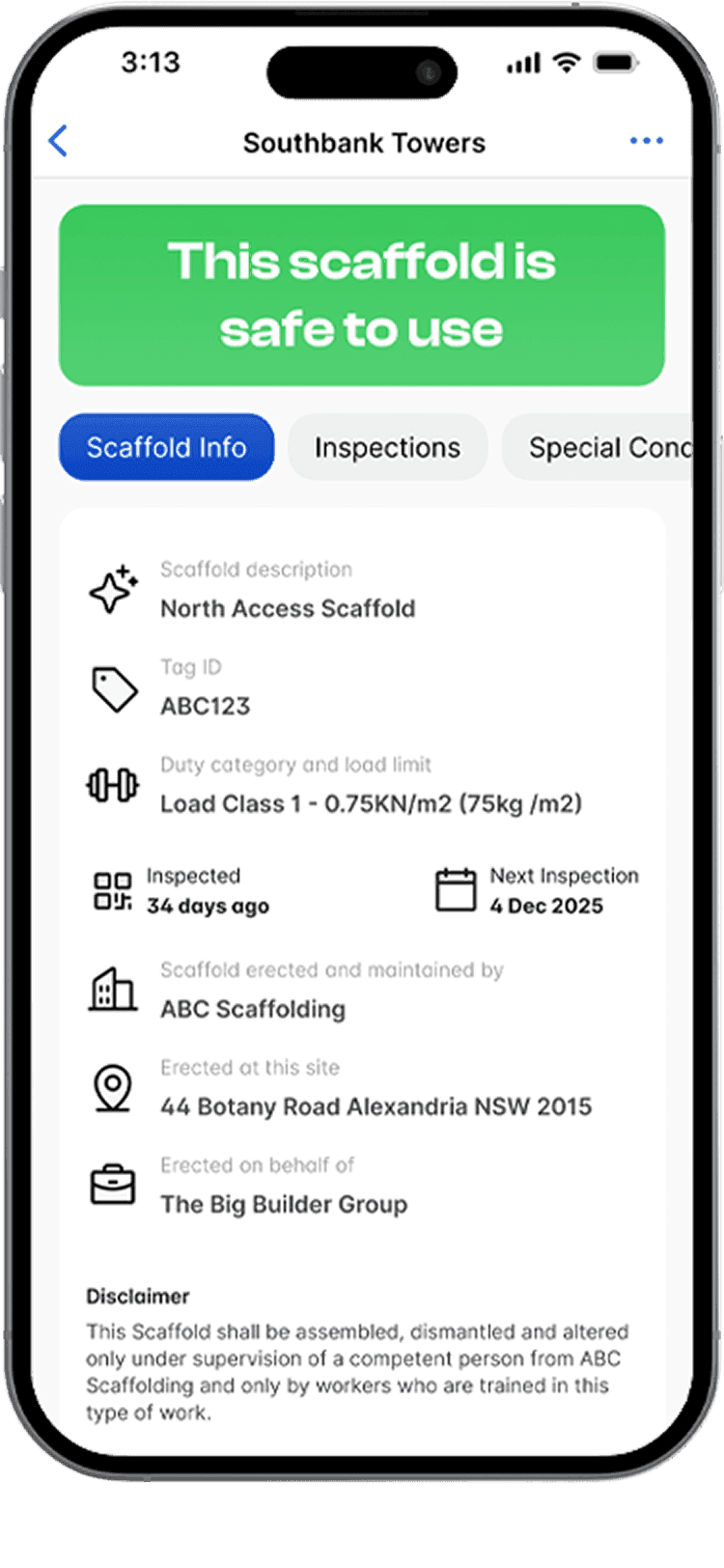
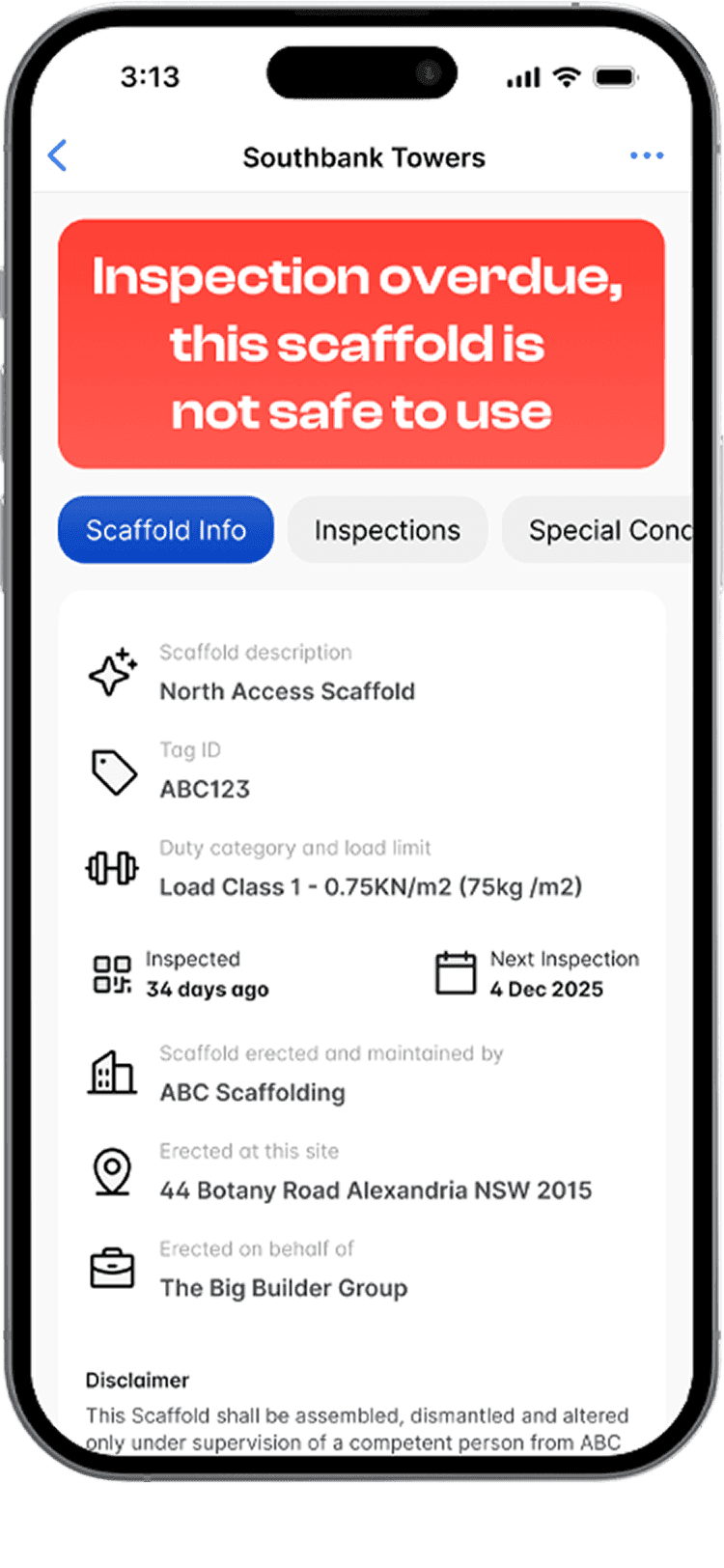
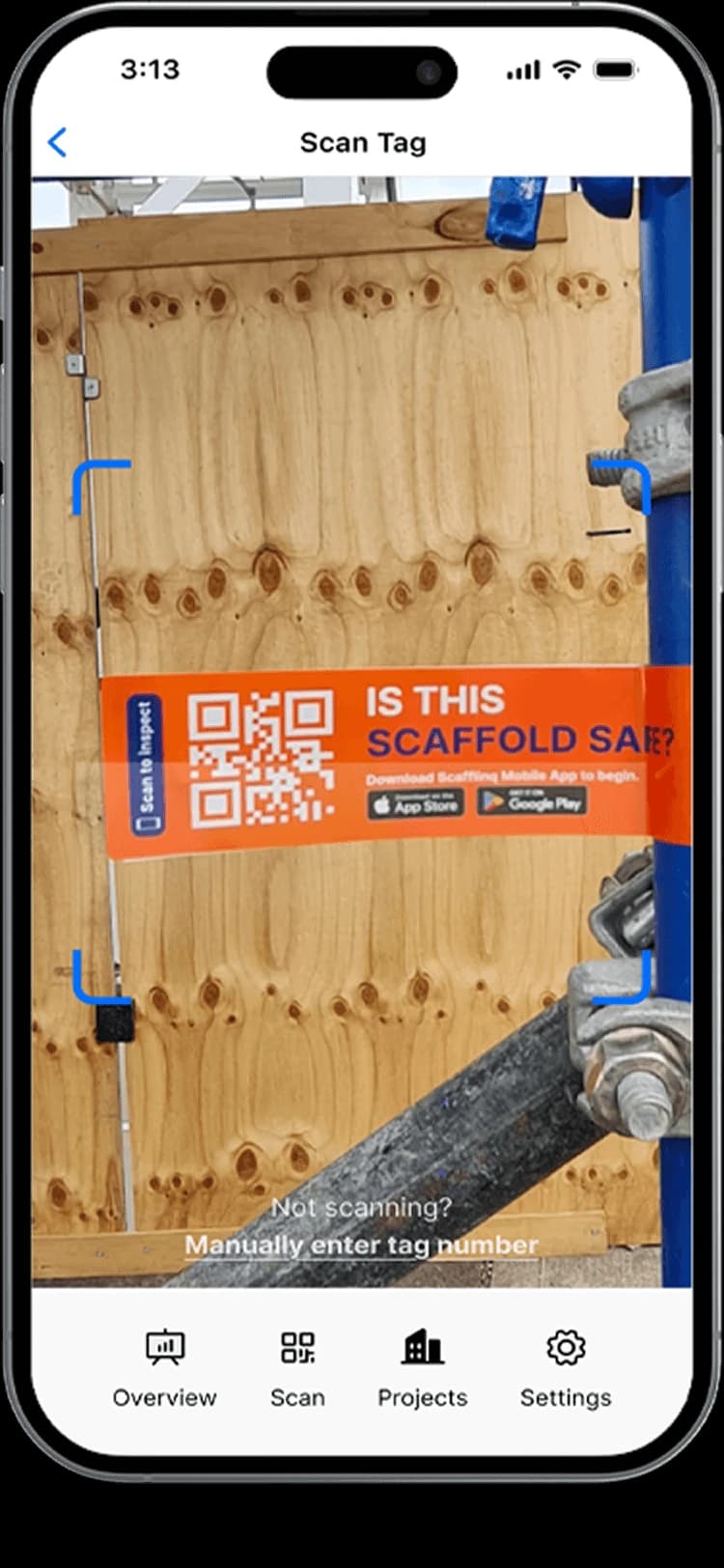
- Scafflinq tagsA QR tag at each access point. Anyone scans it with a phone camera to see the live status and last inspection, with no app.
- Daywork sheetsVariation work recorded on site, signed by the client on the phone and emailed as a PDF. Scafflinq calls them day dockets.
- Toolbox talksRun the toolbox talk from a phone with 20 talk points and every attendee’s signature. The PDF is emailed automatically.
- Incident reportsGuided questions, witnesses, up to 10 photos and a signature, emailed as a PDF to your client and supervisor.
- Hop-up & tie movementsHop-ups in lineal metres and ties by type and number, with handover checks and client sign-off.
- Maya AI assistantSpeak your inspection notes and Maya suggests checklist answers. The inspector reviews every one and signs off.
Local terms
The terms
you use on site
- Daywork sheet
- Scafflinq calls it a day docket. It records the extra work, the crew, the hours and the materials, and the signed PDF is emailed from site.
- Scaffold register
- The live list of every scaffold and its inspections. Filter it, export it to Excel, or print a site register QR for the site office.
- Load classes
- BS EN 12811-1 load classes come preloaded, and you can add or edit your own in the web portal.
Testimonials
What teams say
About Scafflinq
Vicky Amato
Australian Scaffold
Scafflinq has made our inspection and compliance processes faster, clearer, and far more efficient. It’s been a great tool for improving visibility across our projects and ensuring everything stays up to date.
Daniel Lake
Elevate Access Solutions
Scafflinq has been a game changer for our Inspections and Handovers, all our scaffolds on one platform makes it very easy to manage. Our customers love it, it makes our operation a lot more efficient.
Andres Van der Welt
Rohrig Constructions
Thanks to Scafflinq, we never have to worry about losing inspection records again. It’s always there, ready for us to access.
Shane Youssef
FC Building
Scafflinq has revolutionized the way we track scaffold inspections. It’s simple, easy to use, and gives us complete peace of mind.
Kate Paterson
Melbourne Scaffold Solutions
This innovation allows us to efficiently hand over scaffolds and keep meticulous track of inspections.
Isi Talanoa
Proview Scaffolding
Scafflinq has made scaffold handovers more efficient and helps us keep accurate, up-to-date records of every inspection.
Al Ibrahim
Buildum Construction
Scafflinq is a must-have for any builder serious about safety. It’s easy to use and gives us complete visibility into our scaffolding structures.
Mohamed Trad
Phoenix Developments
Scafflinq has made our scaffolding site safer than ever. It’s a reliable solution that we can trust.
Roi Cifti
Richard Crookes
With Scafflinq, I can access scaffold inspection history from anywhere, anytime. It’s a game-changer for our business.
Kurt Vengers
Dartanyon Developments
Scafflinq has saved us countless hours of paperwork and admin. We can now focus on our core business knowing that our scaffolding is always safe and compliant.


Vicky Amato
Australian Scaffold
Scafflinq has made our inspection and compliance processes faster, clearer, and far more efficient. It’s been a great tool for improving visibility across our projects and ensuring everything stays up to date.
Daniel Lake
Elevate Access Solutions
Scafflinq has been a game changer for our Inspections and Handovers, all our scaffolds on one platform makes it very easy to manage. Our customers love it, it makes our operation a lot more efficient.
Andres Van der Welt
Rohrig Constructions
Thanks to Scafflinq, we never have to worry about losing inspection records again. It’s always there, ready for us to access.
Shane Youssef
FC Building
Scafflinq has revolutionized the way we track scaffold inspections. It’s simple, easy to use, and gives us complete peace of mind.
Kate Paterson
Melbourne Scaffold Solutions
This innovation allows us to efficiently hand over scaffolds and keep meticulous track of inspections.
Vicky Amato
Australian Scaffold
Scafflinq has made our inspection and compliance processes faster, clearer, and far more efficient. It’s been a great tool for improving visibility across our projects and ensuring everything stays up to date.
Daniel Lake
Elevate Access Solutions
Scafflinq has been a game changer for our Inspections and Handovers, all our scaffolds on one platform makes it very easy to manage. Our customers love it, it makes our operation a lot more efficient.
Andres Van der Welt
Rohrig Constructions
Thanks to Scafflinq, we never have to worry about losing inspection records again. It’s always there, ready for us to access.
Shane Youssef
FC Building
Scafflinq has revolutionized the way we track scaffold inspections. It’s simple, easy to use, and gives us complete peace of mind.
Kate Paterson
Melbourne Scaffold Solutions
This innovation allows us to efficiently hand over scaffolds and keep meticulous track of inspections.
Isi Talanoa
Proview Scaffolding
Scafflinq has made scaffold handovers more efficient and helps us keep accurate, up-to-date records of every inspection.
Al Ibrahim
Buildum Construction
Scafflinq is a must-have for any builder serious about safety. It’s easy to use and gives us complete visibility into our scaffolding structures.
Mohamed Trad
Phoenix Developments
Scafflinq has made our scaffolding site safer than ever. It’s a reliable solution that we can trust.
Roi Cifti
Richard Crookes
With Scafflinq, I can access scaffold inspection history from anywhere, anytime. It’s a game-changer for our business.
Kurt Vengers
Dartanyon Developments
Scafflinq has saved us countless hours of paperwork and admin. We can now focus on our core business knowing that our scaffolding is always safe and compliant.
Isi Talanoa
Proview Scaffolding
Scafflinq has made scaffold handovers more efficient and helps us keep accurate, up-to-date records of every inspection.
Al Ibrahim
Buildum Construction
Scafflinq is a must-have for any builder serious about safety. It’s easy to use and gives us complete visibility into our scaffolding structures.
Mohamed Trad
Phoenix Developments
Scafflinq has made our scaffolding site safer than ever. It’s a reliable solution that we can trust.
Roi Cifti
Richard Crookes
With Scafflinq, I can access scaffold inspection history from anywhere, anytime. It’s a game-changer for our business.
Kurt Vengers
Dartanyon Developments
Scafflinq has saved us countless hours of paperwork and admin. We can now focus on our core business knowing that our scaffolding is always safe and compliant.
FAQs
Frequently asked questions
Quick answers about using Scafflinq on UK sites.
Under regulation 12 of the Work at Height Regulations 2005, a working platform with a fall of 2 metres or more must be inspected in position within the previous 7 days, and after any exceptional circumstances liable to jeopardise its safety. In Scafflinq you set a 7-day schedule and get app and email reminders before each inspection is due.
Free tools for the UK

Run your next UK job on Scafflinq
Start free with 5 tags, or book a demo and we’ll walk you through it.