I can't see my Projects in the mobile app
Solution 1: Branch assignment
Verify with your Administrator that you’re assigned to the correct branch linked to the project.
If your project is still not visible, please see the steps below.
Solution 2: Filters may be applied
1From the
Projects screen, tap the Filter icon.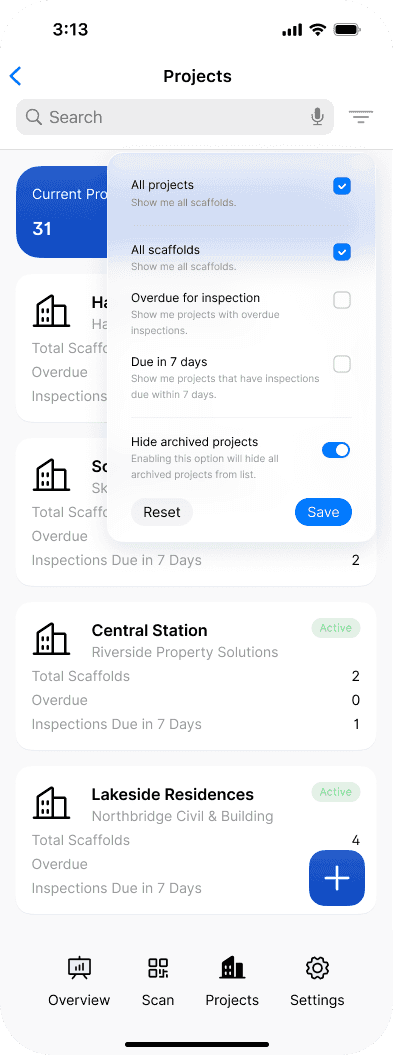
2Turn off the
Hide archived projects toggle and tap Save. Archived projects will now appear in the project list.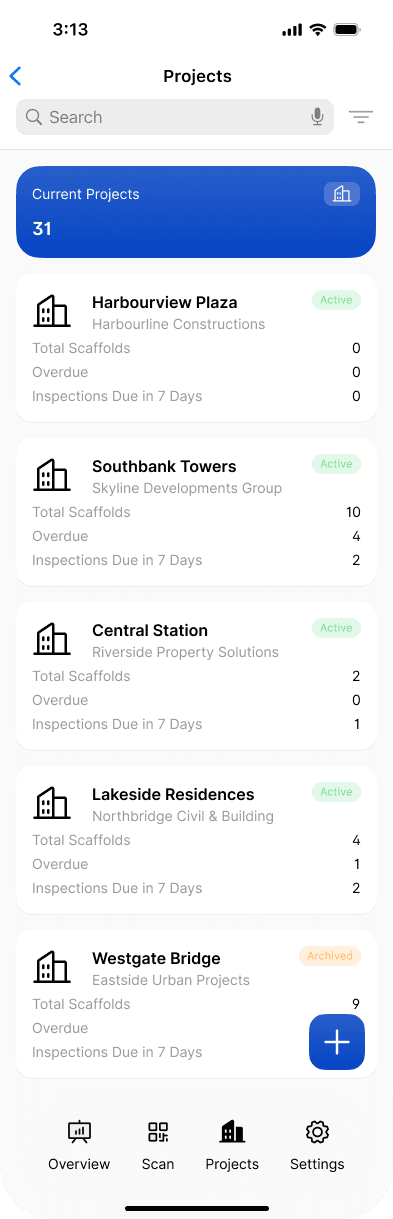
Not the answer you're looking for? Contact usfor assistance, we'd be glad to help
Still got questions?
Pick whichever suits, we’ll get back to you either way.