Toolbox talks
The pre-start safety briefing, done properly and filed automatically.
Every site runs a toolbox talk before work starts: what's happening today, what to watch for, who's on tools. On paper, it's a sheet of names and signatures that lives in a folder somewhere, if it survives the day at all. When an auditor or a WHS inspector asks for proof one was held, someone has to go looking.
Scafflinq now handles this natively.
Toolbox Talks
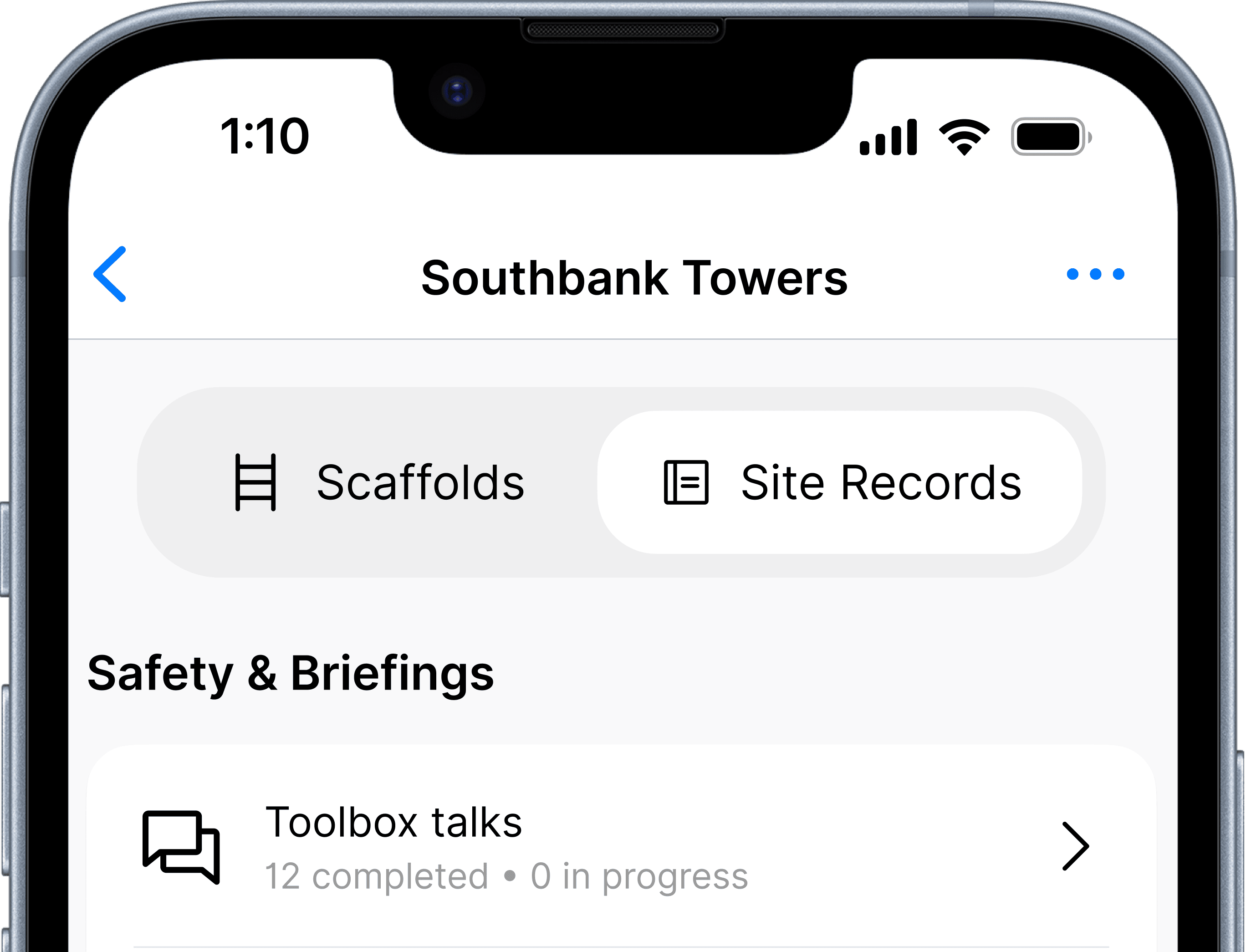
Introducing Toolbox Talks: a proper record of every pre-start briefing, captured on site and filed automatically.
Open a project and you'll see a new tab group: Scaffolds, which you already know, and Site Records, which is new. Tap into Site Records to start a toolbox talk.
Here's what's captured:
- Title / description
- Today's activities: picked from a predefined list
- Talk points: 20 predefined safety points to guide the presenter through the talk
- Attendees: name and signature for everyone who attended
- Other points discussed: free text, for anything beyond the standard points
- Safety concerns raised by attendees: free text
- Person presenting: defaults to whoever's logged in, editable if someone else is running the talk
- Presenter's signature
- Project/site supervisor's name and email
- Email toolbox talk to: add anyone else who needs a copy
Finish the talk, and Scafflinq sends the PDF out automatically. No one has to remember to forward it:
- The project's supervisor
- Anyone added under Email toolbox talk to
- Anyone set as a default recipient under Settings → Site Records
Visible from the portal, not just the phone
Open the same project in the web portal and you'll see the same tab group, plus one more: Scaffolds, Site records, and Attachments. Site records lists every toolbox talk submitted on the project. Attachments is where the PDF lives: view it, download it, or resend it, without chasing anyone on site.
Also in this release
A new Supervisor role. Sits alongside Admin, Manager and Inspector with the same access as a Manager; you can name someone the supervisor on a project, and it's their name and email that get pulled into every toolbox talk on that project.
A cleaner project form. Creating or editing a project is now grouped into clear sections (project details, project assignment, customer details, inspections delivery) instead of one long list of fields. Same information, easier to find your way through it.
Default recipients for Site Records. New under Settings → Site Records, set who gets emailed automatically for each type of site record, or use one default list for all of them. Toolbox talks are live today, with more record types on the way.
Getting started
Toolbox Talks is available now. Before your first one, it's worth two minutes in the portal:
- Assign a Supervisor to the project under Project assignment
- Set your default recipients under Settings → Site Records
Then open the app, open the project, tap Site Records, and start a toolbox talk.
Because a safety briefing that isn't recorded properly might as well not have happened.

Put Scafflinq to work on site
Start free with 5 digital scafftags, or book a demo to see the full platform.