How to archive a Project
You can archive a project from the web portal or the mobile app .
When a project is archived, all scaffolds under that project will automatically be marked as Dismantled.
Archive a Project on the Web
1Go to
Projects & Scaffolds. Hover over the project you want to archive and click the ••• menu icon.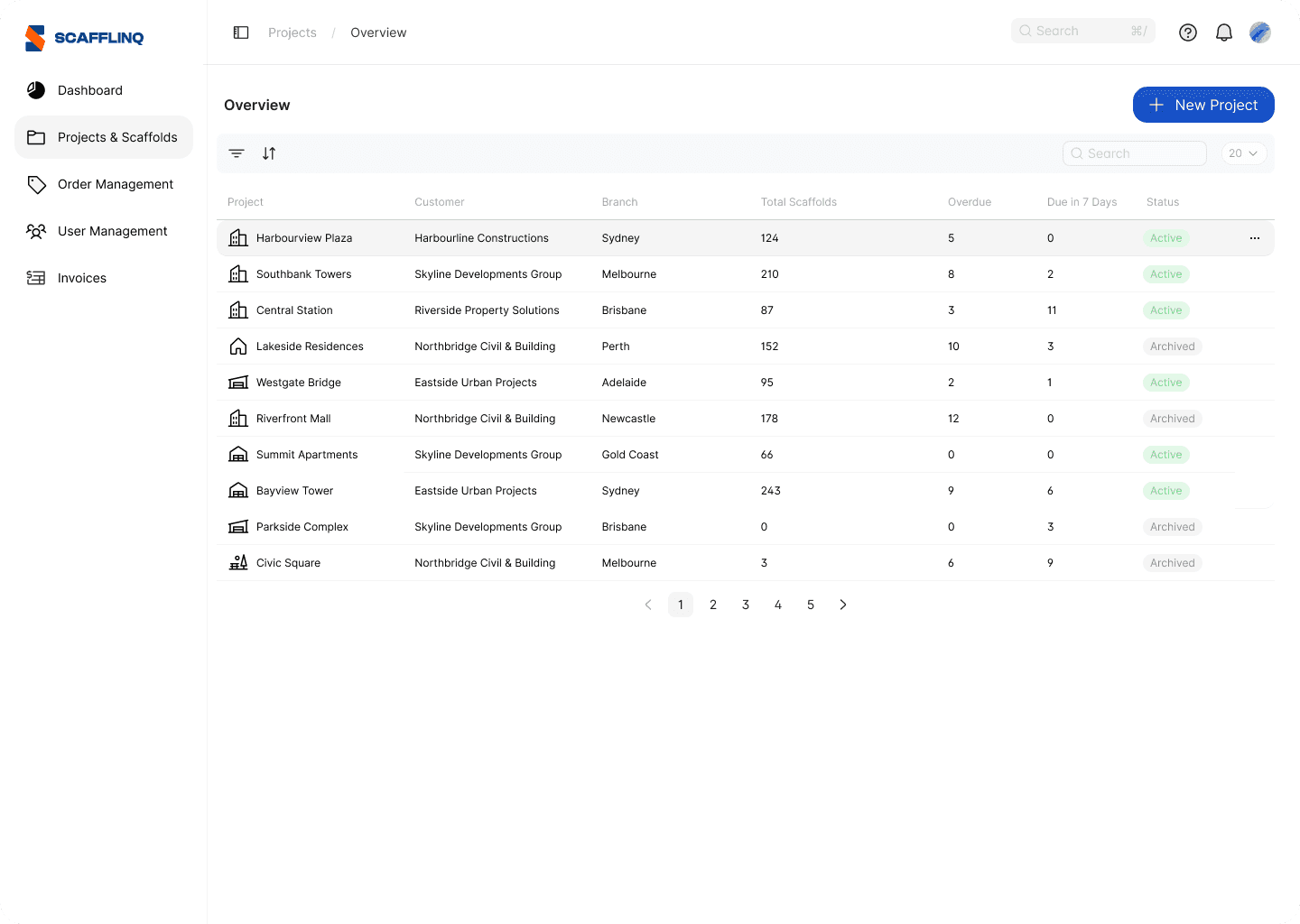
2Select
Archive Project and confirm.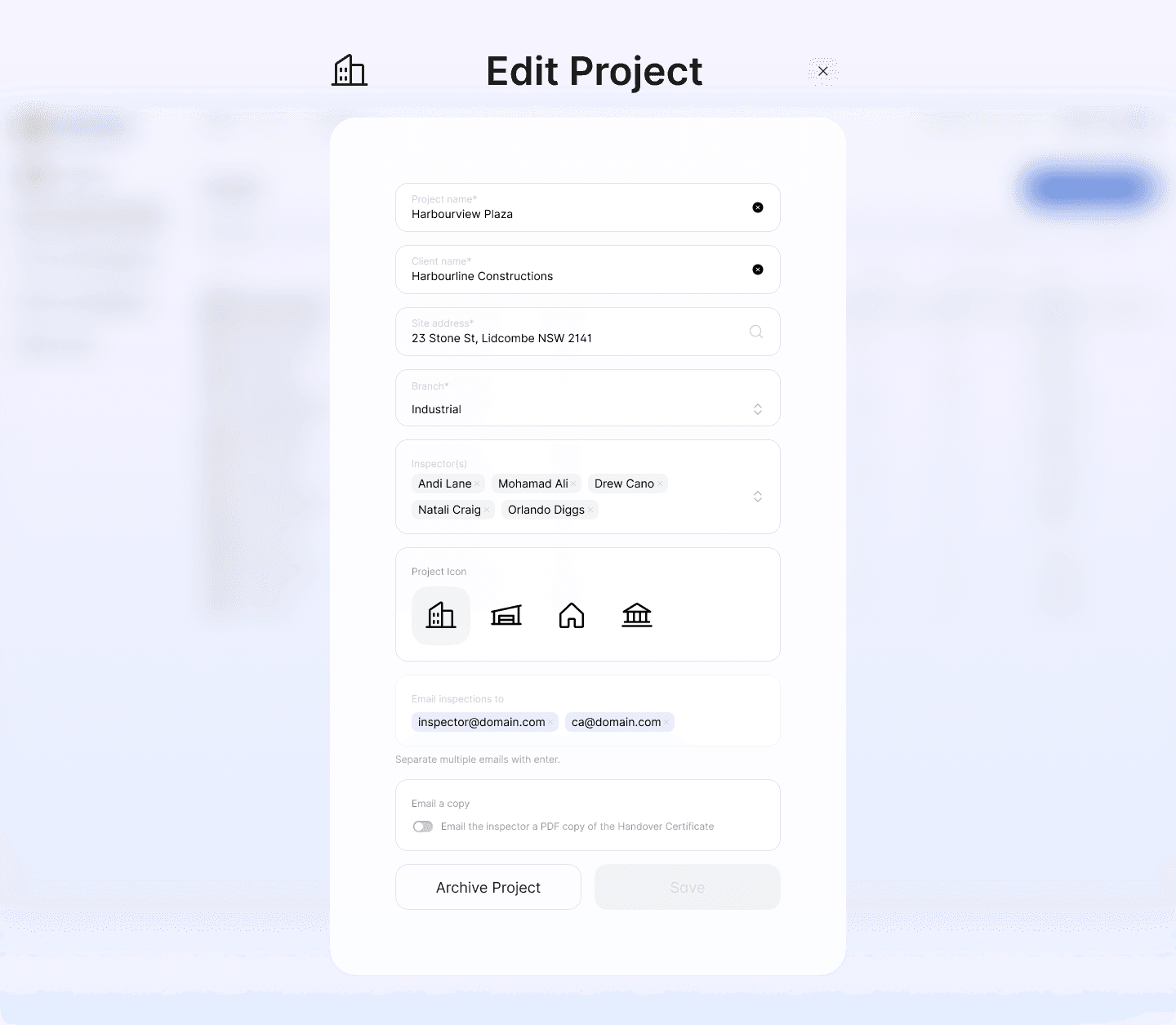
3The project will be archived, and all scaffolds under it will be marked as
Dismantled.Archive a Project in the Mobile App
1On the mobile app, navigate to the Project you want to archive and tap on it.
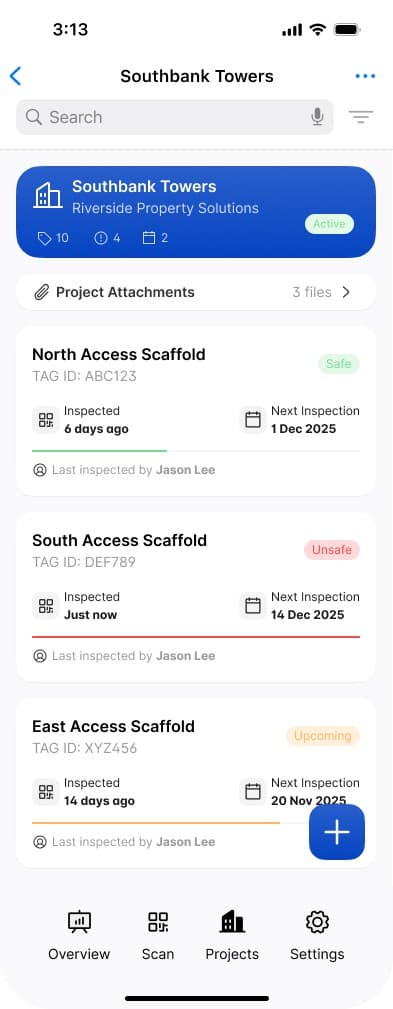
2Tap the
••• icon in the top right corner to display the menu and select Archive Project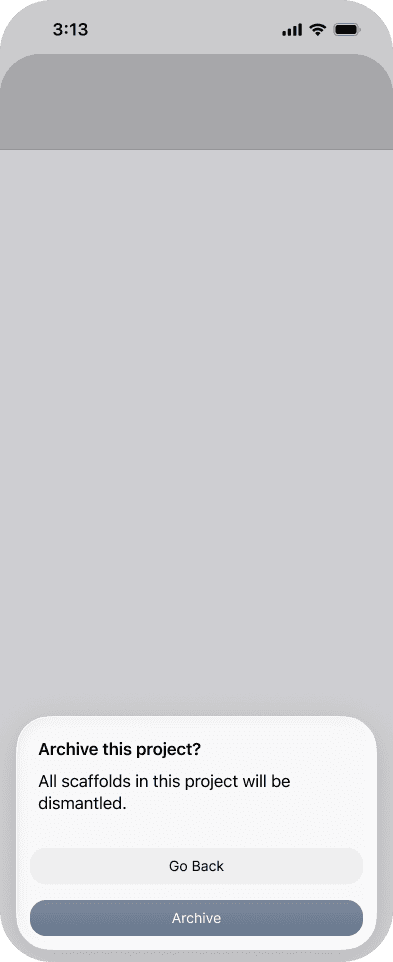
3Confirm you want to archive this Project.
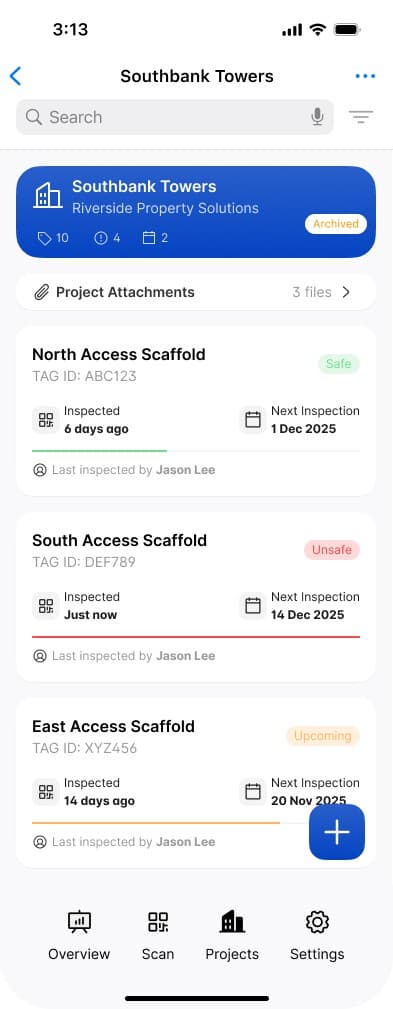
4The project is now archived and will be hidden from the Project list view. It can be displayed again by turning off the
Hide archived projects using the FilterOnce archived, the project will be hidden from the project list by default.
Display archived Projects in list
1From the project list, tap the
Filter icon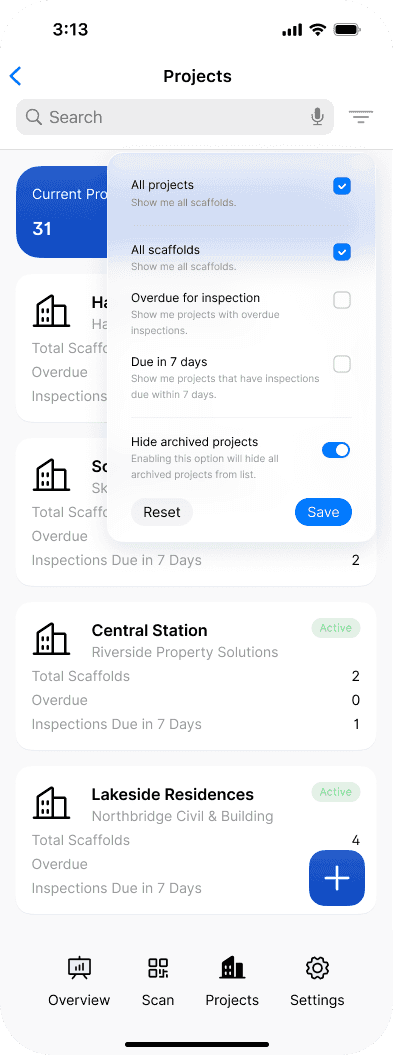
2Turn off the
Hide archived projects toggle and tap Save. Archived projects will now appear in the project list.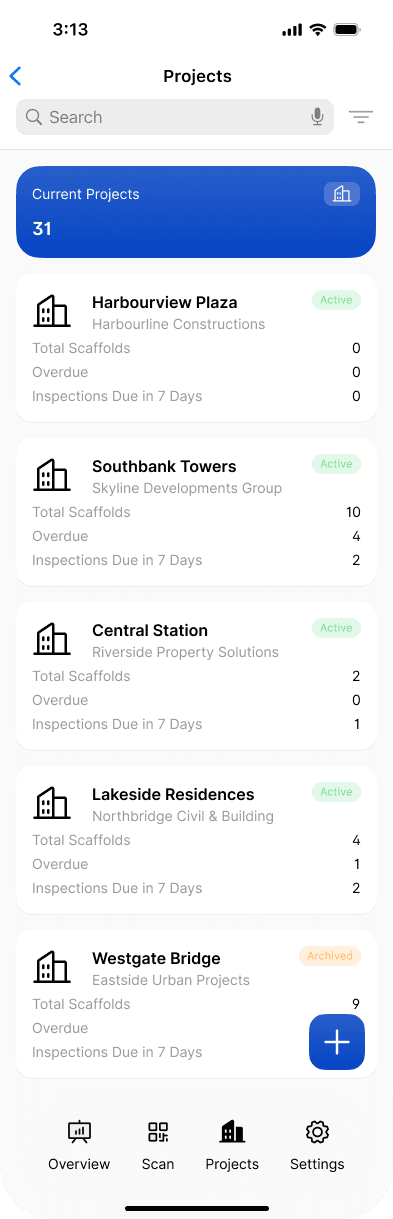
Still got questions?
Pick whichever suits, we’ll get back to you either way.