How to set inspection schedules and mandatory photos
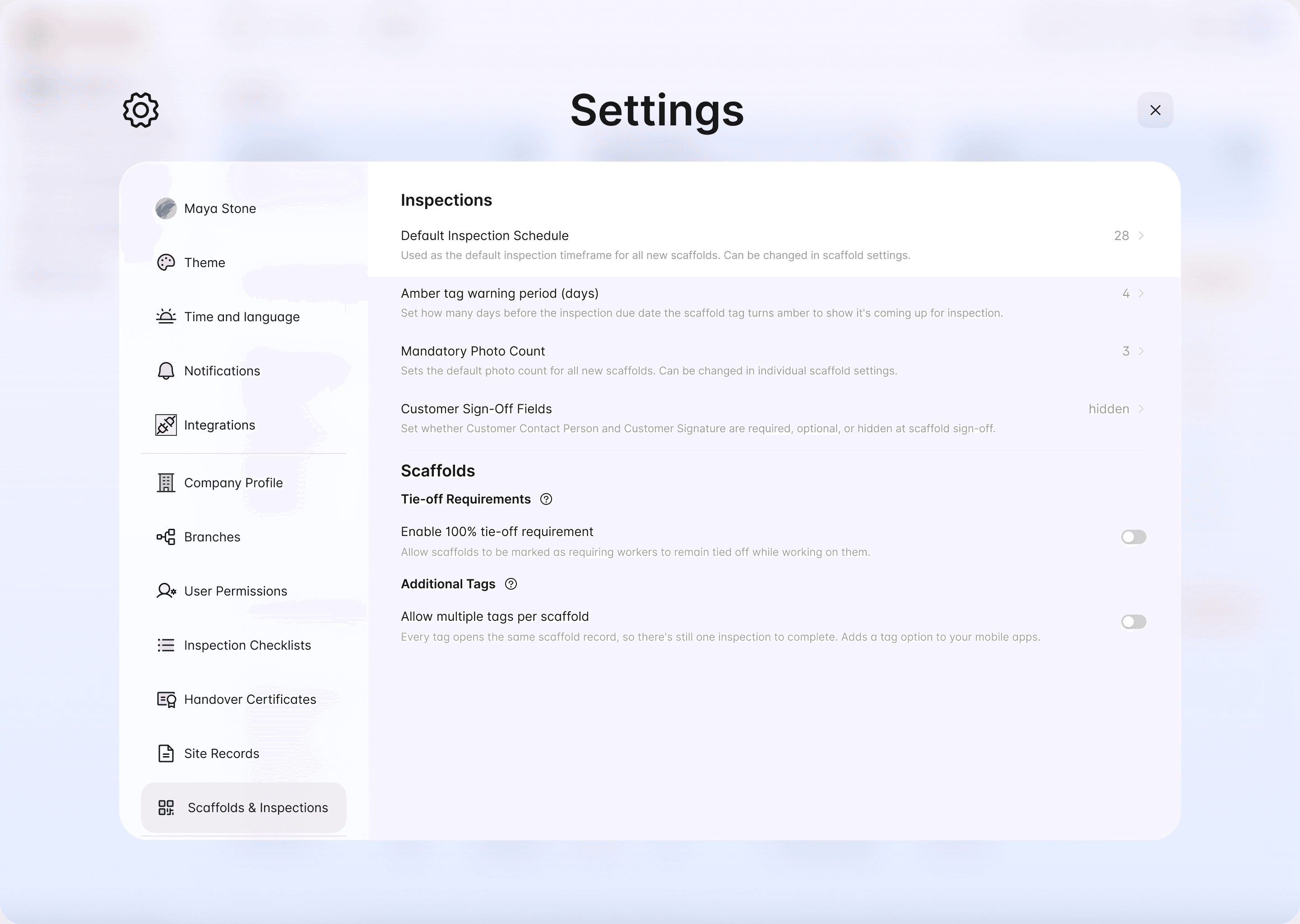
Three settings control when a scaffold is due for inspection and what each inspection must include:
- Inspection schedule: how often the scaffold must be inspected, from 1 to 28 days
- Amber tag warning period: how many days before the due date the tag turns amber
- Mandatory photo count: the minimum number of photos on every inspection
You set company defaults in the web portal, and you can set the schedule and photo count on each scaffold.
Set your company defaults
Set them on a single scaffold
When you add a scaffold in the mobile app, you can set its Inspection schedule and Mandatory photo count per inspection. Use this when one scaffold needs a different interval from your default.
How the amber warning works
The tag shows green (or yellow for a 100% tie-off scaffold) while the scaffold is safe and not yet close to its next inspection, turns amber during the warning period, and turns red when the inspection is overdue.
For example, on a 14-day schedule with a 4-day amber period, the tag is green on days 1 to 10, amber on days 11 to 14, and red after day 14. See scaffold statuses explained for every status.
Choosing an interval
The schedule should never be longer than the rules where you work allow. For example:
- Australia: at least every 30 days where a person or thing could fall more than 4 metres (WHS Regulation 225)
- UK: within the previous 7 days for a working platform with a fall of 2 metres or more (Work at Height Regulations 2005)
- Alberta: at least every 21 calendar days for the site-built scaffolds the OHS Code names
These are the longest intervals allowed. Scaffolds also need inspecting after events that could affect their safety, such as repairs, an incident or high winds, whatever the schedule says.
Photos
Inspectors can add up to 10 photos per inspection, from the camera or the phone album. The mandatory photo count sets the minimum number required on each inspection.
Get reminded before an inspection is due
Each user chooses how far ahead they're reminded, and whether by app, email or both. See how to set up inspection reminders.
Still got questions?
Pick whichever suits, we’ll get back to you either way.