How to create a day docket
A day docket records variation work: work the builder asks for outside the contract, such as moving a hop-up, relocating a tie or erecting an extra scaffold. In the UK the same record is usually called a daywork sheet, and in Canada a T&M ticket.
You create day dockets in the mobile app. The signed PDF is emailed automatically, and every docket is kept in the project's Site records tab in the web portal.
Before you start
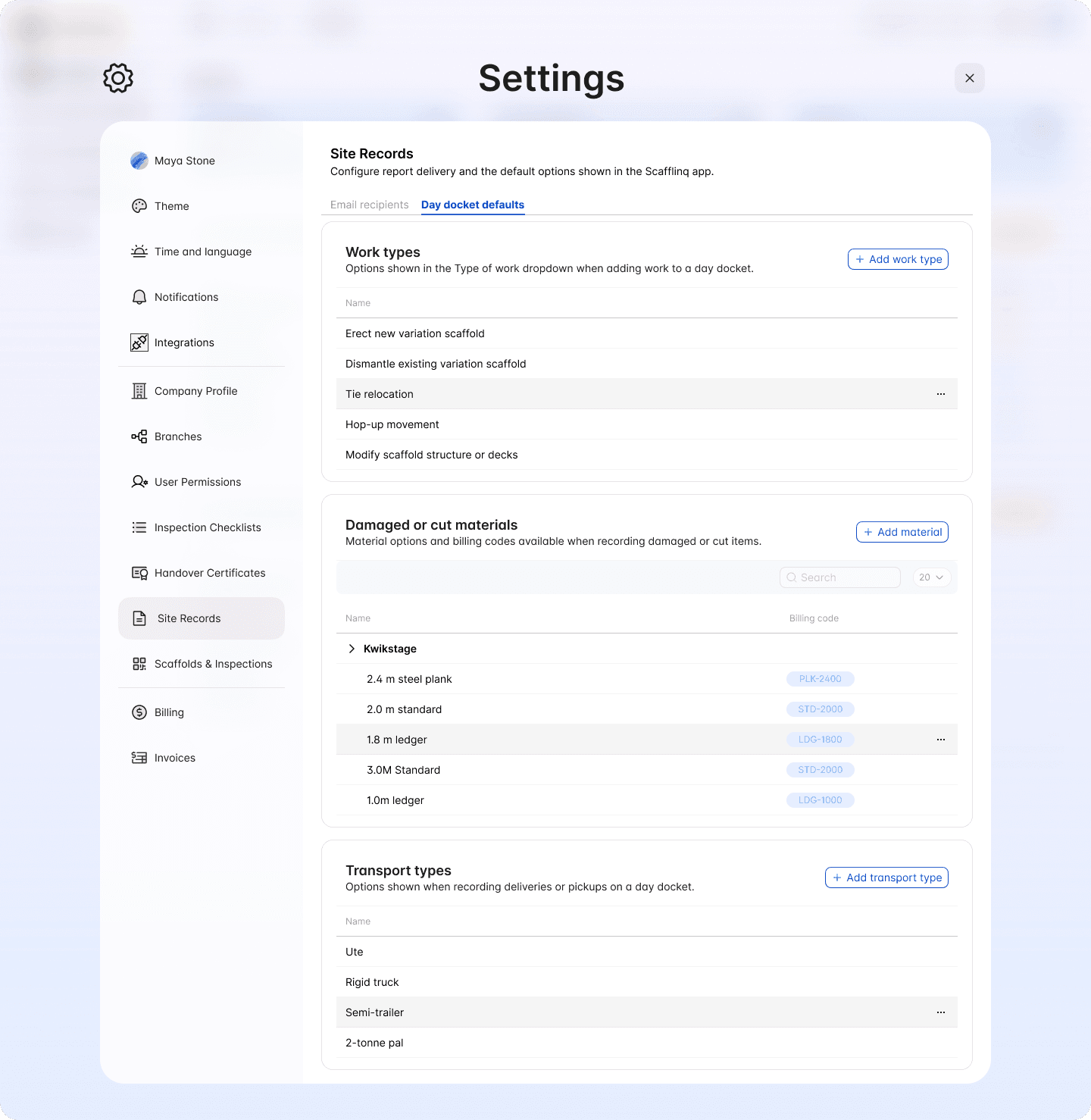
Day Dockets comes with a starter set of options, so you can submit a docket straight away. To make the lists match the way you quote and invoice, open Settings > Site Records > Day docket defaults in the web portal and edit:
- Work types: the options in the Type of works dropdown
- Damaged or cut materials: grouped by scaffold system, each with a name and billing code
- Transport types: the vehicles you use for deliveries and pickups
To choose who receives every docket, see how to set site record recipients.
Create a day docket in the mobile app
Site Records, then choose Day dockets and start a new docket.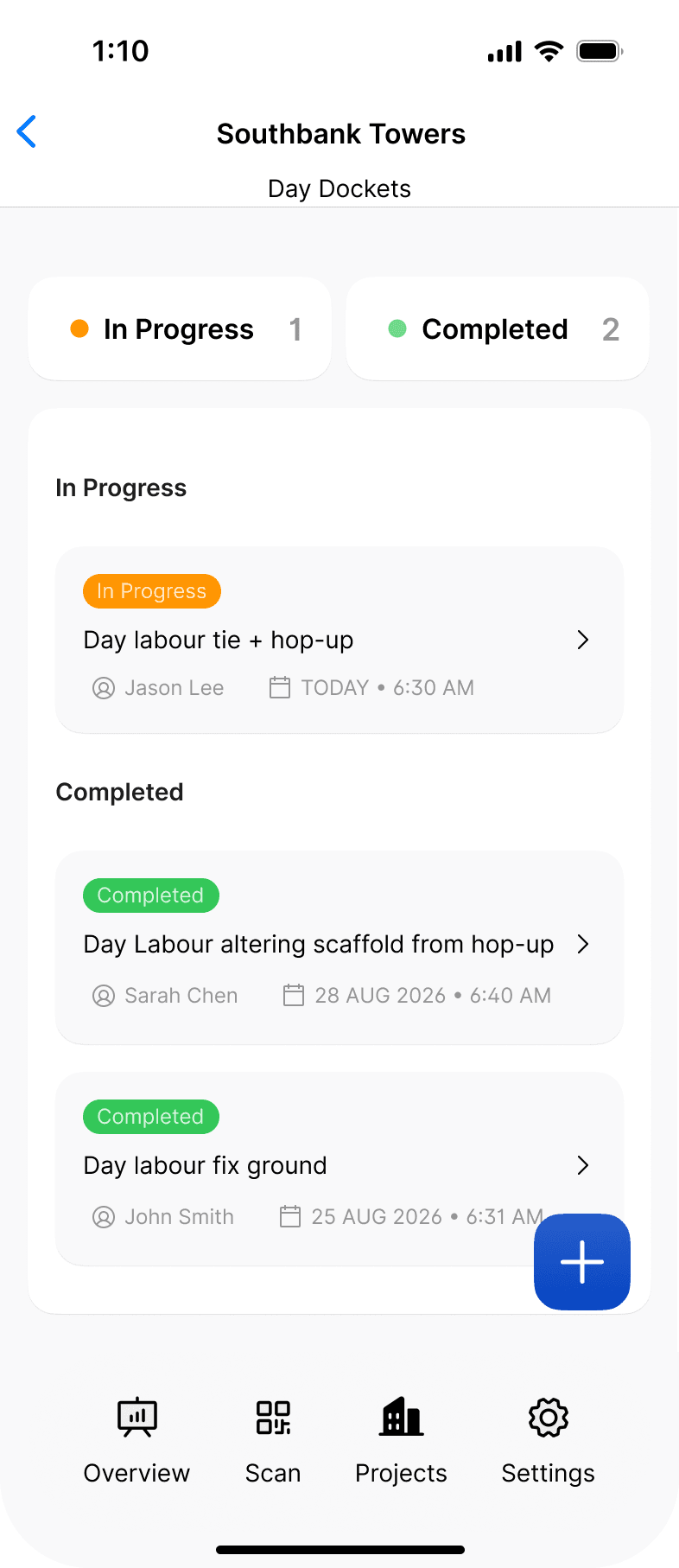
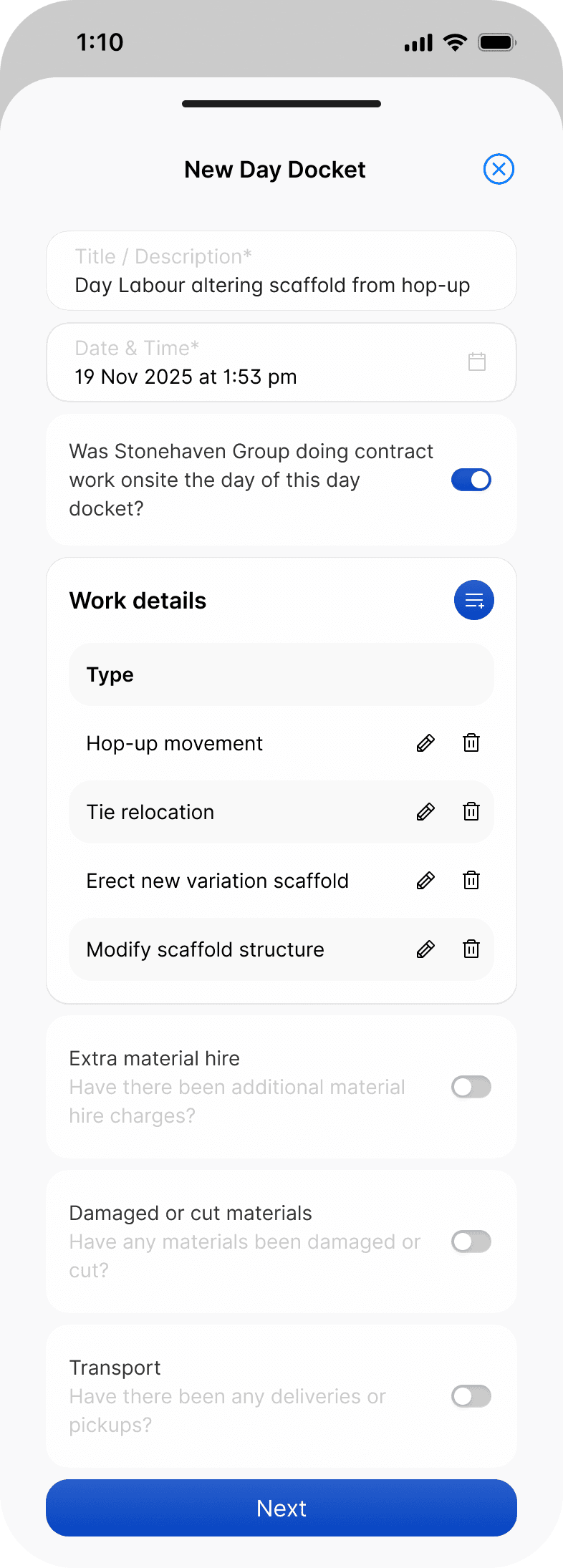
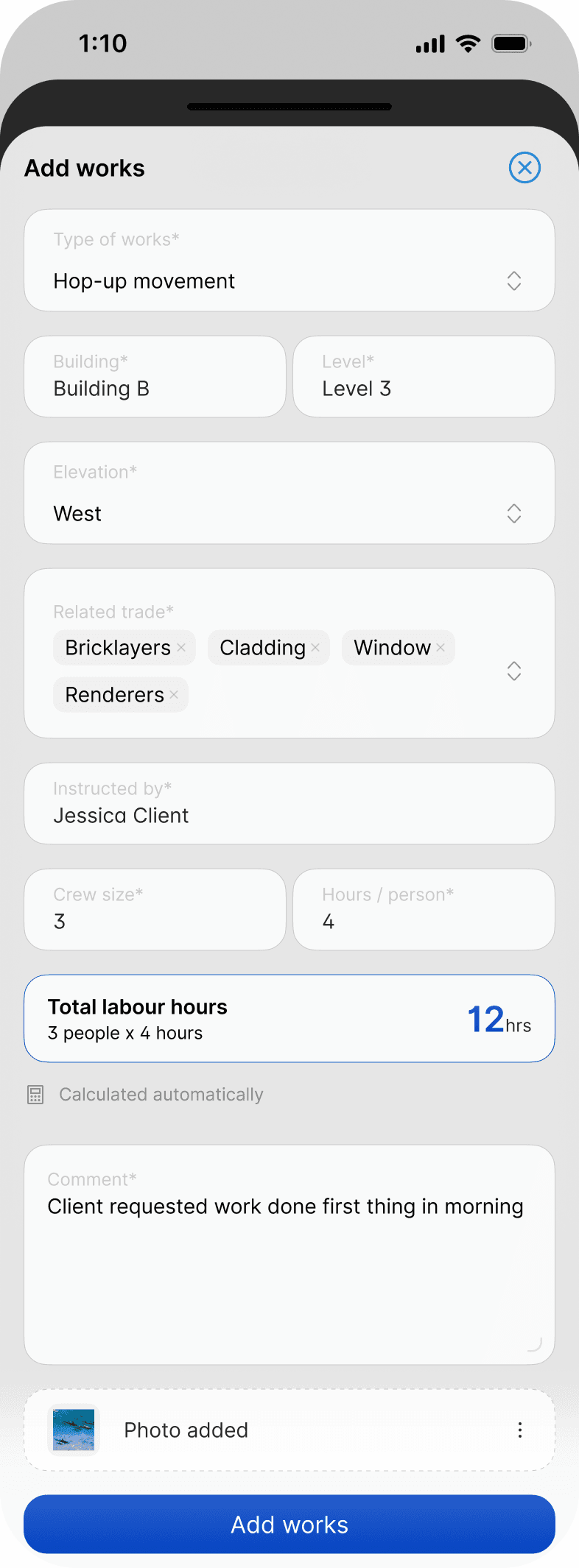
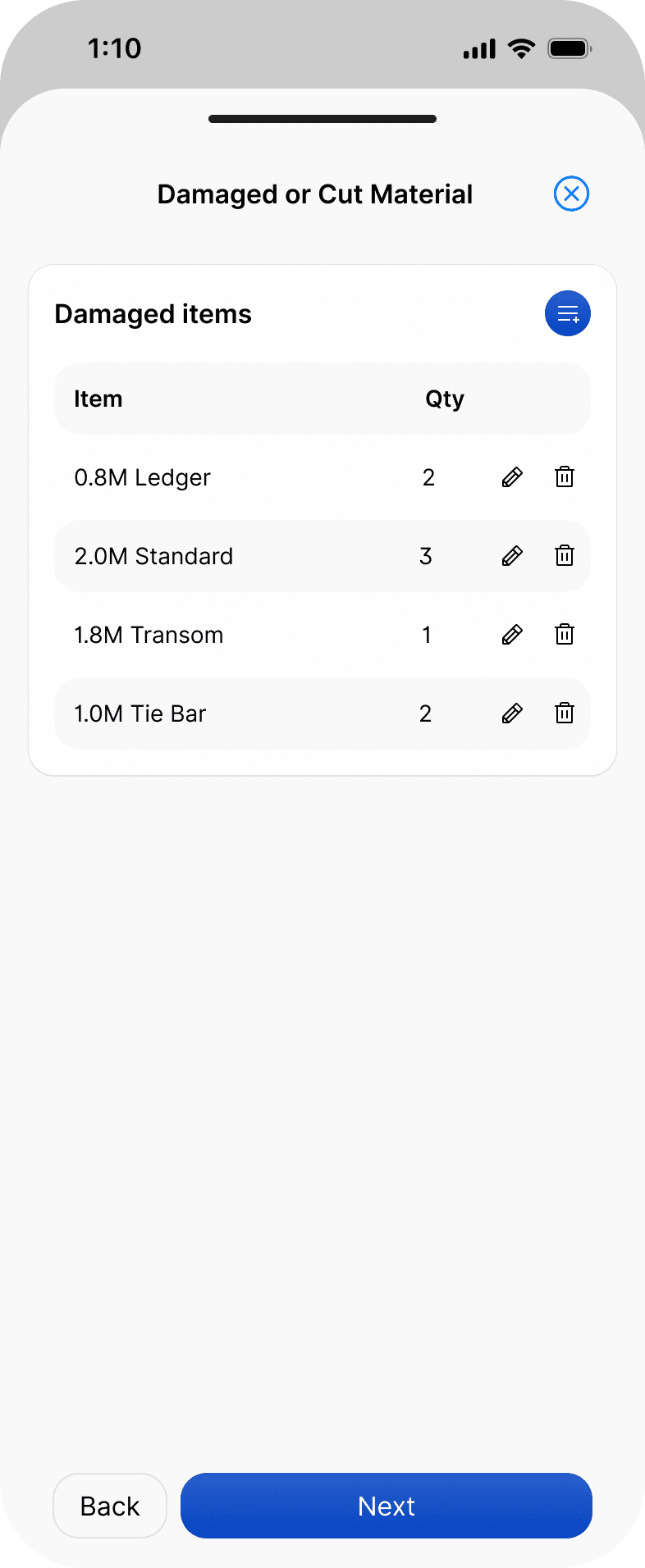
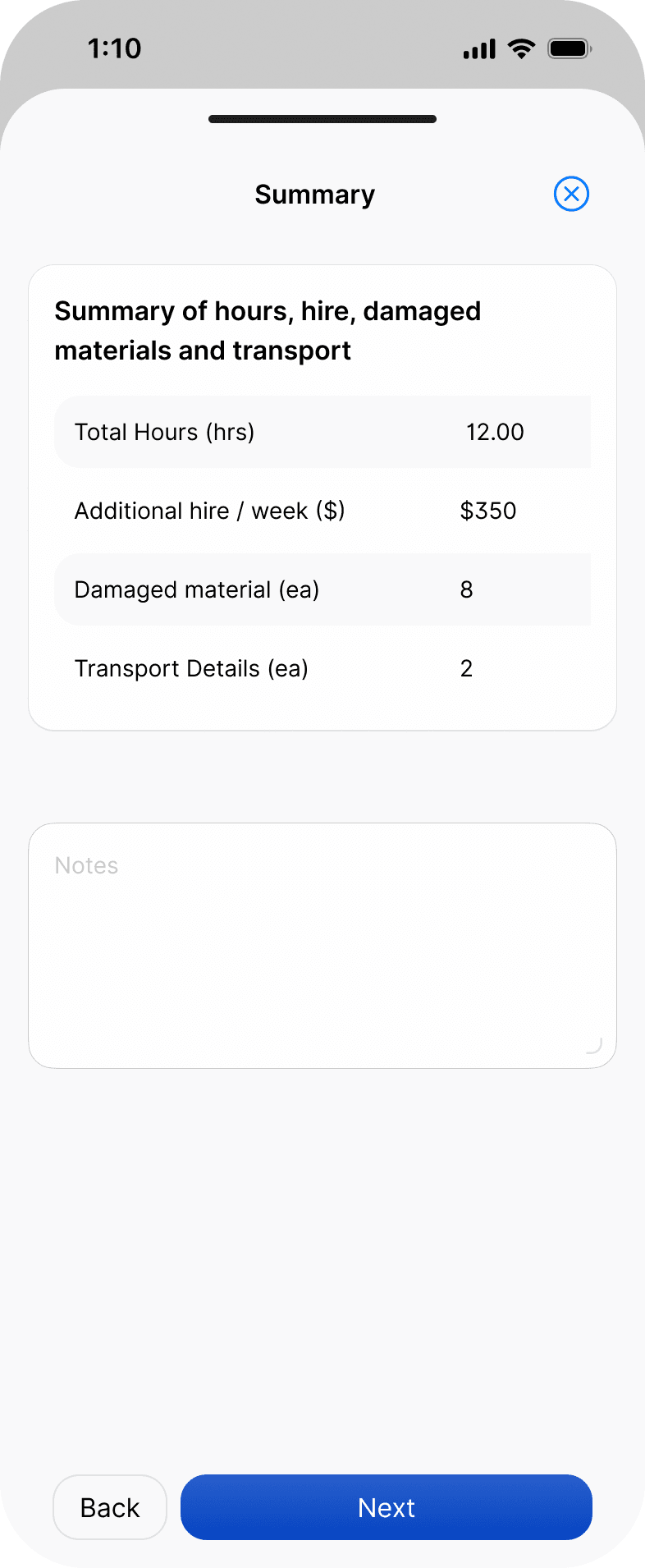
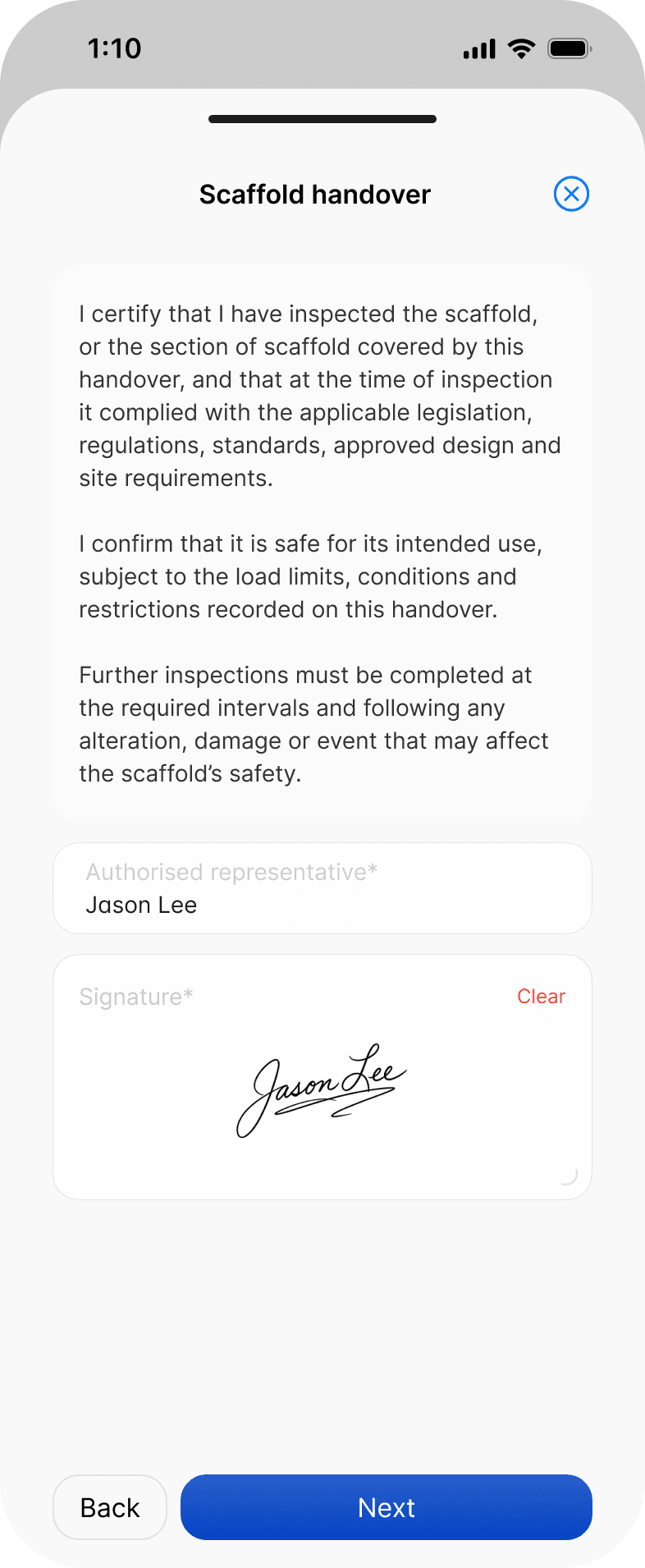
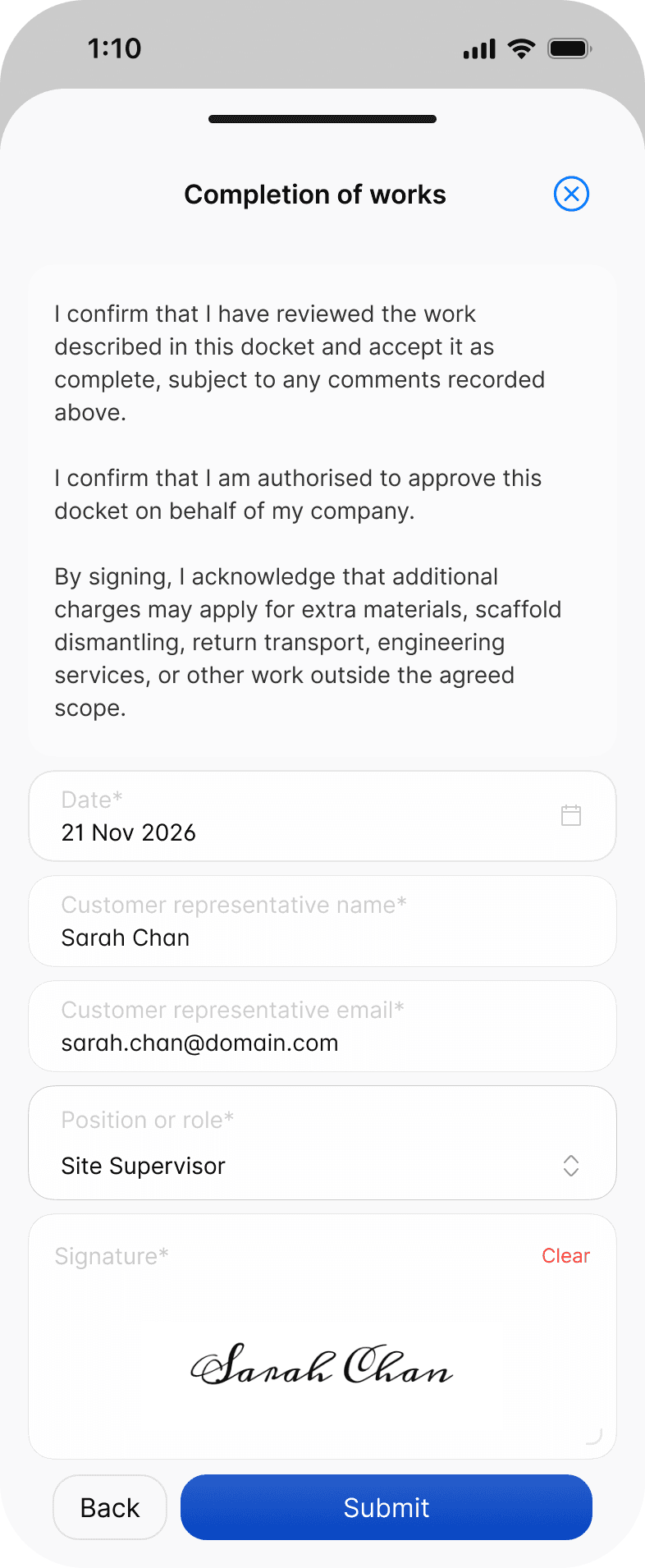
Can't finish it in one go? Save the docket as a draft. It stays under In Progress until you submit it.
Find a docket in the web portal
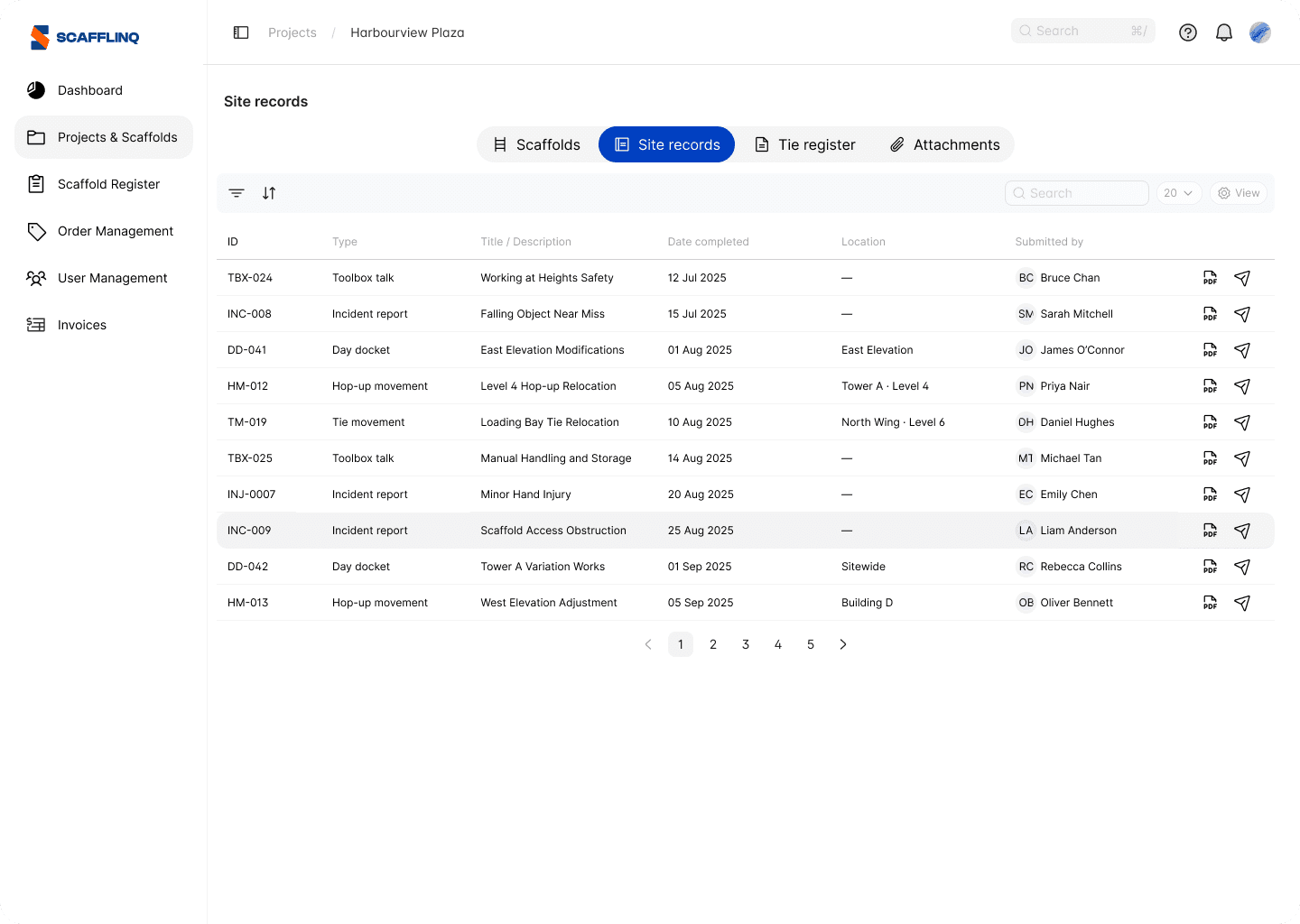
Every submitted docket is listed in the project's Site records tab with its ID, title, completion date, location and submitter. Open the PDF or resend it from there.
What the customer's signature confirms
By signing, the customer's representative confirms the work is complete, that they are authorised to approve the docket, and that additional charges may apply for work outside the agreed scope.
Recording work by what was moved rather than by the hour? See how to record hop-up and tie movements.
Still got questions?
Pick whichever suits, we’ll get back to you either way.